


.png)
Your Ultimate 10-Point Website Redesign Checklist for 2025
Embarking on a website redesign is a significant investment in your business's future. It's a powerful opportunity to enhance user experience, boost conversions, and align your digital presence with your brand's evolution. However, without a strategic plan, even the most well-intentioned redesign can fall flat, leading to wasted resources, technical debt, and missed opportunities. A successful project requires more than a fresh coat of paint; it demands a structured, methodical approach that prioritizes clear goals and user needs from the very beginning.
This comprehensive 10-point website redesign checklist provides a prioritized, actionable roadmap to guide you through every critical phase. It's designed to prevent common pitfalls by ensuring your project is built on a solid foundation of data, strategy, and user-centric design. This guide is tailored to help businesses across Southern California, from the San Fernando Valley to the South Bay, navigate the complexities of a modern redesign and achieve measurable results.
Whether you're a small business in West Hollywood, an e-commerce store in Santa Monica, or a professional service firm in Downtown Los Angeles, following these steps will transform your process. We will cover everything from initial discovery and goal setting to content audits, UX/UI design, technical SEO requirements, and post-launch monitoring. By using this checklist, you can ensure your new website not only looks great but also performs exceptionally, drives growth, and delivers a tangible return on your investment.
1. Audit Current Website Performance & Analytics
Before you can build a better website, you must first understand your current one's strengths and weaknesses. A comprehensive performance audit is the crucial first step in any effective website redesign checklist. This process involves a deep dive into your existing analytics to establish a data-driven baseline, ensuring your new design is based on evidence, not assumptions. By analyzing user behavior and technical health, you create a benchmark to measure the future success of your project.

This initial audit informs every subsequent strategic decision. For instance, a dental practice in Santa Monica might discover a high bounce rate on its appointment booking page, signaling a need for a more intuitive scheduling form. Similarly, an e-commerce retailer serving customers from Downtown Los Angeles to Pasadena could identify a significant drop-off point in their checkout funnel, highlighting a critical area for UX improvement.
Why This Audit is Essential
Skipping this step is like building a house without surveying the land. Your audit provides the foundational data needed to:
Identify Pain Points: Uncover which pages have high exit rates, where users get stuck, and what content is underperforming.
Discover Opportunities: Find your most popular content and best-performing conversion paths to replicate their success across the new site.
Set Clear Goals: Use hard data to define specific, measurable objectives for the redesign, such as "reduce cart abandonment by 15%" or "increase mobile lead form submissions by 25%."
Key Insight: A pre-redesign audit transforms your project from a subjective facelift into a strategic, goal-oriented business initiative. It ensures resources are focused on changes that will deliver a tangible return on investment.
How to Conduct a Performance Audit
To get started, leverage a combination of analytics and user feedback tools.
Google Analytics: Review key metrics like bounce rate, session duration, user flow, and conversion rates. Segment data by device (mobile vs. desktop) to identify platform-specific issues.
Heatmap & Session Recording Tools (e.g., Hotjar): Visually understand how users interact with your pages. Watch recordings to see exactly where they click, scroll, and encounter friction.
Technical SEO Tools (e.g., SEMrush): Analyze your site's technical health, including Core Web Vitals, page speed, and crawl errors. This is a core part of a more extensive SEO review. Learn more about how to perform a comprehensive SEO audit for a deeper analysis.
Customer Feedback: Interview current customers or run simple surveys to ask them directly about their experiences and frustrations with your current website.
Document your findings in a shared report to guide your design and development teams. This initial audit is the most critical item on your website redesign checklist for building a site that truly performs.
2. Define Clear Business Goals & KPIs
After auditing your current site, the next critical step is to define what success will look like. A website redesign should be more than a cosmetic update; it must be a strategic initiative tied directly to your business objectives. This phase involves setting specific, measurable goals and Key Performance Indicators (KPIs) that will guide every design and development decision. By establishing clear targets, you ensure the project remains focused on delivering tangible results, not just aesthetic improvements.
This goal-setting process aligns the entire project with your company's growth strategy. For example, a law firm in Beverly Hills might aim to increase qualified consultation requests by 30%. An e-commerce business serving customers from Glendale to Long Beach might set a goal to improve mobile conversion rates by 25%. These precise objectives transform the redesign from a cost center into a strategic investment.
Why This Goal-Setting is Essential
Without clear goals, your redesign project lacks direction and a means to measure its success. Defining your objectives upfront allows you to:
Prioritize Features: Allocate your budget and resources to features that directly contribute to your primary goals, avoiding unnecessary expenses.
Align Stakeholders: Ensure everyone, from designers to marketing teams, is working toward the same desired outcomes.
Measure ROI: Use baseline metrics to quantitatively prove the redesign’s impact on lead generation, sales, or user engagement.
Key Insight: Goals transform your redesign from a subjective "new look" into a measurable business tool. Every design choice, from a call-to-action button to the navigation structure, should serve a specific, predefined purpose.
How to Define Your Goals & KPIs
Gather key stakeholders from sales, marketing, and operations to create goals that reflect the entire business's needs.
Use the SMART Framework: Ensure your goals are Specific, Measurable, Achievable, Relevant, and Time-bound. Instead of "get more leads," aim for "increase online appointment bookings from Pasadena by 20% in Q3."
Establish Baselines: Use the data from your initial audit to set your starting point. You cannot measure improvement if you don't know where you began.
Segment Your Objectives: Create distinct goals for different user segments or business units. For instance, a healthcare practice might have one goal for attracting new patients and another for streamlining appointment scheduling for existing ones.
Link Goals to KPIs: For each goal, identify the KPIs you will track. If your goal is to enhance brand perception, your KPIs might include direct traffic, branded search volume, and social media mentions.
Defining these targets is a foundational part of your website redesign checklist, ensuring the final product is a powerful engine for business growth.
3. Conduct User Research & Audience Analysis
If your website audit tells you what is happening, user research tells you why. Before writing a single line of code or choosing a color palette, you must deeply understand the people you are designing for. This step involves directly engaging with your target audience to uncover their needs, behaviors, and pain points, ensuring your new site is user-centric, not just company-centric. This research provides the qualitative data that gives context to your analytics, making it an indispensable part of your website redesign checklist.
This process reveals critical insights that shape the entire project. For example, a dental practice in Sherman Oaks might discover that prospective patients prioritize seeing clear, upfront pricing and insurance information over team bios. Similarly, an accounting firm serving businesses from Pasadena to the South Bay could learn that potential clients are looking for trust indicators like certifications and client testimonials on the homepage to feel confident in their services.
Why This Research is Essential
Designing without audience insight is like trying to give a gift without knowing the recipient's preferences. User research provides the foundational knowledge to:
Build with Empathy: Understand user frustrations and goals to create a more intuitive and enjoyable experience.
Prioritize Features: Focus development resources on features your audience actually wants and needs, avoiding costly assumptions.
Inform Content & Design: Make evidence-based decisions about information architecture, navigation labels, and visual design that resonate with your users.
Key Insight: User research bridges the gap between what you think your audience wants and what they actually need. It transforms your redesign from an internal exercise into a customer-centric solution that drives engagement and conversions.
How to Conduct User Research
You don't need a massive budget to gather valuable feedback. A few focused activities can yield powerful insights.
User Interviews: Speak directly with 8-12 customers representing your key audience segments. Ask open-ended questions about their goals and experiences with your current site.
Surveys: Use free tools like Google Forms or Typeform to ask targeted questions to a larger audience. Focus on uncovering their primary reasons for visiting your site.
Persona Development: Consolidate your research findings into 2-3 detailed user personas. These fictional character profiles represent your ideal customers and should be shared with your entire team to guide decision-making.
User Testing: Ask real users (not internal team members) to perform key tasks on your current site, like "find pricing information" or "book an appointment," and observe where they struggle.
Documenting these findings ensures your design and development teams have a clear, shared understanding of the end user, setting the stage for a successful redesign.
4. Plan Information Architecture & Site Structure
Once you understand what content to keep and create, the next step is organizing it logically. Information Architecture (IA) is the blueprint for your website’s content, ensuring users can easily navigate and find what they need. This process involves creating a sitemap, organizing pages into logical categories, and planning how information flows. A strong IA is the bedrock of a positive user experience and a critical component of any website redesign checklist.
This foundational planning dictates how intuitive your site will feel. For example, a law firm in Sherman Oaks would organize its services by distinct practice areas like "Family Law" and "Business Litigation" to guide potential clients quickly. Similarly, a medical practice serving communities from Burbank to Torrance must create a clear path for patients to find specific services, learn about practitioners, and book appointments without confusion.
Why This Architecture is Essential
Building a website without a solid IA is like constructing an office building without hallways or signs. It leads to confusion and abandonment. A well-planned structure helps you:
Improve User Experience: A logical hierarchy and clear navigation paths reduce user frustration and help visitors accomplish their goals faster.
Boost SEO Performance: A well-organized site structure helps search engine crawlers understand the relationship between your pages, improving indexing and keyword relevance.
Enhance Scalability: Planning for future growth allows you to add new content, services, or product categories without having to overhaul your entire navigation system.
Key Insight: Information Architecture is not just about organizing content; it’s about designing intuitive pathways that guide users toward conversion. It’s the invisible framework that makes a website feel effortless.
How to Plan Your Site Structure
Combine user-centric methods with strategic planning to build an effective IA.
Create a Visual Sitemap: Use a tool like GlooMaps or a simple whiteboard to map out every page on your site. Draw lines to show the parent-child relationships and how pages will link together.
Conduct Card Sorting: Write your page topics on individual cards (or use a digital tool) and ask a few target users to group them into categories that make sense to them. This provides invaluable insight into user expectations.
Define Your Main Navigation: Keep your primary navigation menu concise and clear, ideally with no more than 5-7 top-level items. Use descriptive labels that users will immediately understand.
Plan for Breadcrumbs: For websites with deep content sections, like an e-commerce store with many subcategories, plan to include breadcrumb navigation to help users orient themselves and navigate back easily.
A thoughtfully planned architecture ensures your new website is built on a solid foundation, ready to serve users and search engines effectively.
5. Develop Wireframes & User Flow Diagrams
Before committing to full-color designs and coding, you must first create a blueprint for your new website. Wireframes and user flow diagrams serve as this essential architectural plan. This stage involves creating low-fidelity layouts that map out page structure, content placement, and critical user interactions. By visualizing where key elements like navigation, calls-to-action, and forms will live, you build a solid foundation based on the user journey, not just aesthetics.
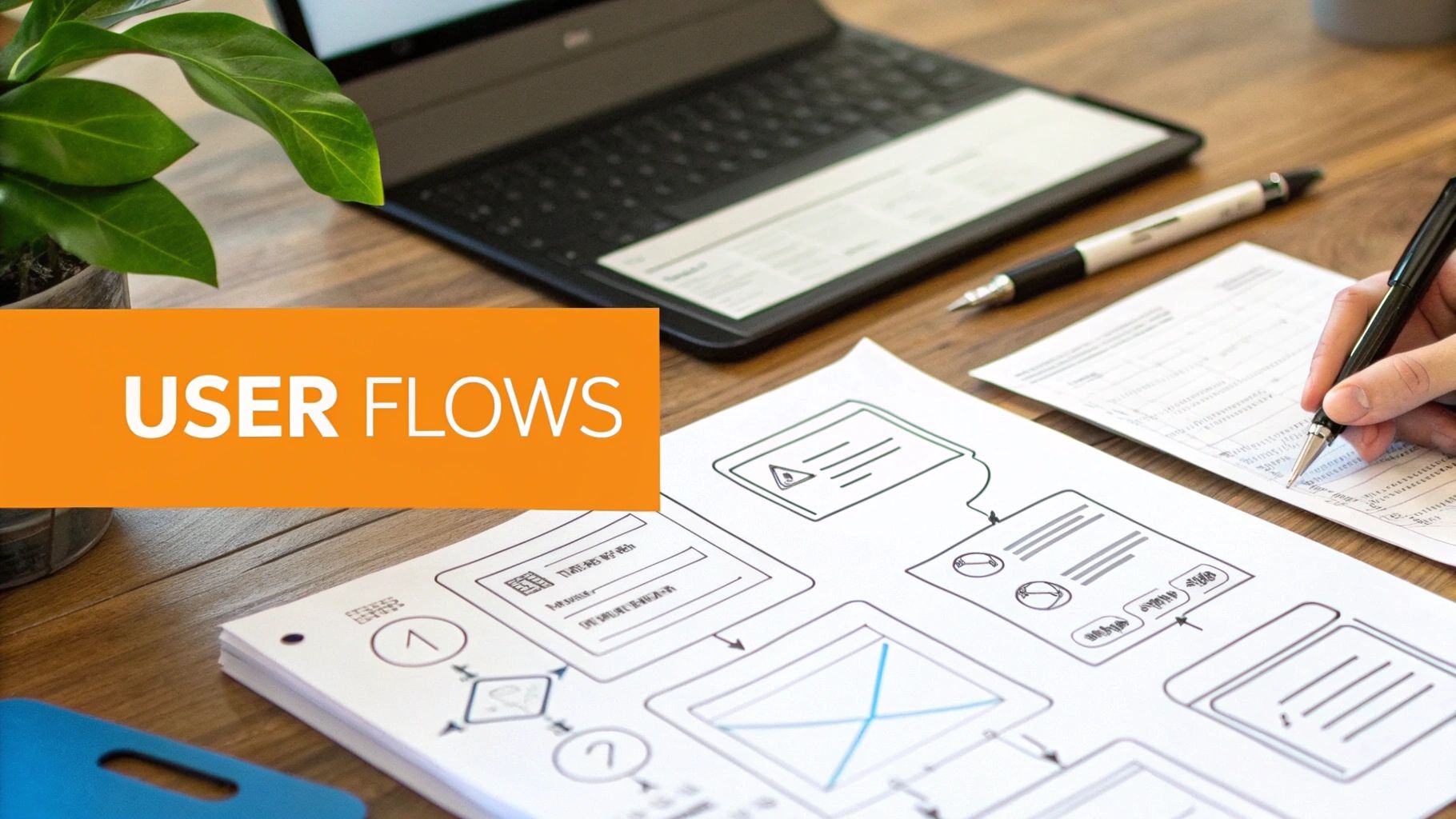
This structural planning is where usability issues are caught and corrected when changes are still inexpensive. For example, a professional services firm in Beverly Hills can map out the exact steps a potential client takes from a service page to a consultation request form. Similarly, an e-commerce brand serving customers from Santa Monica to Pasadena can design a seamless user flow from a product page, through the cart, and into the final checkout process, identifying and removing potential friction points early.
Why This Blueprint is Essential
Skipping this stage is like building a house without architectural drawings; you risk creating a confusing and illogical structure. Wireframing provides the skeletal framework needed to:
Define Information Hierarchy: Establish the priority of content on each page, ensuring the most important information is prominent.
Clarify User Journeys: Map out the ideal paths users should take to achieve key goals, such as making a purchase or booking an appointment.
Facilitate Early Feedback: Gain alignment from stakeholders on layout and functionality before significant design and development resources are invested.
Key Insight: Wireframes and user flows force you to focus on usability and functionality first. This user-centric approach ensures the final design is not only visually appealing but also intuitive and effective at driving conversions.
How to Create Effective Wireframes
To build a solid blueprint, focus on structure and flow using simple, black-and-white layouts.
Focus on Key Page Templates: Start by creating wireframes for your most critical pages, such as the homepage, primary service/product pages, about us, contact, and blog post templates.
Map Out User Flows: Use simple diagrams to illustrate pathways for primary conversions. For a dental practice, this could be the flow from a "Dental Implants" service page to a "Book Now" confirmation page.
Design for Mobile First: Create mobile wireframes alongside or even before desktop versions to ensure a seamless experience on all devices. This is a crucial step in any modern website redesign checklist.
Annotate Everything: Add notes to your wireframes to explain the purpose of specific elements, interactive features, and intended user actions. This context is invaluable for designers and developers.
By investing time in this planning phase, you ensure the final design is built on a strategic foundation that guides users effectively toward your business goals.
6. Create High-Fidelity Designs & Design System
With your strategy, content, and user flows defined, it's time to translate those blueprints into a visually polished, high-fidelity design. This stage moves beyond wireframes to create the exact look and feel of your new website, complete with branding, imagery, and interactive elements. A key part of this process is developing a design system-a centralized library of reusable components and guidelines that ensures consistency across every page and future update.

This systematic approach is invaluable for maintaining brand integrity and improving development efficiency. For example, a restaurant group with locations from Santa Monica to Pasadena can use a single design system to ensure their food photography, menu layouts, and reservation buttons are styled consistently, creating a unified brand experience. Likewise, a law firm in Downtown Los Angeles can guarantee that every attorney bio and service page uses the same professional typography and color palette, reinforcing trust.
Why This Design Phase is Essential
Building without a design system is like trying to furnish a house by buying one piece of furniture at a time from different stores. It leads to inconsistency and inefficiency. A strong design system helps you:
Ensure Brand Consistency: Guarantees that colors, fonts, and component styles are applied uniformly, strengthening your brand identity.
Accelerate Development: Provides developers with a ready-made toolkit of components, reducing repetitive coding and speeding up the build process.
Simplify Future Updates: Makes it easy to update a component (like a button style) in one place and have the change apply site-wide, saving time and resources.
Key Insight: A high-fidelity design and an accompanying design system are not just about aesthetics; they are strategic assets that promote brand cohesion, improve user experience, and create long-term efficiencies for your website.
How to Create Your Designs & System
Modern design tools have streamlined this process, allowing for seamless collaboration between designers and developers.
Use Collaborative Design Tools (e.g., Figma): Create your high-fidelity mockups in a tool that allows for real-time feedback and easy asset handoff. Design for mobile-first to ensure a strong responsive foundation.
Build the Design System as You Go: Instead of designing pages one by one, think in terms of components. When you design a button, a form field, or a navigation menu, define it as a reusable element in your system.
Document Component States: For every interactive element (buttons, links, form inputs), design and document its various states: default, hover, active, and disabled. This detail is crucial for a polished user experience.
Test with Real Content: Avoid using "lorem ipsum." Populate your designs with actual headlines, body copy, and images to ensure the layout works with real-world content, not just placeholders.
Documenting these elements is a critical step in your website redesign checklist, creating a single source of truth that will guide your project to a successful and scalable launch.
7. Plan Content Strategy & SEO Optimization
A visually stunning redesign will fail if no one can find it. Integrating your content strategy with search engine optimization (SEO) from the beginning ensures your new site is built for visibility and user engagement. This step involves developing a plan for every piece of content, from service pages to blog posts, and optimizing it to attract your target audience through search engines. It aligns what you say with what your potential customers are looking for.
This strategic alignment is crucial for ranking. For instance, a medical practice in Glendale needs to rank for "dentist in Glendale" and service-specific queries to attract local patients. Similarly, a law firm in Beverly Hills must target competitive keywords like "family law attorney near me" to capture high-intent searchers. Treating SEO as an afterthought is a costly mistake; it must be woven into the fabric of your redesign plan.
Why This Strategy is Essential
Content and SEO are the engines that drive organic traffic to your new website. Planning them together ensures:
Targeted Traffic: You attract visitors who are actively searching for the solutions you offer, leading to higher-quality leads and conversions.
Topical Authority: A well-structured content plan establishes your business as an expert in its field, building trust with both users and search engines.
Long-Term Growth: Unlike paid ads, a strong SEO and content foundation provides a sustainable source of traffic that grows over time.
Key Insight: Building SEO into your redesign is far more effective and less expensive than trying to bolt it on after launch. A site designed with SEO in mind from day one has a significant competitive advantage.
How to Plan Your Content & SEO
A successful strategy requires methodical research and planning.
Keyword Research: Use tools like SEMrush or Ahrefs to identify valuable keywords. Target commercial-intent keywords ("divorce lawyer Los Angeles") for your main service pages and informational keywords ("what to look for in a family lawyer") for blog content.
Content Hierarchy: Map your target keywords to a logical site structure. Ensure your most important service pages are easy to find and are supported by an internal linking plan from related blog posts and other content. Learn more about how web design should incorporate SEO from the start for a deeper understanding of this synergy.
On-Page Optimization: Plan for optimized title tags, meta descriptions, headings (H1, H2, etc.), and URL structures for every page. Ensure your URL for a Pasadena-based service is clean and descriptive, like .
Local SEO: For businesses serving specific locations from Santa Monica to Pasadena, implement a local SEO strategy. This includes optimizing your Google Business Profile, creating location-specific service pages, and using local business schema markup.
A solid content and SEO plan is a non-negotiable part of any modern website redesign checklist, turning your new site into a powerful customer acquisition tool.
8. Select Technology Stack & Platform
Choosing the right technology is the architectural blueprint of your new website. This decision dictates everything from design flexibility and long-term maintenance to scalability and security. Selecting the appropriate platform, or "tech stack," involves matching your business goals, technical capabilities, and budget to the available options, ensuring your digital foundation can support your growth.
This choice fundamentally shapes your digital presence. For example, a design-focused agency in Hollywood might select Webflow for its unmatched visual control, while an e-commerce retailer serving customers from Torrance to Pasadena may rely on WordPress with WooCommerce for its robust product management and scalability. Similarly, a local dental practice in Sherman Oaks could thrive on Wix Studio for its easy-to-use templates and integrated booking tools.
Why This Decision is Essential
Your technology stack is not just a backend detail; it's the engine that powers your user experience and business operations. Making the right choice allows you to:
Align with Business Needs: Choose a platform that fits your budget, timeline, and team's technical skill set for ongoing management.
Ensure Future Scalability: Select a system that can grow with you, whether that means adding e-commerce functionality, a client portal, or more complex features.
Maximize Flexibility & Control: The right platform provides the perfect balance of creative freedom and user-friendly content management.
Key Insight: The best platform is not the most powerful one, but the one that most closely aligns with your specific operational needs, technical resources, and long-term business objectives. This is a critical component of any successful website redesign checklist.
How to Select Your Technology Stack
Evaluate potential platforms by comparing them against your pre-defined requirements and future goals.
WordPress: Ideal for content-heavy sites and e-commerce (with WooCommerce). It offers unparalleled scalability and a vast ecosystem of plugins, making it perfect for businesses planning significant growth.
Webflow: The top choice for design-forward companies that need pixel-perfect, custom designs without writing code. It combines a powerful visual editor with a clean, efficient CMS.
Wix Studio / Squarespace: Excellent for small businesses, startups, and service providers who need a professional, template-based site quickly and with minimal technical overhead.
Custom Development: Necessary for businesses with highly specific requirements, such as HIPAA compliance for a healthcare system in Glendale or complex, proprietary integrations for a tech startup.
9. Optimize for Mobile, Accessibility & Performance
In today's digital landscape, a website’s success hinges on more than just aesthetics. A truly modern website must be fast, inclusive, and seamless on any device. This step in your website redesign checklist focuses on the three pillars of user experience: mobile optimization, digital accessibility, and technical performance. These are not afterthoughts but core architectural requirements that directly impact engagement, conversions, and search engine rankings.
These foundational elements must be built into the redesign from the ground up. For a restaurant in Beverly Hills, this means a mobile menu that is easy to navigate and order from. For a healthcare practice in the San Fernando Valley, it involves ensuring elderly patients can easily book appointments by meeting accessibility standards. Prioritizing these technical aspects ensures your new site serves every potential customer effectively.
Why This Optimization is Essential
Neglecting mobile, accessibility, and performance is like locking the front door to a segment of your audience. Integrating these elements is critical to:
Capture the Mobile Majority: With most users browsing on smartphones, a mobile-first design is non-negotiable for capturing leads and sales.
Expand Your Audience: ADA compliance makes your website usable for people with disabilities, widening your market reach and demonstrating social responsibility.
Boost SEO and Conversions: Google prioritizes fast-loading, mobile-friendly sites. Excellent Core Web Vitals directly correlate with higher rankings and lower bounce rates.
Key Insight: Mobile optimization, accessibility, and performance are not separate tasks but interconnected components of a superior user experience. Building them into the core of your redesign strategy is essential for long-term growth.
How to Implement These Optimizations
Integrate these practices throughout your design and development phases.
Design Mobile-First: Start the design process with the smallest screen and scale up. This forces a focus on essential content and functionality.
Prioritize Page Speed: Use Google PageSpeed Insights to diagnose issues. Optimize images by using WebP format, implement lazy loading for content below the fold, and leverage a Content Delivery Network (CDN) for faster global load times.
Test for Accessibility: Use tools like the WAVE Web Accessibility Evaluation Tool and test with actual screen readers. It's crucial to ensure your site is navigable and understandable for all users. Explore our guide to learn more about implementing website accessibility best practices.
Ensure E-commerce Compliance: For online stores, it's vital to ensure compliance across all devices for mobile commerce, especially when dealing with complex rules like shipping regulations.
By embedding these principles in your website redesign checklist, you create a site that is not only beautiful but also powerful, inclusive, and effective.
10. Plan Migration, Testing & Launch Strategy
A successful redesign culminates in a flawless launch, but this final step requires meticulous planning. The migration, testing, and launch strategy is a detailed roadmap for transitioning from your old site to the new one with minimal disruption. This phase involves mapping every old URL to its new counterpart, conducting exhaustive testing in a pre-live environment, and executing the launch itself. It’s the final quality control gate that ensures all your hard work translates into a seamless user experience.
This strategic planning prevents the catastrophic errors that can undermine a redesign. For instance, a professional services firm in Burbank might discover a broken contact form during testing, preventing new client inquiries. Similarly, an e-commerce store serving customers from Pasadena to Long Beach could identify a critical bug in their payment gateway integration, averting a significant loss of sales and customer trust upon launch.
Why This Strategy is Essential
Launching a website without a plan is like opening a physical store without checking if the doors lock or the cash register works. A structured launch plan is crucial to:
Preserve SEO Authority: A detailed URL redirect map ensures search engines correctly transfer ranking signals from your old pages to your new ones, preventing a drop in organic traffic.
Prevent Technical Glitches: Comprehensive testing identifies and resolves bugs, broken links, and compatibility issues before they impact your visitors.
Ensure a Smooth User Experience: A well-executed launch provides an uninterrupted experience for your customers, reinforcing their trust in your brand.
Key Insight: The success of your website redesign isn't measured when the design is complete, but when it launches successfully and performs as intended. A robust migration and testing plan is non-negotiable for protecting your investment.
How to Plan Your Launch
A smooth deployment relies on a multi-stage approach covering pre-launch, launch day, and post-launch activities.
Create a 301 Redirect Map: In a spreadsheet, list every URL from your old site and map it to the corresponding new URL. This is the single most important task for preserving your SEO value in a website redesign checklist.
Establish a Staging Environment: Your new site should be fully testable on a private server (staging) that mirrors your live hosting environment.
Conduct Thorough Testing: Test everything. This includes cross-browser compatibility (Chrome, Safari, Firefox), mobile responsiveness, all forms and interactive elements, and third-party integrations like payment systems or booking tools.
Schedule for Low Traffic: Plan your go-live during a period of minimal traffic, such as late at night or over a weekend, to minimize potential disruption for users.
Monitor Post-Launch: Immediately after launch, closely monitor Google Analytics for any unusual traffic drops or spikes in 404 errors. Use tools like Google Search Console to check for new crawl errors.
Website Redesign: 10-Point Comparison
Item | Complexity 🔄 | Resource Requirements ⚡ | Expected Outcomes 📊⭐ | Ideal Use Cases 💡 | Key Advantages ⭐ |
|---|---|---|---|---|---|
Audit Current Website Performance & Analytics | 🔄 Moderate–High: requires analytics expertise and tool setup | ⚡ Tools (GA4, Hotjar, Lighthouse), analyst hours, historical data | 📊 Baseline metrics, technical & UX issues identified, measurable ROI comparison | 💡 Pre-redesign validation for sites with existing traffic (e‑commerce, medical, service providers) | ⭐ Data-driven decisions; prevents repeating past mistakes |
Define Clear Business Goals & KPIs | 🔄 Low–Medium: stakeholder alignment and goal-setting | ⚡ Workshops, stakeholder time, baseline metric collection | 📊 Clear measurable targets and success criteria for redesign | 💡 Any redesign needing alignment and ROI measurement | ⭐ Prevents scope creep; enables concrete ROI tracking |
Conduct User Research & Audience Analysis | 🔄 Medium: planning, recruiting, and analysis required | ⚡ Interviews/surveys, testing tools, researcher time | 📊 Validated personas, prioritized user needs, reduced redesign risk | 💡 Consumer-facing sites, healthcare, startups, accessibility-focused projects | ⭐ Designs grounded in real user needs; improves satisfaction |
Plan Information Architecture & Site Structure | 🔄 Medium: content mapping and hierarchy planning | ⚡ Sitemap tools, card sorting, content audits | 📊 Improved findability, session duration, SEO performance | 💡 Large or content-heavy sites, e‑commerce catalogs, service directories | ⭐ Clear navigation; easier maintenance and SEO-friendly structure |
Develop Wireframes & User Flow Diagrams | 🔄 Low–Medium: iterative UX work before visual design | ⚡ Wireframing tools (Figma, Balsamiq), UX time | 📊 Early usability validation, fewer design revisions, developer blueprint | 💡 Complex flows (checkout, bookings), multi-step conversions | ⭐ Catches usability issues early; aligns stakeholders |
Create High-Fidelity Designs & Design System | 🔄 High: detailed visual work and component documentation | ⚡ Senior designers, prototyping tools, design system documentation | 📊 Consistent UI, faster handoff, scalable brand experience | 💡 Brand-driven sites, multi-page systems, long-term platforms | ⭐ Visual consistency, reusable components, accessibility baked in |
Plan Content Strategy & SEO Optimization | 🔄 Medium: research-driven with ongoing content creation | ⚡ SEO tools (SEMrush/Ahrefs), writers, content calendar | 📊 Better organic visibility, targeted traffic, 6–12 month content roadmap | 💡 Local businesses, service pages, blogs, e‑commerce SEO needs | ⭐ Improves launch visibility; reduces post-launch SEO work |
Select Technology Stack & Platform | 🔄 Medium–High: technical evaluation and trade-offs | ⚡ Platform testing, developer input, cost and scalability analysis | 📊 Fit-for-purpose platform affecting cost, timeline, long-term flexibility | 💡 Sites needing specific integrations, scale, or no-code speed | ⭐ Optimizes maintenance, integrations, and future scalability |
Optimize for Mobile, Accessibility & Performance | 🔄 High: continuous testing and engineering work | ⚡ Developers, testing devices, performance/accessibility tools | 📊 Faster pages, improved conversions, broader audience access, better rankings | 💡 Mobile-first audiences, regulated industries, ADA-sensitive sites | ⭐ Improves UX, legal compliance, and SEO performance |
Plan Migration, Testing & Launch Strategy | 🔄 High: coordination across teams and thorough testing | ⚡ Staging environment, QA time, monitoring, rollback plans | 📊 Minimal downtime, preserved SEO value, stable post-launch behavior | 💡 Site migrations, high-traffic e‑commerce, critical business sites | ⭐ Protects SEO and reputation; ensures controlled go‑live and recovery plans |
Your Next Step: Turning Plans into a Powerful Digital Experience
Embarking on a website redesign is a significant undertaking, but it's one of the most powerful investments you can make in your brand's future. By following this comprehensive website redesign checklist, you have moved beyond guesswork and established a strategic framework for success. You’ve learned that a redesign isn’t merely a cosmetic update; it is a fundamental re-evaluation of your digital strategy, from defining business goals and KPIs to mapping user flows and optimizing for technical SEO.
The journey starts with a deep dive into your current analytics and a clear understanding of your audience. From there, it transforms into a structured process involving content strategy, information architecture, and meticulous design planning with wireframes and high-fidelity mockups. Finally, it culminates in a carefully orchestrated launch, backed by rigorous testing and a forward-thinking plan for post-launch monitoring. Each step builds upon the last, creating a cohesive digital asset designed to attract, engage, and convert.
Key Takeaways for a Successful Redesign
Remember, a successful redesign is a marathon, not a sprint. The most critical takeaways from this guide emphasize a holistic and user-centric approach.
Strategy Before Aesthetics: The most beautiful design will fail if it doesn’t align with your business objectives and user needs. Always start with "why" before moving to "what" and "how." Defining your goals, analyzing your audience, and auditing your content are non-negotiable first steps.
User Experience is Everything: From intuitive navigation planned in your sitemap to accessible design that serves all users, every decision should circle back to the end-user. A seamless UX is what separates a frustrating website from a high-converting one.
Launch is Just the Beginning: Your new website is not a finished product; it is a living platform. Post-launch analytics, A/B testing, and continuous optimization are where you turn a great launch into long-term, sustainable growth. Your KPIs will tell you what’s working and what needs refinement.
Your Path Forward: From Checklist to Reality
You now have the blueprint. The next step is to translate these plans into a powerful digital experience that drives results for your business. Whether you're a professional services firm in Beverly Hills, an e-commerce brand in Santa Monica, or a local business in the San Fernando Valley, this checklist provides the clarity needed to navigate the complexities of a modern web project.
For many businesses, especially those across the competitive landscape of Southern California, partnering with an experienced team can be the difference-maker. Navigating the technical demands of SEO migration, platform selection, and accessibility compliance requires specialized expertise. Los Angeles is at the center of our service area, and we proudly support clients across a wide network of surrounding cities and neighborhoods. Our reach includes every corner of L.A.—from Downtown Los Angeles, Hollywood, West Hollywood, and the beach communities of Malibu, Venice, and Redondo Beach to the San Fernando Valley, including Studio City, Burbank, and Encino. We also extend service through the San Gabriel Valley, working with clients in Pasadena, Alhambra, and West Covina. Farther southeast, we serve Whittier, Downey, and Cerritos, and we also support the South Bay—including Torrance, Carson, and Long Beach—as well as communities throughout the I-10, I-5, 101, and 405 corridors. Whether you’re in a major metro area or a smaller surrounding neighborhood, our team delivers reliable, high-quality service anywhere in or around Los Angeles. Having a dedicated team ensures that every item on your website redesign checklist is executed with precision, freeing you to focus on what you do best: running your business.
A strategic website redesign is your opportunity to redefine your brand’s digital presence, connect more deeply with your customers, and build a powerful engine for growth. The detailed planning you undertake today will pay dividends for years to come.
Ready to turn your checklist into a high-performing website that drives growth for your business? The expert team at DLL Studios specializes in crafting strategic, user-focused websites that deliver measurable results for clients across Los Angeles and Southern California. Visit DLL Studios to see how our proven process can bring your vision to life.

