


.png)
Wix Studio: Transform with wix studio features for Agencies
- Feb 1
- 17 min read
Wix Studio is a collaborative web creation platform built from the ground up for agencies, freelancers, and enterprises—basically, anyone who needs serious design control and a streamlined way to manage client projects. It elegantly blends a high-end, responsive design canvas with a full suite of business tools, positioning itself as the professional-grade big brother to the classic Wix Editor.
For creators, this means you can deliver deeply customized, scalable websites without hitting the usual development roadblocks.
Decoding Wix Studio and Its Ideal User

Think of it like this: Classic Wix is your trusty home repair kit. It has the hammer, screwdriver, and measuring tape you need for most everyday tasks. It’s user-friendly and gets the job done.
Wix Studio, on the other hand, is the professional workshop. It’s packed with precision instruments, power tools, and specialized equipment for crafting something truly unique. It’s built for people who don’t just build websites but engineer digital experiences for their clients.
This platform was designed to solve the real-world problems that design and development pros face every day. It brings pixel-perfect design control, advanced responsive behaviors, and a collaborative workspace together into one cohesive environment. The entire point is to empower creators to produce exceptional work at scale, managing a whole roster of client projects efficiently from a single dashboard.
Who Benefits Most From This Platform
While anyone can technically use it, Wix Studio was specifically engineered for a professional audience that needs more than a simple drag-and-drop builder.
This includes:
Web design freelancers juggling multiple clients.
Creative studios and design agencies with a full portfolio.
Larger enterprises managing an extensive roster of websites.
The entire feature set is built around smoothing out the typical agency workflow, from the first design concept all the way through client handoff and ongoing support. This sharp focus on professional users is why it’s catching on so quickly. After evolving from its predecessor, Editor X, Wix Studio now accounts for a whopping 20% of all new sign-ups on the Wix platform as of 2025. This isn't just a small trend; it shows a massive demand for tools that offer deep customization without making you write every line of code from scratch.
Wix Studio vs Classic Wix At a Glance
To really understand the difference, it helps to see them side-by-side. This table breaks down the key distinctions and highlights who each platform is truly built for.
Aspect | Wix Studio | Classic Wix Editor |
|---|---|---|
Primary User | Agencies, freelancers, and professional designers | DIY users, small business owners, and beginners |
Design Control | Pixel-perfect control, advanced CSS, custom animations, responsive AI | Structured drag-and-drop with pre-set layouts and design elements |
Responsiveness | Granular control over breakpoints, cascading styles, proportional scaling | Automatic mobile optimization with limited manual adjustments |
Collaboration | Multi-user editing, custom roles, client kits, and integrated feedback | Basic collaboration with limited roles |
Client Management | Centralized dashboard for all client sites, subscriptions, and domains | Sites are managed individually |
Code Capabilities | Full Velo IDE integration, custom APIs, and external database connections | Limited custom code via Velo, primarily for front-end interactions |
Best For | Complex, highly-customized client websites that need to scale | Simple business websites, portfolios, blogs, and personal projects |
Ultimately, the choice comes down to the project's complexity and who's building it. While Classic Wix is fantastic for getting a great-looking site online quickly, Wix Studio is the powerhouse for creating bespoke, high-performance digital assets for clients.
A Tool for Agencies and Their Clients
The platform is designed to serve a spectrum of users, from solo freelancers to established professional web design agencies looking for a more powerful and efficient toolset. For Los Angeles businesses, this translates into access to higher-quality, custom-built websites that can genuinely stand out in a fiercely competitive market.
At DLL Studios, we leverage Wix Studio to bridge the gap between stunning design and tangible business results for our clients across Southern California. It allows us to deliver bespoke, high-performing websites faster than traditional development methods.
This approach gives businesses in communities from Santa Monica to Pasadena a distinct advantage. We’re able to build sites that are not only visually compelling but are also optimized for performance and ready to scale from day one. This powerful platform provides the foundation for our entire design and development process, ensuring every single project meets our high standards for quality and client satisfaction.
Unlocking Your Creative Vision with Core Features
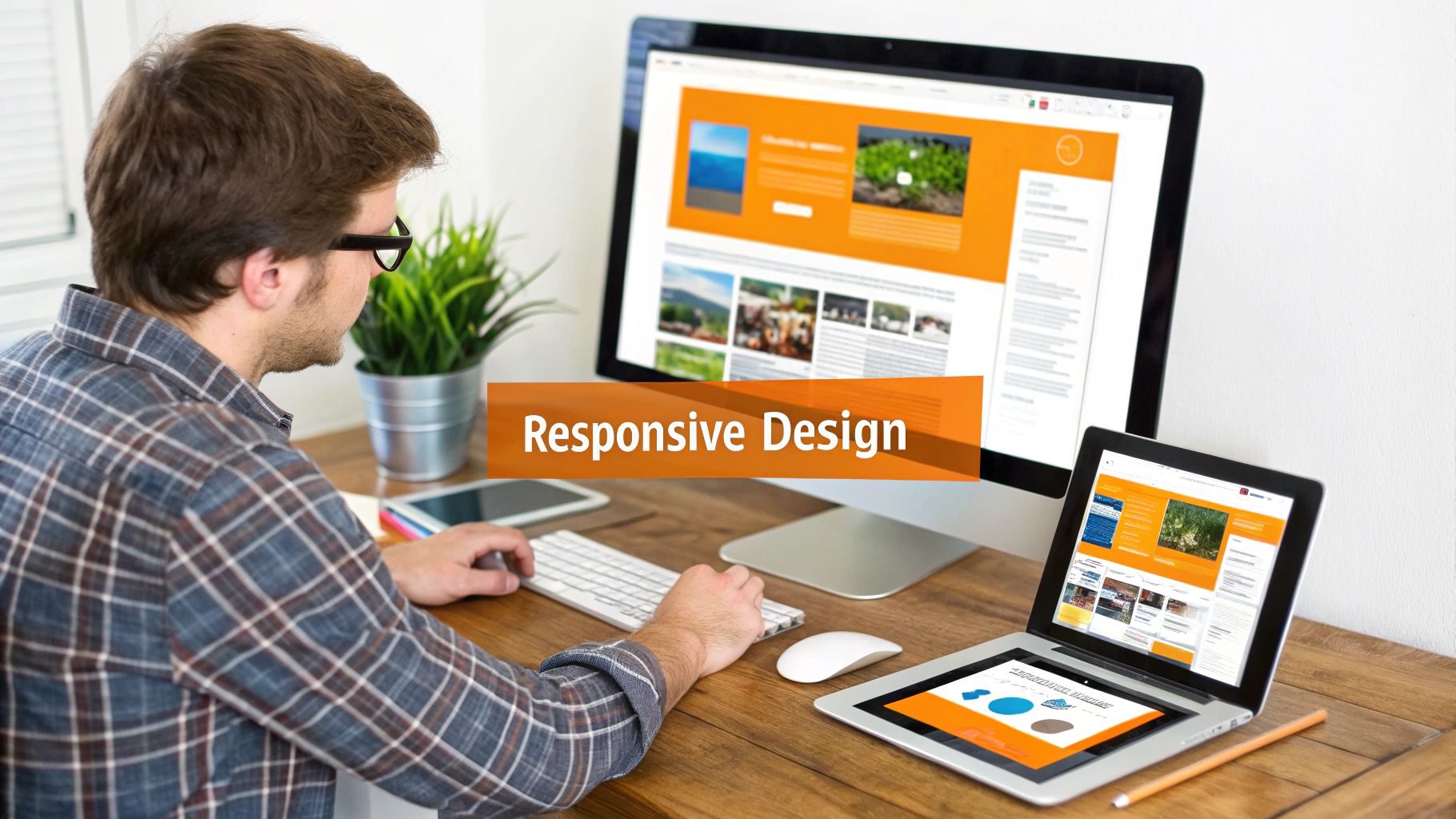
So, what's really under the hood of Wix Studio? It's easy to talk about high-level concepts, but the real magic is in the specific, purpose-built tools that solve the day-to-day headaches creative professionals know all too well. These aren't just flashy add-ons; they’re features that give you more freedom, precision, and efficiency, letting you turn ambitious ideas into fully functional websites.
Imagine you’re building a site for a new restaurant in Beverly Hills. It needs to look flawless on a big desktop monitor in the back office, on a tablet at the host stand, and on a customer's phone as they're looking up the menu. This is exactly where Wix Studio's core design tools make all the difference, providing a smart foundation for any project.
The Responsive Editor: A Smart Canvas
The heart of Wix Studio is its advanced responsive editor. Don't think of it as a rigid template. It's more like a smart canvas that actually understands how elements should relate to each other. By blending a section-based grid, proportional scaling, and clever docking behaviors, it ensures everything looks exactly how you intended, no matter the screen size.
This is a huge leap from the old way of doing things, where you'd spend hours making tedious manual tweaks for every device. Instead of building separate, locked-down versions for desktop, tablet, and mobile, you just design it once. The editor’s responsive AI helps figure out how elements should reflow and resize, which slashes production time. For an agency juggling clients across the San Fernando Valley—from Studio City to Woodland Hills—that kind of efficiency is a total game-changer.
The platform's responsive engine lets designers focus on the creative vision rather than the tedious mechanics of multi-device adaptation. You set the rules, and the canvas intelligently enforces them across every breakpoint.
For example, you can tell a button to always stay 10% from the right edge of its container, and it will hold that relative spot no matter what. That frees you up to perfect the user experience instead of constantly battling with misaligned elements.
No-Code Animations and Interactions
A static website just doesn't cut it anymore. Today's digital experiences need to feel alive, responding to user actions with subtle, engaging feedback. Wix Studio makes this happen with a powerful suite of no-code animation and interaction tools.
You can make elements fade in, slide across the screen, or create a parallax scroll effect as a user moves down the page. Even better, you can set up triggers based on what the user does, like hovering over an image or clicking a button. These tools let designers add a layer of professional polish that, until recently, would have required a developer to write custom code.
Entrance Animations: Control how elements appear on screen to guide the user's focus.
Scroll Effects: Build immersive experiences with parallax, reveal, and sticky behaviors.
Click & Hover Interactions: Add dynamic feedback to buttons, galleries, and menus.
For a luxury real estate agency in Malibu or a tech startup in Santa Monica, these dynamic touches are absolutely essential for crafting a premium brand image.
A Centralized Workspace for Agency Efficiency
Trying to manage dozens of client projects can get messy, fast. Wix Studio hits this pain point head-on with its centralized Workspace. Think of this dashboard as the command center for your entire agency, giving you a single spot to manage everything:
All Client Sites: Jump into any project, whether it's a draft or already live.
Subscriptions & Domains: Take care of billing and configurations without ever leaving the platform.
Team Roles & Permissions: Assign specific access levels to designers, developers, and even your clients.
This integrated setup is a lifesaver for teams spread out across Southern California. An account manager in Downtown Los Angeles can check the status of a project for a client in Long Beach while a designer in Hollywood adds the finishing touches—all within the same environment. The Workspace also includes handy tools like Client Kits, which let you package up brand assets like logos, colors, and fonts for easy reuse. It’s all about ensuring perfect brand consistency across every single project, which translates directly into faster delivery and happier clients.
Building Beyond Templates with Advanced Capabilities
While the design tools in Wix Studio are impressive, the platform truly shows its power when a project’s needs go beyond what a visual editor can do. For ambitious digital experiences, you need to write custom code, integrate with other software, and build unique functionalities from scratch. This is where Wix Studio reveals its depth.
Many people assume a platform like this locks you into its ecosystem, but that’s a misconception. It’s more like getting a fully equipped workshop with the option to bring in your own specialized machinery. You can start with the powerful built-in tools and then extend them with custom solutions whenever a project demands it, giving you the best of both worlds.
Velo: The Open Development Platform
At the heart of this flexibility is Velo, Wix’s open development platform. Velo integrates a full-featured JavaScript and Node.js environment directly into the editor. This isn't just about adding a few lines of code; it's a comprehensive toolset for building sophisticated web applications.
For a real estate firm in Beverly Hills, this could mean using Velo to pull live property listings from a third-party API and display them in a custom-designed gallery. For a busy service business in Santa Monica, it might involve building a bespoke booking system with complex rules that off-the-shelf apps can't handle.
Velo transforms Wix Studio from a website builder into a true application development platform. It empowers developers to break free from template constraints and build whatever functionality a client can imagine, right on top of a managed, secure infrastructure.
The ability to connect to external databases, create custom APIs, and write server-side code opens up endless possibilities for creating truly dynamic digital products.
Pixel-Perfect Control with Custom CSS
Designers often need absolute control over every pixel, and standard editor settings sometimes fall short. Wix Studio solves this by allowing developers to add custom CSS to any element on the site. This is a game-changer for achieving a unique and polished look.
With custom CSS, you can:
Implement Complex Animations: Create intricate hover effects, gradients, and transitions that aren't available in the standard no-code panel.
Ensure Brand Fidelity: Match a brand’s visual identity with perfect precision, down to the smallest detail of typography and spacing.
Override Default Styles: Fine-tune the appearance of any element to achieve a completely custom, non-template feel.
This level of control is essential for high-end projects where the design details are non-negotiable. It bridges the gap between the efficiency of a visual editor and the absolute freedom of coding from scratch.
Building Reusable Apps with Wix Blocks
Another powerful tool in the arsenal is Wix Blocks. This feature lets you build your own completely unique, reusable applications and widgets that can be installed on any Wix Studio site. Imagine creating a custom mortgage calculator for a lender client that you can then easily deploy for other clients in the financial sector.
Blocks combines UI design (using the standard editor), front-end code (Velo), and even server-side functionality into a single, self-contained package. For an agency serving a niche market, like restaurants in the San Gabriel Valley, you could build a proprietary online ordering system as a Block. This creates a valuable, scalable asset that adds significant value to your service offerings.
Accelerating Creativity with Integrated AI
To speed up the initial creative workflow, Wix Studio also includes integrated AI tools for generating text and images. While not a replacement for professional content and design, these features are incredibly useful for creating placeholder copy or brainstorming visual concepts.
A designer can instantly generate high-quality images to fit a specific theme or use the text generator to populate sections of a new site. This lets them focus on layout and user experience without waiting for final content, significantly accelerating the prototyping and mock-up phase and helping clients visualize the end product much faster.
Mastering SEO and Performance on Wix Studio
Let's be honest: a stunning website that no one can find is just a pretty digital paperweight. If you want organic growth, you need search engine visibility. It's not optional; it's the engine. The good news is that Wix Studio was clearly built by people who get this, giving you a rock-solid foundation for top-tier SEO and killer site performance right out of the gate.
The platform has moved way beyond the basic SEO tools that gave website builders a bad name years ago. We're talking about a full suite of professional-grade features that put you in the driver's seat, giving you granular control over how search engines crawl, interpret, and rank your site. This isn't just about stuffing keywords—it's about building a technically sound, authoritative presence from the ground up.
Advanced SEO Controls at Your Fingertips
With Wix Studio, you’re not stuck with a rigid, one-size-fits-all SEO setup. You get direct access to the technical levers that actually move the needle in competitive markets, whether you're targeting customers in Los Angeles or across the country.
You have the power to manage a whole host of SEO settings directly:
Custom Meta Tags: Go beyond basic titles and descriptions. Implement custom tags for fine-tuned control over how your pages show up in search results.
Structured Data (Schema Markup): Easily add schema markup to your pages to help search engines make sense of your content. This is how you get those eye-catching rich results, like star ratings or event details, right in the search listings.
Complex Redirect Strategies: Manage 301 redirects one by one or in bulk. This is critical for making sure you don't lose valuable link equity when you're migrating a site or just changing a few URLs.
Robots.txt Editor: Get your hands dirty and edit your file directly. You can tell search engine crawlers exactly which parts of your site to crawl and which to leave alone.
This level of control means no technical SEO opportunity gets left on the table. For a deeper dive into this, check out our practical guide on getting the most out of Wix Studio SEO and its features.
Built for Speed and Core Web Vitals
In today's SEO world, speed isn't just a nice-to-have for user experience—it's a direct ranking factor. Google’s Core Web Vitals (CWV) are the metrics that measure a site's real-world performance, and a bad score can seriously drag down your rankings.
Wix Studio's entire architecture was engineered to crush these metrics. Performance isn't an afterthought; it’s baked into the platform's DNA.
Wix Studio's infrastructure is built for speed, using Server-Side Rendering (SSR) and a global Content Delivery Network (CDN) to deliver lightning-fast load times. This creates a superior user experience and a strong foundation for excellent Core Web Vitals scores.
So, what do those techy terms actually mean for your business?
Server-Side Rendering (SSR): Think of it like this: instead of your browser receiving a box of parts and instructions to build the page, the server sends a pre-built page. The content appears almost instantly, which dramatically improves perceived load time and gives your CWV scores a major boost.
Global CDN (Content Delivery Network): Your site’s files—images, code, etc.—are stored on servers all over the world. When a user in Glendale visits your site, the content is served from a nearby server, slashing load times.
This one-two punch means sites built on Wix Studio are fast by default, optimized for both people and search engines. It's a serious technical advantage that helps you drive more traffic, keep visitors engaged, and ultimately, win more customers.
How Wix Studio Stacks Up Against the Competition
In a world filled with powerful website builders, picking the right one is a big deal. It’s a strategic choice that shapes everything from your design workflow to how you'll handle the site years down the road. When agencies start weighing their options, the conversation usually boils down to three heavyweights: Wix Studio, WordPress, and Webflow. Each brings a completely different philosophy and set of tools to the table, making them a better fit for certain projects and clients.
Instead of trying to crown one "universal winner," it’s smarter to figure out where each platform truly shines. For a local business in the San Fernando Valley, the all-in-one simplicity of Wix Studio might be the perfect solution. On the other hand, a company with a deep bench of developers might gravitate toward WordPress for its legendary plugin library.
Let's break down how they compare on the things that actually matter.
H3: Design Freedom and Development
When you're talking about pure creative control, all three platforms are incredibly capable—they just get you there in different ways.
Wix Studio is all about a visual, collaborative workspace paired with an incredibly advanced responsive editor. It gives designers that pixel-perfect control and the ability to add no-code animations, but it doesn't stop there. Under the hood, you've got Velo for custom code and API integrations, creating a hybrid model that blends visual speed with real coding power.
WordPress, especially when you add a page builder like Elementor or Divi, offers enormous design flexibility. Its real superpower is its open-source foundation and an ecosystem of over 59,000 plugins, which means you can build almost anything you can imagine. The trade-off? A truly custom design often demands more technical chops or leaning heavily on pre-made themes.
Webflow was practically built for designers who think like developers. It gives you unmatched control over CSS properties through a visual interface, letting you essentially code without writing a single line. This has made it a darling among designers who obsess over every tiny detail, but it can feel like a steep climb for anyone new to the game.
H3: Client Handoff and Ongoing Maintenance
What happens after a site goes live is just as critical as the build itself, and this is where you see the platforms really diverge.
Wix Studio was built from the ground up for a smooth client handoff. Its client-facing "Content Mode" offers a simplified dashboard where clients can easily update text, images, or write a blog post without ever having to worry about breaking the site's design. Since Wix manages the hosting, security, and all the updates, the maintenance burden is almost zero. That’s a massive selling point for clients from Downey to Pasadena who just want something that works.
WordPress, in contrast, puts the maintenance responsibility squarely on you or your agency. While that means total control, it also means juggling hosting, security plugins, theme updates, and plugin compatibility. Forgetting to update just one plugin can open the door to security risks, making it a much higher-maintenance choice. You can learn more about how different platforms handle these aspects in our detailed guide comparing Wix Studio to other leading website builders.
Webflow kind of sits in the middle. Like Wix Studio, it offers managed hosting and security, which takes a lot off your plate. However, its editor can still be a bit much for non-technical clients, often meaning they’ll need to call the agency for anything more than basic content tweaks.
H3: Total Cost of Ownership
Finally, you have to look past the sticker price and consider the total cost of ownership. This isn't just the monthly fee—it’s hosting, premium plugins, security, and the hours you'll spend on maintenance.
With Wix Studio, the cost is refreshingly predictable. You pay one monthly fee that bundles everything: hosting, security, and all the platform features.
WordPress can look cheaper at first glance, but the costs add up fast. You’ll need to factor in premium themes, essential plugins for things like SEO and security, and good managed hosting. Webflow is also subscription-based, and its pricing can climb as your site's traffic and feature list grows. For many Los Angeles businesses, the predictable, all-in-one pricing of Wix Studio offers a clear financial advantage.
For a clearer picture, here’s a side-by-side look at how these platforms stack up on key features. This should help you see where each one's strengths and weaknesses lie, making it easier to match the right tool to your next project.
Wix Studio vs WordPress vs Webflow Feature Comparison
Feature | Wix Studio | WordPress (with Page Builder) | Webflow |
|---|---|---|---|
Ease of Use | High (visual drag-and-drop with advanced options) | Medium (depends heavily on theme/page builder) | Low to Medium (steep initial learning curve) |
Design Control | High (pixel-perfect control, responsive AI) | High (with custom code or advanced builders) | Very High (granular CSS control) |
Client Handoff | Excellent (dedicated, simplified Content Mode) | Varies (can be complex, requires training) | Fair (editor can be too complex for some clients) |
Maintenance | Low (fully managed hosting, security, and updates) | High (user responsible for hosting, security, updates) | Low (fully managed hosting and security) |
Extensibility | Good (App Market, Velo for custom code/APIs) | Excellent (over 59,000 plugins, open-source) | Good (integrations, custom code embeds) |
Cost Structure | Predictable (all-in-one subscription) | Variable (hosting, themes, plugins add up) | Predictable (tiered subscription model) |
Best For | Agencies and freelancers needing efficiency and easy handoffs | Users wanting ultimate control and a vast plugin library | Designers who want to build complex sites visually |
Ultimately, there's no single "best" platform—only the best platform for a specific job. By understanding these core differences, you can make a much more informed decision that sets both you and your clients up for success.
Bringing Elite Web Design to Los Angeles Businesses
Getting the most out of Wix Studio isn't just about technical chops; it takes a strategic vision built for your specific market. That’s exactly where we come in. Here at DLL Studios, we offer a complete service that turns your business goals into a powerful digital asset, designed from the ground up to win in the competitive Los Angeles landscape. We manage every single detail, from custom branding and responsive design to advanced Velo development and airtight SEO.
Our whole approach is built around solving real-world problems for local businesses. Whether we're helping a retailer in Pasadena launch a killer e-commerce store or driving local traffic for a law firm in the South Bay, we build websites that get real, tangible results.
A Local Partner for Your Digital Growth
Los Angeles is at the center of our service area, and we proudly support clients across a wide network of surrounding cities and neighborhoods throughout Southern California. Our reach includes every corner of L.A.—from Downtown Los Angeles, Hollywood, West Hollywood, Beverly Hills, and Santa Monica to the beach communities of Malibu, Venice, Marina del Rey, Hermosa Beach, Manhattan Beach, and Redondo Beach. We also extend service through the San Fernando Valley, including Sherman Oaks, Studio City, Encino, Van Nuys, North Hollywood, Burbank, Glendale, Pasadena, Woodland Hills, Chatsworth, Canoga Park, Reseda, Northridge, and Tarzana. In the San Gabriel Valley, we work with clients in Alhambra, Monterey Park, San Gabriel, Temple City, Rosemead, Arcadia, El Monte, South El Monte, West Covina, Covina, Baldwin Park, Azusa, Glendora, Duarte, and Monrovia. Farther southeast, we serve Whittier, Pico Rivera, Downey, Norwalk, La Mirada, La Habra, and Cerritos. We also support the South Bay—including Torrance, Carson, Gardena, Hawthorne, Inglewood, and Long Beach—as well as the Gateway Cities and communities throughout the I-10, I-5, 101, and 405 corridors. Whether you’re in a major metro area or a smaller surrounding neighborhood, our team delivers reliable, high-quality service anywhere in or around Los Angeles.
Choosing the right platform is always the first step, and this simple decision guide can help clarify which path to take.
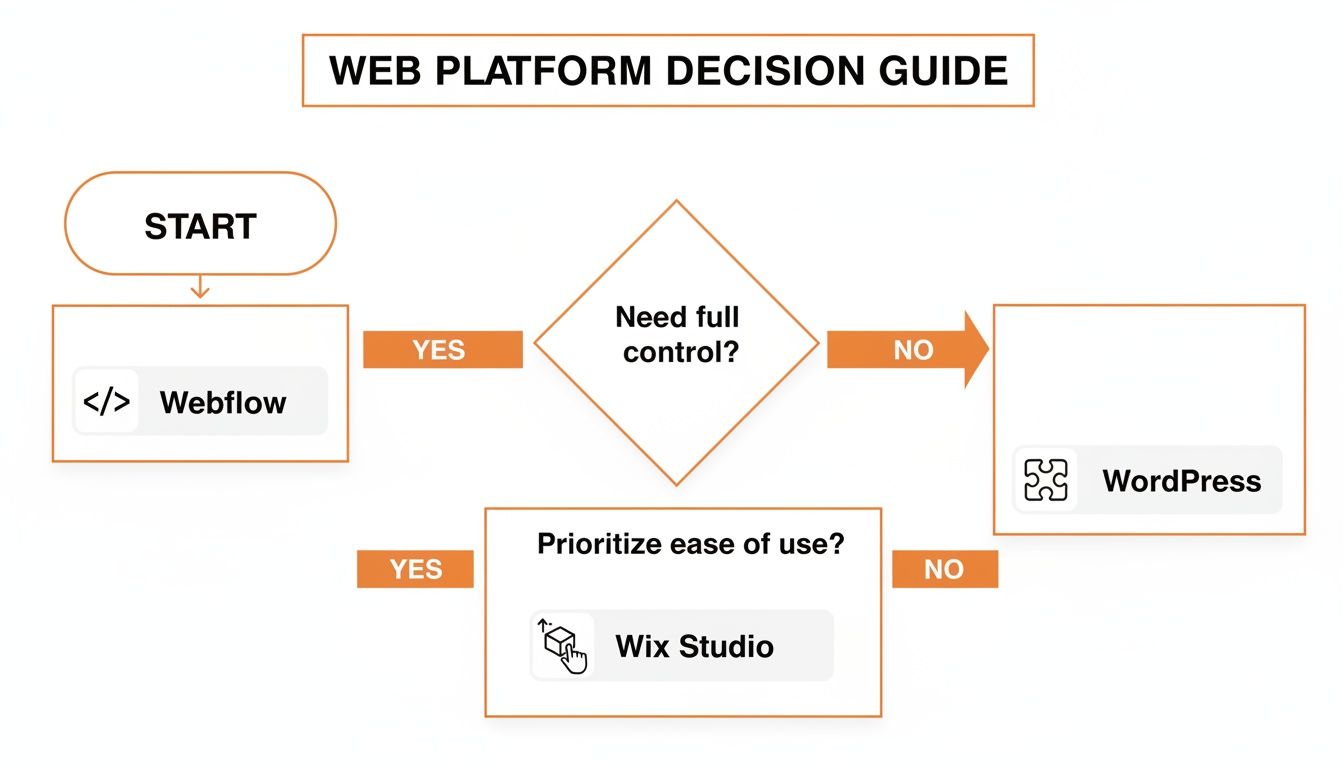
As the flowchart shows, when businesses need a balance of powerful design tools and easy-to-use management, Wix Studio is often the perfect fit.
Your Hub for Integrated Marketing
A solid website built on Wix Studio acts as the central hub for your entire multi-channel marketing strategy. It’s the one place where your paid ads, social media campaigns, and email marketing all come together to drive conversions. By creating a seamless, high-performance website, we make sure every visitor you attract has a fantastic experience, which in turn maximizes your return on investment.
We don't just build websites; we create the digital backbone for your business's growth in the Southern California market. From Long Beach to the Gateway Cities, our focus is on delivering a solution that works for you.
For businesses ready to make a serious impact, take a look at our dedicated Los Angeles Wix website design services to see how we tailor our approach for the local market. Ready to talk about a professional Wix Studio website that delivers results? Call DLL Studios at (650) 260-4067 to get the conversation started.
Answering Your Top Questions About Wix Studio
Thinking about making the switch? You're not alone. Agencies and businesses often have a few questions before diving into Wix Studio. Let's clear up some of the most common ones and give you the straightforward answers you need.
Can I Migrate An Existing Website to Wix Studio?
Yes, you can absolutely move an existing site over to Wix Studio, but it's not a one-click import. The process involves manually rebuilding the site on the new platform. While that might sound like a hassle, it's actually a huge advantage—it's the only way to fully tap into Studio’s powerful responsive engine and clean, modern code.
Working with an expert agency makes this transition feel effortless. We can handle the heavy lifting, ensuring all your content is transferred, your design gets a fresh upgrade, and your hard-earned SEO is not just preserved but improved from day one.
Is Wix Studio A Good Choice For Ecommerce?
It's a fantastic choice. Wix Studio comes with Wix's powerful ecommerce platform built right in, giving you everything you need to launch and manage a successful online store. We're talking secure payment gateways, smart inventory management, and even advanced marketing automations.
This is your chance to create a high-converting shopping experience that breaks free from the generic, template-heavy feel of so many online stores. You get the design freedom to build something truly unique that stands out in a crowded market.
With its combination of design freedom and powerful business tools, Wix Studio provides a solid foundation for any ecommerce venture looking to scale and succeed online.
How Does Wix Studio Pricing Work For Agencies?
Here's the great part: using the Wix Studio editor to build and design sites is completely free. You only pay when a site goes live. Each client site will need its own premium plan to connect a custom domain and unlock all the professional features, with different tiers based on things like storage, bandwidth, and ecommerce needs.
Where it gets really good for agencies is the Wix Partner Program. This program is designed to help you grow, offering real benefits like revenue sharing, access to a dedicated support team, and other exclusive perks that scale with your business. It’s a model that makes managing and growing your client base both profitable and straightforward.
Ready to build a high-performing website that drives results? DLL Studios combines expert design and strategic development on the Wix Studio platform to help your Los Angeles business thrive. Visit us to learn more about our services.

