


.png)
Wix now supports hipaa compliance: How to sign the BAA and go secure
Yes, you read that right. Wix now supports HIPAA compliance, which is a massive deal for healthcare professionals who love its easy-to-use website builder. This update finally lets medical practices, therapists, and wellness providers build beautiful, functional websites while meeting the strict data security standards required by law.
The Big News: Wix Is Now HIPAA-Ready
For years, using Wix for any healthcare purpose that involved patient data was a complete non-starter. The platform, known for its incredible design flexibility and simplicity, just didn't have the necessary security framework. More importantly, Wix wouldn't sign a Business Associate Agreement (BAA), which is a legal must-have.
This created a huge roadblock for private practices. Many wanted a professional online presence without the headaches of more complex platforms. They were stuck with a tough choice: use a clunky, less intuitive builder that was compliant, or use Wix and avoid any features that interacted with patients. That often meant no online appointment requests or patient intake forms, which really limited how useful a website could be.
A New Chapter for Healthcare Websites
Everything changed with a major update. Wix officially rolled out native HIPAA compliance tools built right into its platform, marking a huge shift for healthcare providers. As detailed in a January 15, 2026, video update, site owners can now activate HIPAA features directly from their dashboard. This lets you securely handle protected health information (PHI) through forms, bookings, and client portals.
This is a game-changer. It means you can finally use Wix’s powerful design tools to create a welcoming digital front door for your practice while maintaining the highest standards of patient data protection. The official Wix documentation now gives a clear overview of the features designed specifically for healthcare professionals.

This screenshot isn't just marketing fluff; it highlights that Wix now explicitly offers HIPAA-compliant tools. It directly addresses the needs of medical, wellness, and fitness professionals who handle sensitive client information every day.
To really grasp how significant this is, let's break down the "before and after" of Wix's HIPAA capabilities.
Wix HIPAA Compliance At a Glance
Feature/Aspect | Before The Update | After The Update |
|---|---|---|
Business Associate Agreement (BAA) | Not available. A major compliance blocker. | Available for signing, a legal requirement. |
Protected Health Information (PHI) | Prohibited to collect or store on the platform. | Can be securely collected via specific Wix tools. |
Secure Forms & Bookings | Third-party integrations were needed, adding complexity. | Native Wix Forms and Bookings are now HIPAA-ready. |
Use Case for Healthcare | Limited to basic "brochure" sites with no patient interaction. | Full-fledged practice websites with secure patient portals. |
Overall Compliance | Impossible to achieve directly through Wix. | Possible when features are configured correctly. |
This table shows a complete turnaround. What was once a hard "no" for healthcare practices is now a viable, user-friendly option for building a secure online presence.
What This Really Means for Your Practice
So, what's the bottom line for you? It means Wix now provides the foundational technology to help you meet compliance. The key word there is help. The responsibility for using these tools correctly still rests firmly on your shoulders.
Here’s a quick rundown of what's now possible:
Business Associate Agreement (BAA): You can now sign a BA with Wix, the legally required contract for any third-party service that touches PHI.
Secure Data Collection: Native tools like Wix Forms and Wix Bookings can be set up to securely collect and manage patient information.
Enhanced Credibility: A compliant website shows patients you take their privacy seriously, building trust from their very first click.
Think of this guide as your roadmap. We’ll walk you through every step, from signing the BAA to configuring your forms, to make sure your practice’s website is not just beautiful, but also secure and fully compliant.
Understanding Your Core Legal Responsibilities
Before you touch a single setting on your Wix site, we need to talk about the legal side of things. This is the foundation, and getting it wrong can be costly. Just because Wix now supports HIPAA compliance doesn't mean your website is automatically covered. The real compliance comes from your understanding and your actions.
Think of it like this: Wix gives you a plot of land that's zoned for building a secure medical facility. That’s a great start, but you’re still the one who has to architect the building, install the locks, and manage who gets a key. If you leave the doors wide open, it doesn't matter how secure the land is. The stakes are high, with fines for non-compliance reaching up to $1.5 million per year for each violation.
The Business Associate Agreement Is Your Legal Handshake
The single most important document in this entire process is the Business Associate Agreement (BAA). This isn't just another form to click through; it's a legally binding contract between you (the "covered entity") and Wix (your "business associate").
Signing the BAA is your formal handshake. It’s Wix’s written promise to you that they will use specific, federally-mandated safeguards to protect any patient data that passes through their systems on your behalf. It also means you’re acknowledging your responsibility to use their platform correctly. Without a signed BAA from Wix, you are not HIPAA compliant. Full stop.
A BAA is your first and most critical step. It shifts the dynamic from simply using a service to forming a legal partnership where both parties are accountable for protecting sensitive health information.
What Exactly Is Protected Health Information (PHI)?
Next, let's get crystal clear on what Protected Health Information (PHI) actually is. It’s any piece of information that can identify a patient when it’s connected to their health status, treatment, or payment for care. The scope is much broader than just a diagnosis or medical chart.
A simple piece of data, like a name, becomes PHI the moment it's linked to a healthcare context. For example, a name on a general newsletter sign-up isn't PHI. But that same name submitted through an "Appointment Request" form absolutely is PHI because the context implies a healthcare relationship.
Here are a few common examples of PHI you might handle on your Wix site:
Patient Identifiers: Names, phone numbers, or email addresses collected through a patient intake form.
Health Information: Details about symptoms, medical history, or insurance information submitted in a secure form.
Appointment Details: A patient’s name paired with the specific service they're booking (e.g., "John Smith, booking a physical therapy evaluation").
Understanding this distinction is everything. You have to ensure that every tool you use to collect, store, or send this kind of data is covered under your Wix BAA.
Compliance doesn't stop at your website's forms, either. Your legal duties extend to the entire lifecycle of patient data. This includes having strict HIPAA data destruction protocols for any old computers or hard drives. And while you're focused on compliance, remember to keep other legal requirements in mind—you can learn more from our essential ADA website compliance checklist for 2025.
Getting these legal responsibilities right is non-negotiable. It’s the bedrock of a trustworthy online presence and the key to protecting both your patients and your practice.
How To Activate HIPAA Compliance In Your Wix Account
Alright, with the legal side of things out of the way, let's get practical. Turning on the HIPAA compliance features in your Wix account is pretty straightforward, but you absolutely need to pay close attention to the details. This isn't just about flipping a switch; it's about telling Wix you're handling sensitive patient data so they can put the right safeguards in place.
Think of it this way: before, your Wix dashboard didn't have the specific security controls needed for healthcare. Now, those tools are finally available. I'll walk you through exactly what to click and configure to protect your practice and your patients.
When these tools were introduced in January 2026, it was a game-changer for over 250 million Wix users. Healthcare has since become a 15% growth area for the platform as professionals move away from less secure options. Before this, Wix couldn't offer a BAA, and the way it stored form data was a major vulnerability, leading to widespread compliance headaches.
Now, you can securely handle bookings and forms right within Wix, cutting out the need for clunky third-party tools that often added 20-30% to operational costs for smaller practices. You can read a great breakdown of Wix's HIPAA compliance journey for more background.
Your Step-By-Step Activation Guide
First things first, you'll need to find the right spot in your Wix dashboard. The process is designed to be simple, walking you through the legal and technical steps to lock down your account.
Upgrade Your Plan: This is non-negotiable. HIPAA compliance features are only available on certain Wix premium plans, usually the business or e-commerce tiers. Make sure your plan is compatible, or upgrade if you have to.
Navigate to Compliance Settings: From your site's main dashboard, find the Settings menu. Inside, look for a section called Privacy & Cookies or something similar. This is where all your data protection settings live.
Initiate the BAA Process: You'll see an option to enable HIPAA compliance. Clicking this will bring up the Business Associate Agreement (BAA) for you to review and digitally sign. Read it carefully—this is your formal, legally binding contract with Wix.
Activating these settings is your formal declaration that you intend to handle Protected Health Information (PHI) on your website. Once you sign the BAA, Wix begins treating your account with the higher level of security required by federal law.
This process legally connects your handling of PHI to Wix's duty to protect it under the BAA, getting you to a compliant status.
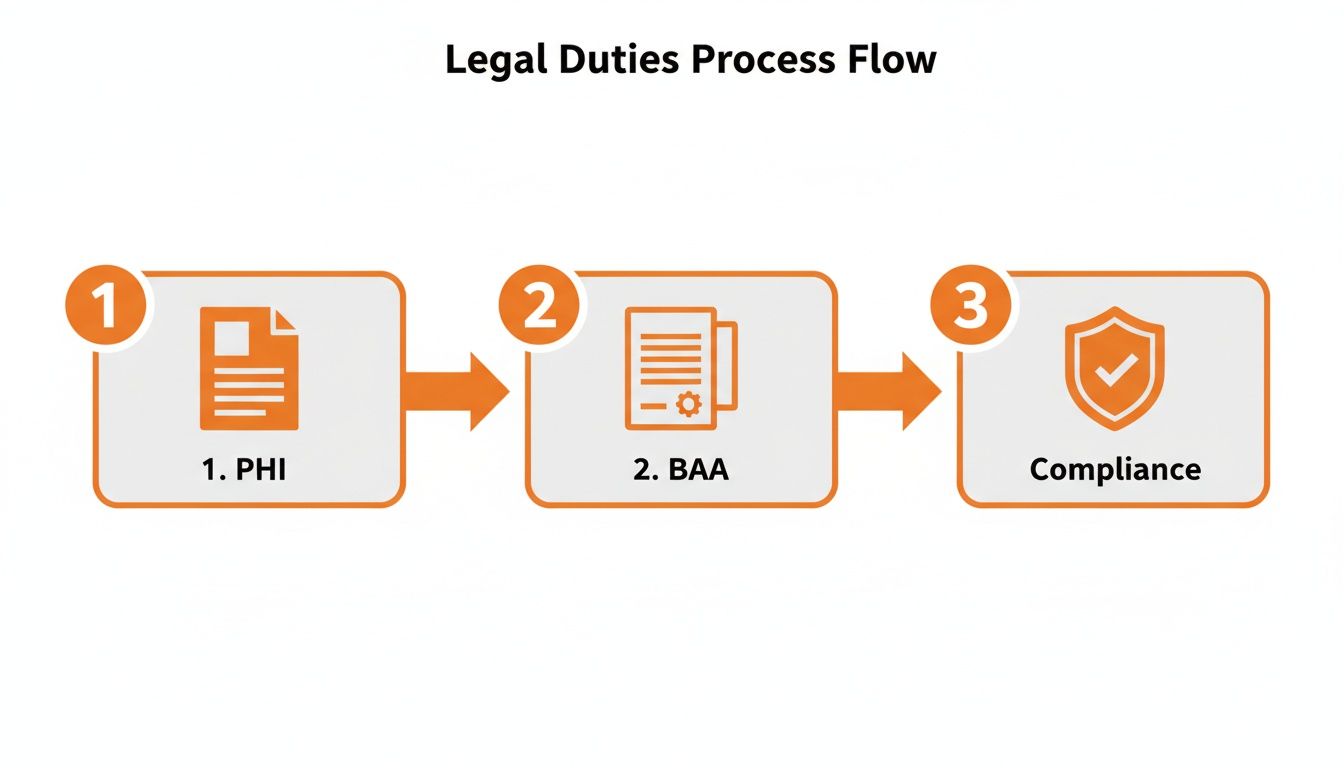
The image above really drives home that compliance isn't a one-and-done action. It's a formal process that links your real-world handling of patient data to Wix's contractual obligation to keep it safe.
Configuring Your Tools For PHI
Signing the BAA is just the start. The next part is critical: you must only use Wix tools that are explicitly covered by the agreement to handle any kind of patient information. Using a non-compliant app for PHI, even with a BAA in place, is a recipe for a data breach.
Tools Covered Under the BAA:
Wix Forms: Once you enable HIPAA compliance, your forms get a serious security upgrade. Submissions are encrypted and stored in a secure database, completely separate from standard form data. You must use the native Wix Forms app for things like patient intake or appointment requests.
Wix Bookings: The Wix Bookings app is also designed to securely handle scheduling that involves PHI. Patient names, the services they book, and any notes they add are all protected under the BAA.
Tools NOT Covered Under the BAA:
Wix Chat: Never, ever use the standard Wix Chat feature to discuss or collect PHI. It’s simply not secured to HIPAA standards.
Wix Email Marketing: Don't send patient information through your general email campaigns. For secure patient communication, you need a separate, dedicated HIPAA-compliant email service.
Most Third-Party Apps: The vast majority of apps in the Wix App Market are not HIPAA compliant. Always assume an app is non-compliant unless it explicitly says otherwise and is covered by its own separate BAA with that app’s developer.
By activating compliance and sticking to the approved tools, you're building a secure foundation for your healthcare website. Get this right, and you'll be well on your way.
Building A Secure And Compliant Healthcare Website

Flipping the HIPAA switch in your Wix account is a huge step forward, but it’s really just the starting line. True compliance isn't a feature you just turn on; it's a completely different way of thinking about how you design, build, and manage your website day-to-day.
The fact that Wix now supports HIPAA compliance gives you a secure foundation to build on. That’s the good news. The catch is that you’re the architect, and it’s your job to build a safe structure on top of that foundation.
Think of your website as the digital front door to your practice. It needs to feel professional and welcoming, sure, but it also needs strong locks and clear rules to protect everyone who comes through. A single slip-up, like posting a patient testimonial with too much identifying information, can completely undo all your hard work on the technical side.
This section is all about getting practical. We'll walk through a hands-on checklist to help you build a digital space that protects your patients and your practice.
HIPAA Compliance Checklist for Your Wix Website
Going beyond just the technical settings, a truly compliant site requires a thoughtful look at your content, user interactions, and internal processes. Use this checklist to make sure you've covered all your bases.
Checklist Item | Status (Yes/No) | Action Required / Notes |
|---|---|---|
Upgrade to a Business Premium Plan | This is a mandatory first step to enable HIPAA features. | |
Sign the Wix BAA | You must have a signed Business Associate Agreement with Wix. | |
Enable SSL Certificate | Ensure your entire site uses "https-" (Wix provides this). | |
Create a Detailed Privacy Policy | Your policy must clearly explain how you handle PHI per HIPAA rules. | |
Secure All Forms | Verify that intake, contact, and appointment forms are HIPAA-activated. | |
Review All Public Content | Check for any accidental PHI in testimonials, case studies, or blog posts. | |
Implement Access Controls | Limit who on your team can access the Wix backend and patient data. | |
Train Your Staff | Document that anyone with site access understands their HIPAA duties. | |
Establish a Breach Notification Plan | Know the steps you must take if a data breach occurs. |
By working through this list, you're not just ticking boxes—you're actively building a culture of security around your website.
Your Essential Website Compliance Action Items
Building a compliant site means looking at every single element through a security lens. From your privacy policy to your patient stories, everything plays a role in protecting PHI.
Create a Rock-Solid Privacy Policy: Your website needs a detailed and easy-to-find Privacy Policy. This isn’t just boilerplate text; it should clearly explain how you collect, use, and protect PHI and mention that you follow HIPAA standards.
Lock Down All Patient Touchpoints: Go through your site with a fine-tooth comb and find every single place a patient might enter their information. This obviously includes intake forms, but don't forget about simpler things like contact forms, appointment requests, or any login areas for a client portal.
Never, Ever Display PHI Publicly: This is the golden rule. Don't post patient testimonials with full names, photos, or specific treatment details without getting explicit, written consent. A better practice is to anonymize all patient stories and avoid any details that could accidentally give away someone's identity.
For a broader look at securing your entire site, check out our guide to website security best practices.
Technical Safeguards And Staff Protocols
Compliance isn't just about what's visible on your website. The technical and human elements working behind the scenes are just as important for keeping data safe.
First off, your entire site absolutely must be protected by an SSL (Secure Sockets Layer) certificate. This is completely non-negotiable. An SSL certificate encrypts the connection between a patient's browser and your website, scrambling the data so no one can intercept it. Wix gives you a free SSL certificate, but it’s on you to make sure it’s always active. That little padlock icon and "https" in the address bar is what tells patients your site is secure.
A compliant website is a product of both technology and people. Even the most secure system can be compromised by human error, making ongoing staff training an indispensable part of your risk management strategy.
Finally, remember that your responsibility extends to your team. You need to run regular training sessions to make sure everyone understands how to handle sensitive data. Anyone with access to the Wix editor—from the office manager to a part-time marketing assistant—must know what PHI is, why it's so important to protect it, and the serious consequences of a data breach. Documenting these training sessions is a critical part of proving you've done your due diligence.
Common Compliance Mistakes And How To Avoid Them
Flipping the right switches in your Wix account is a huge first step, but the path to full HIPAA compliance is a marathon, not a sprint. Even with the best intentions, it's incredibly easy to make small slip-ups that create big risks. Just because Wix now supports HIPAA compliance doesn't mean every single thing you do on the platform is automatically protected.
Think of it like getting a state-of-the-art security system for your clinic. The system is powerful, sure, but it’s useless if a team member accidentally props open a side door. Staying vigilant is everything, and the best way to do that is to know where others have stumbled. Let's walk through the most common missteps and give you clear, practical ways to keep your practice—and your patients' data—secure.
Using Non-Compliant Third-Party Apps
One of the most tempting mistakes is grabbing an app from the Wix App Market that isn't HIPAA compliant. You might find a slick scheduling tool or a unique form builder that looks like the perfect fit, but if that app developer hasn't signed a BAA with you, using it for PHI is a serious violation.
This is a critical point to understand. The BAA you sign with Wix only covers specific, native Wix tools like Wix Forms and Wix Bookings. It does not extend to any third-party applications, no matter how nicely they plug into your site.
How to Avoid This Mistake:
Stick to Native Tools: For any feature that will touch PHI, use only the HIPAA-activated native Wix tools. No exceptions.
Vet Every Single App: If you absolutely must use a third-party app, you are responsible for getting a separate BAA directly from that app's developer. Never assume an app is compliant just because it’s available in the App Market.
When in Doubt, Don't: If you're unsure, assume the app is not compliant. The risk of being wrong is just too high.
Mishandling PHI in Unsecured Channels
Another all-too-common error is discussing or sending PHI through channels that aren't covered by your BAA. It's an easy mistake to make when you're busy, but the consequences can be severe.
A classic example is using the standard Wix Chat feature. A patient might pop up in a chat asking about their recent appointment. If your response includes any specific medical or billing details, you've just sent PHI over an unencrypted, non-compliant channel. The same goes for Wix Email Marketing or any standard contact form that hasn't been properly configured for HIPAA compliance.
Protecting patient data is a continuous process, not a one-time setup. Every interaction, from a form submission to a team member's access, must be viewed through a compliance lens.
Wix's HIPAA compliance activation in 2026 solves a massive headache for the healthcare industry, where an estimated 65% of small practices still grapple with digital compliance. Many have been forced into expensive workarounds that fail 40% of the time. The platform’s new capabilities provide encrypted storage and transmission for PHI—features that were missing before, as Wix previously used shared databases without the necessary audit logs or access controls. You can find more details on the evolution of Wix's HIPAA features at HIPAA Times.
Neglecting Staff Training and Access Control
Finally, a perfectly compliant website can be rendered non-compliant in an instant by simple human error. Forgetting to train a new team member on HIPAA rules or giving someone overly broad access to your Wix dashboard are common—and dangerous—oversights.
Every single person with login credentials needs to understand what PHI is, which tools on your site are safe for handling it, and what their personal responsibilities are under HIPAA.
How to Avoid This Mistake:
Implement Role-Based Access: Give team members the least amount of access they need to do their jobs. Not everyone needs to be an admin who can view sensitive form submissions.
Conduct Regular Training: Make HIPAA training a mandatory part of onboarding for every new hire, and hold annual refresher courses for your entire staff.
Document Everything: Keep a clear log of who has access to the site and what training they've completed. This documentation is your proof of due diligence if you're ever audited.
When to Partner With a Wix Expert for Your Practice
Trying to build a website is hard enough. But when you start mixing in federal regulations like HIPAA, the stakes get a whole lot higher. While this guide gives you the road map to do it yourself, sometimes the smartest—and safest—move is to bring in a professional.
The fact that Wix now supports HIPAA compliance is a game-changer, but knowing how to use those features correctly requires a certain level of expertise.
Deciding to hire an agency isn't about giving up; it's a strategic business decision. It's you acknowledging that your time is better spent focusing on your patients, not becoming a part-time web developer and compliance officer. Partnering with an expert ensures your site isn't just a compliant digital brochure but a powerful, secure asset built to grow your practice.
You Lack the Time to Master the Details
Getting and staying HIPAA compliant isn't a "set it and forget it" kind of task. It takes a serious time commitment to learn the platform's quirks, configure every single setting the right way, and keep up with ever-changing security rules. For a busy healthcare professional, that’s a massive distraction from what you do best.
If you’re already struggling to find enough hours in the day, that's a huge sign it's time to call in a pro. An experienced agency can handle the entire technical lift, from the initial build to ongoing maintenance, freeing you up to focus completely on your patients.
You Need Complex Integrations
A modern healthcare website needs to do more than just sit there and look pretty. Most practices need it to connect seamlessly with other critical software, and that’s where things can get technically messy.
Think about these common scenarios where an expert becomes almost essential:
EMR/EHR System Integration: You need your Wix forms or booking system to securely push patient data straight into your Electronic Medical Records or Electronic Health Records system.
Third-Party Telehealth Platforms: You want to link your site to a specific telehealth service, making sure the user experience is smooth and every bit of data transfer stays secure.
Advanced Patient Portals: You have a vision for a custom patient portal with features that go beyond what Wix offers out of the box, which means custom code and API work.
These kinds of integrations demand a deep understanding of both Wix’s platform and the core principles of data security. A specialized agency makes sure these connections are built the right way, preventing frustrating data silos and, more importantly, potential security breaches. To learn more about building a solid digital foundation, take a look at our guide on essential strategies for web design for medical practices.
You Need to Attract New Patients
A compliant website is a must-have, but a website that also brings new patients through your door is a true business asset. This is where local Search Engine Optimization (SEO) becomes absolutely critical. Just having a website doesn't guarantee that local patients searching for your services will ever find you. Real, effective local SEO is a specialized skill that goes way beyond just plugging in a few keywords.
A professional partner ensures your website is a powerful asset that is both fully compliant and strategically built for growth, turning your digital presence from a regulatory requirement into a competitive advantage.
Frequently Asked Questions About Wix And HIPAA
The moment Wix announced HIPAA-compliant features, our inbox lit up. It's a huge development, but it's also created a lot of confusion. Let's cut through the noise and answer the most common questions we hear from healthcare providers.
Is My Wix Site Automatically HIPAA Compliant Now?
Plain and simple: no, it's not.
This is the biggest misconception out there. Think of it this way: Wix has handed you a military-grade security system, but it's still in the box. You're the one who has to install the cameras, set the alarms, and actually lock the doors.
True compliance only happens after you take specific actions:
You must be on an eligible premium plan.
You have to sign the Business Associate Agreement (BAA) with Wix.
You must only use the specific, HIPAA-activated tools like Wix Forms and Bookings to handle patient data.
Can I Use Any App From The Wix App Market?
Absolutely not, and this is a critical point. Your BAA with Wix is very specific—it only covers the native features they’ve enabled for HIPAA compliance.
The vast majority of third-party apps in the App Market are not HIPAA compliant. Using one to collect, store, or transmit Protected Health Information (PHI) is a direct route to a data breach and serious legal trouble. It doesn't matter if the rest of your site is perfectly configured; one wrong app can undo all your hard work.
Does This Cover My Email Communications?
No. Wix’s HIPAA compliance does not extend to its standard email marketing tools. You should never, ever send PHI through platforms like Wix Email Marketing or any other non-secure channel.
For any communication with patients that involves their sensitive data, you must use a separate, dedicated, and HIPAA-compliant email service. This is non-negotiable for protecting your patients and your practice.
At DLL Studios, we know that juggling HIPAA compliance while trying to build a modern, patient-attracting website is a massive challenge. We specialize in building secure, high-performing healthcare websites that don't just meet regulatory standards—they grow your practice. Let us handle the technical complexities so you can focus on your patients.
Give us a call at (650) 260-4067 or visit https://www.dllstudios.com to see how we can help.

