


.png)
Website Security Best Practices: Essential Steps to Safeguard Your Site
In the modern digital economy, a secure website is not a luxury; it's the foundation of trust between you and your customers. Cyber threats constantly evolve, making a proactive defense essential for protecting sensitive data, maintaining brand reputation, and ensuring business continuity. This guide moves beyond generic advice to provide a prioritized, actionable roundup of the top 10 website security best practices. For businesses in competitive markets like Los Angeles and the surrounding Southern California region, a security breach can be catastrophic, eroding the trust of a hard-won customer base. From Downtown L.A. to Santa Monica and the San Fernando Valley, a secure online presence is a non-negotiable asset.
This comprehensive listicle breaks down exactly what you need to do to fortify your site. We'll explore why each practice is critical, offer step-by-step implementation guidance for platforms like WordPress, Webflow, and Wix, and provide quick checklists to help you audit your current defenses. A structured approach is key to effective cybersecurity. For a comprehensive approach to fortifying your digital defenses, consider implementing a recognized framework like the ACSC Essential 8 framework. This article provides the practical steps needed to implement such a robust strategy.
Whether you're an e-commerce retailer processing payments, a healthcare provider protecting patient data, or a local service business building client trust, implementing these measures is crucial for success in 2025 and beyond. Let's build a more secure web, one best practice at a time.
1. Implement SSL/TLS Encryption (HTTPS)
Implementing SSL/TLS (Secure Sockets Layer/Transport Layer Security) encryption is one of the most fundamental website security best practices. This technology establishes an encrypted link between a web server and a browser, ensuring that all data passed between them remains private and integral. When a user visits your site, HTTPS (Hypertext Transfer Protocol Secure) protects their sensitive information-like login credentials, payment details, and personal data-from being intercepted by malicious actors.

This is not just a technical nicety; it's a critical component of user trust. Modern browsers like Chrome and Firefox actively flag non-HTTPS sites as "Not Secure," which can deter visitors and harm your brand's reputation. Furthermore, Google confirmed in 2014 that HTTPS is a ranking signal, meaning secure sites receive a small but significant SEO boost.
Why It's a Top Priority
For businesses in Los Angeles and beyond, from e-commerce stores in Beverly Hills to healthcare providers in Pasadena, failing to use HTTPS is a major liability. It exposes customer data to risk and can lead to non-compliance with regulations like HIPAA or PCI DSS. A secure connection is a baseline expectation for today's internet users.
Actionable Implementation Steps
Here’s how to secure your site with HTTPS:
Acquire an SSL Certificate: Your hosting provider often offers SSL certificates, some for free via integrations with Let's Encrypt (https://letsencrypt.org/), a non-profit certificate authority. For businesses in competitive markets like Santa Monica or Downtown Los Angeles, a paid Extended Validation (EV) certificate can offer an even stronger trust signal.
Enable on Your Platform: * WordPress: Most modern hosts provide a one-click SSL installation. You can also use a plugin like Really Simple SSL to configure your site to load over HTTPS. * Webflow/Wix: SSL is automatically included and enabled on all custom domains, simplifying the process.
Configure for Security: * Force HTTPS: Set up a server-side 301 redirect to send all traffic from HTTP to HTTPS automatically. * Enable HSTS: Implement HTTP Strict Transport Security (HSTS) headers. This tells browsers to only communicate with your server over HTTPS, preventing downgrade attacks. * Fix Mixed Content: Ensure all site assets (images, scripts, CSS) load over HTTPS to avoid browser warnings.
By making HTTPS a standard for your website, you protect your users, improve your search engine rankings, and build a foundation of trust essential for success.
2. Keep Software and Dependencies Updated
One of the most critical website security best practices is regularly updating your site’s core software, plugins, themes, and other third-party dependencies. Outdated software is a primary entry point for cyberattacks, as it often contains known vulnerabilities that developers have already patched in newer versions. By failing to update, you leave a digital backdoor open for malicious actors to exploit.
This isn't just a hypothetical threat. Security firms like Sucuri consistently report that outdated plugins and themes are the leading cause of WordPress compromises. The infamous 2021 Log4j vulnerability demonstrated how a single unpatched library could expose thousands of websites and applications to severe risks. Keeping your digital assets current is a proactive defense mechanism that closes these security gaps before they can be exploited.
Why It's a Top Priority
For a professional services firm in Downtown Los Angeles or an e-commerce store in the San Fernando Valley, an attack resulting from outdated software can lead to data breaches, reputational damage, and significant financial loss. It's a fundamental aspect of digital hygiene that protects both your business and your customers' sensitive information. Neglecting updates is equivalent to leaving your front door unlocked.
Actionable Implementation Steps
Here’s how to establish a robust update routine for your website:
Audit Your Components: Create a list of all software your site uses: the core CMS (like WordPress), plugins, themes, and any external libraries.
Establish a Routine: * WordPress: Leverage managed hosting that offers automatic core updates. For plugins and themes, check for updates weekly. Always test major updates on a staging site first to avoid breaking your live site. For businesses in competitive areas like Burbank or Beverly Hills, a proactive approach is crucial. You can learn more about professional update and security management with our comprehensive website maintenance plans. * Webflow/Wix: These platforms handle core software and security updates automatically, which is a major benefit for business owners who lack technical resources.
Configure for Security: * Remove Unused Assets: Uninstall and delete any plugins or themes you are not actively using. These can become unmaintained liabilities and increase your site's attack surface. * Subscribe to Bulletins: Follow security news sources and subscribe to newsletters from your CMS and plugin developers (e.g., Wordfence for WordPress) to stay informed about newly discovered vulnerabilities. * Document Everything: Maintain a change log to track all updates. This is invaluable for troubleshooting and for demonstrating compliance with regulations like HIPAA.
By diligently keeping your software updated, you neutralize one of the most common threats to website security, ensuring a safer experience for your visitors and protecting your business's integrity.
3. Use Strong Password Policies and Multi-Factor Authentication (MFA)
Stolen passwords are the leading cause of data breaches. Relying solely on a password, no matter how complex, leaves a critical vulnerability in your security. Implementing strong password policies and multi-factor authentication (MFA) adds essential layers of defense, making it significantly harder for unauthorized users to gain access to sensitive administrative areas and user accounts. MFA requires users to provide two or more verification factors to log in, combining something they know (password) with something they have (a code from their phone).

This security practice is no longer just for large enterprises. Even if a user's password is compromised in a separate data breach and reused on your site, MFA acts as a powerful barrier, preventing the attacker from logging in without the second factor. This is a non-negotiable component of modern website security best practices.
Why It's a Top Priority
For professional services in Downtown Los Angeles or healthcare portals serving patients from Pasadena to the San Fernando Valley, protecting client and patient data is paramount. A single compromised administrative account can lead to a catastrophic data breach, regulatory fines, and irreparable damage to your reputation. Enforcing MFA demonstrates a serious commitment to security and builds trust with your audience.
Actionable Implementation Steps
Here’s how to lock down your site with strong authentication:
Enforce Strong Password Creation: Mandate that all users, especially administrators, create passwords that are at least 12 characters long and include a mix of uppercase letters, lowercase letters, numbers, and symbols.
Implement MFA: * WordPress: Use a trusted security plugin like Wordfence or a dedicated MFA plugin like Google Authenticator for WordPress. Configure it to require MFA for all roles, especially administrators and editors. * Webflow/Wix: Enable two-factor authentication for all site collaborators and administrators directly within your account security settings. Both platforms offer robust, built-in MFA options.
Configure for Security: * Prioritize Authenticator Apps: Encourage or require the use of authenticator apps like Google Authenticator or Authy. These are more secure than SMS-based codes, which can be vulnerable to SIM-swapping attacks. * Set Up Account Lockouts: Configure your system to temporarily lock an account after 5-10 failed login attempts to thwart brute-force attacks. * Provide Recovery Codes: Offer users a set of one-time-use recovery codes when they set up MFA, allowing them to regain access if they lose their device.
By combining strong passwords with MFA, you drastically reduce the risk of unauthorized access, protecting both your business and your users.
4. Implement a Web Application Firewall (WAF)
Implementing a Web Application Firewall (WAF) is a proactive and critical defense mechanism in any modern website security strategy. A WAF acts as a protective shield that sits between your website and the internet, monitoring and filtering all incoming HTTP traffic. It analyzes requests and blocks malicious activity like SQL injections, cross-site scripting (XSS), and distributed denial-of-service (DDoS) attacks before they can ever reach your server.
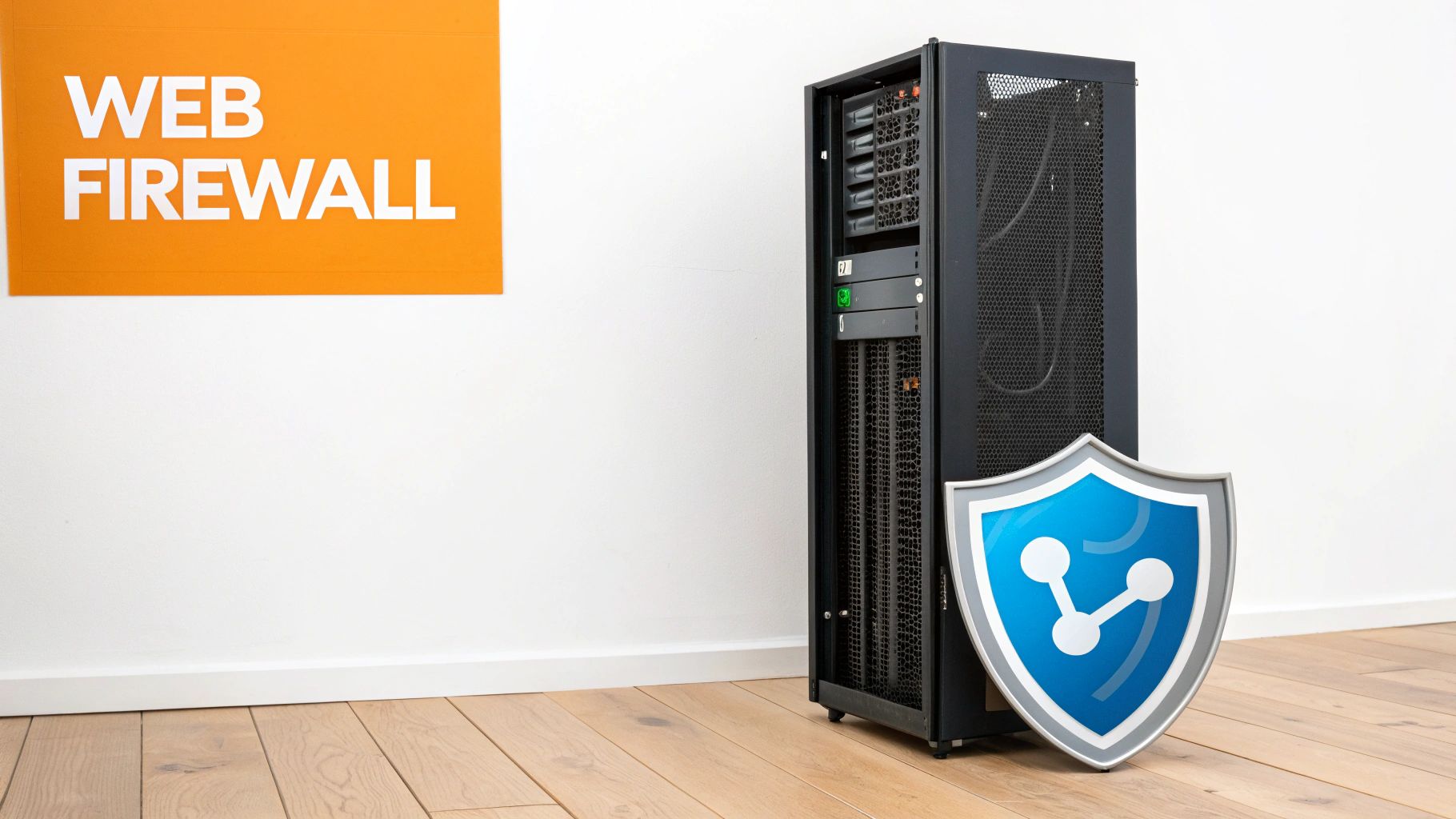
Think of it as a specialized security guard for your website. While a traditional network firewall protects the server itself, a WAF is designed to understand and protect your web application from specific, targeted threats. This layer of defense is essential for preventing data breaches and ensuring your site remains online and available to legitimate users.
Why It's a Top Priority
For any business handling customer data, from an e-commerce store in Hollywood to a law firm in Downtown Los Angeles, a WAF is non-negotiable. It provides immediate protection against a wide range of automated bot attacks and common vulnerabilities that could otherwise compromise sensitive information. Without it, your site is directly exposed to countless automated threats scanning the web for easy targets.
Actionable Implementation Steps
Here’s how to add this essential layer of security to your site:
Choose a WAF Provider: Cloud-based WAFs are the most popular and easiest to set up. * Cloudflare (https://www.cloudflare.com/) is a leading choice, offering a robust free plan that is perfect for businesses in areas like the San Fernando Valley and South Bay. * Sucuri is another excellent option, especially for WordPress sites, providing a comprehensive security platform that includes a powerful WAF.
Configure Initial Rules: Start with the provider's default rule set, which is designed to block the most common threats. Providers like Cloudflare and Sucuri manage and update these rules for you, protecting you from emerging vulnerabilities.
Enable Specific Protections: * DDoS Mitigation: Ensure DDoS protection is active to prevent traffic floods from taking your site offline. * Rate Limiting: Configure rate limiting to block brute-force login attempts by limiting the number of requests a single IP address can make in a short period. * Platform-Specific Rules: For WordPress, enable rules that protect against common plugin and theme vulnerabilities. Wordfence is a plugin that includes a WAF specifically tuned for WordPress.
Monitor and Refine: Regularly review your WAF logs to understand the types of attacks being blocked. This insight can help you identify and address underlying vulnerabilities in your application. Adjust rules as needed to minimize false positives while maximizing protection.
5. Secure User Input and Prevent SQL Injection/XSS
One of the most critical website security best practices involves rigorously validating and sanitizing all data submitted by users. Injection attacks, such as SQL Injection (SQLi) and Cross-Site Scripting (XSS), occur when malicious actors insert harmful code into input fields. This code can then be executed by your website's server or a visitor's browser, leading to severe security breaches.
Proper input handling is your primary defense against these common yet devastating vulnerabilities. It protects your database from being stolen or corrupted, prevents your site from being defaced, and safeguards your users' private information from being compromised. The infamous 2019 Capital One breach, which exposed over 100 million customer records, was the result of a vulnerability related to insufficient input validation.
Why It's a Top Priority
For any business that collects user data, from a lead-generation form in Glendale to a complex e-commerce checkout in Beverly Hills, insecure input handling is a direct threat. A successful SQL injection attack can give a hacker complete control over your database, while an XSS vulnerability can be used to steal user session cookies or credentials. This is not just a concern for custom-built applications; even popular platforms can be vulnerable if not configured correctly.
Actionable Implementation Steps
Here’s how to secure user input and prevent common injection attacks:
Never Trust User Input: Treat all data submitted by users as potentially hostile. Implement strict validation rules on both the client-side (for user experience) and, more importantly, the server-side (for security).
Use Prepared Statements: When interacting with your database, always use prepared statements (also known as parameterized queries). This technique separates the SQL query logic from the data, making it impossible for an attacker to inject malicious SQL commands. For comprehensive protection, extending security best practices to your backend APIs is essential, as detailed in this guide on API development best practices.
Sanitize and Escape Data: * WordPress: Use built-in functions like to sanitize user-submitted content and or to escape data before it's displayed on a page. This is vital for comment sections and contact forms. * Custom Development: Leverage established libraries like OWASP's ESAPI (Enterprise Security API) to handle data validation and encoding securely.
Implement a Content Security Policy (CSP): A CSP is an added layer of security that helps detect and mitigate certain types of attacks, including XSS. By defining which sources of content are approved, you can prevent browsers from loading malicious assets.
Conduct Regular Security Scans: Use automated tools like OWASP ZAP or Acunetix to scan your website for injection vulnerabilities and other common security flaws.
6. Regular Security Audits and Vulnerability Scanning
Proactively identifying security weaknesses is just as crucial as building defenses. Regular security audits and automated vulnerability scanning are essential website security best practices that allow you to discover and fix flaws before attackers can exploit them. This process involves using specialized tools and, in some cases, security professionals to systematically check your website for known vulnerabilities, misconfigurations, and outdated software.
Think of this as a regular health check-up for your website's security posture. Automated scanners can quickly flag common issues, while manual penetration testing (pen-testing) by ethical hackers provides a deeper, more nuanced analysis of your defenses. This creates a security baseline, helps track improvements, and demonstrates due diligence to clients and regulators.
Why It's a Top Priority
For businesses that handle sensitive information, such as financial firms in Downtown Los Angeles or healthcare practices in Glendale needing to meet HIPAA requirements, regular audits are non-negotiable. An e-commerce store in Long Beach must perform quarterly scans to maintain PCI DSS compliance. Failing to do so not only increases the risk of a breach but can also lead to severe penalties and loss of customer trust.
Actionable Implementation Steps
Here’s how to integrate regular security audits into your workflow:
Schedule Automated Scans: Use tools to run vulnerability scans on a consistent basis. Aim for at least quarterly scans, or monthly for websites handling sensitive data or high transaction volumes.
Utilize Platform-Specific Tools: * WordPress: Install a comprehensive security plugin like Wordfence or Sucuri Security. These tools offer malware scanning, file integrity monitoring, and vulnerability alerts for your plugins and themes. * Webflow/Wix: While these platforms manage server-side security, you are still responsible for third-party integrations. Use external scanners like Qualys or OWASP ZAP to check for vulnerabilities introduced by custom code or connected services.
Conduct Professional Audits: * Hire Penetration Testers: For high-risk businesses, an annual professional penetration test is a critical investment. Ethical hackers will attempt to breach your site to find weaknesses a scanner might miss. * Document and Remediate: Create a formal plan to fix any vulnerabilities found, assigning clear timelines and responsibilities. Documenting these efforts is vital for compliance. * Start with Free Tools: If you're on a tight budget, begin with free scanners like the Sucuri SiteCheck to get an initial overview of your site's security health. A full security assessment, much like the process used in a technical SEO audit, provides a foundational understanding of your site's status. Learn more about the comprehensive audit process here.
7. Secure Your Hosting Environment and Server Configuration
Your website’s security is only as strong as its foundation, and that foundation is your hosting environment. Properly configuring your web server, firewall rules, and hosting setup is a critical website security best practice that minimizes your attack surface. This involves hardening the server against common threats by disabling unnecessary services, setting strict file permissions, and controlling access. A misconfigured server can create vulnerabilities that undermine even the most secure application code.
This process, often called server hardening, is essential for preventing unauthorized access, data breaches, and malware infections at the infrastructure level. For platforms where you control the server (like self-hosted WordPress or custom applications), this is your direct responsibility. Even small configuration errors, like leaving a port open or using weak SSH credentials, can give attackers a foothold.
Why It's a Top Priority
For businesses managing sensitive data, from a legal firm in Downtown Los Angeles to an e-commerce store in the San Fernando Valley, a poorly secured server is a catastrophic liability. Standards like PCI DSS (for payments) and HIPAA (for healthcare) have strict server configuration requirements. Managed hosting providers like WP Engine and Kinsta build their reputation on providing pre-hardened environments, but if you manage your own infrastructure on platforms like AWS, the responsibility for security falls squarely on you.
Actionable Implementation Steps
Here’s how to secure your hosting and server environment:
Choose Secure Hosting: * Managed Platforms (Wix/Webflow): Security is largely handled by the provider, making this a simple choice for businesses that want to focus on content, not server administration. * Managed WordPress Hosting: Providers like WP Engine and Kinsta automatically handle server hardening, updates, and firewall configuration. This is highly recommended for businesses in competitive areas like Hollywood or Santa Monica who use WordPress but lack a dedicated IT team. * Cloud Infrastructure (AWS/Google Cloud): Offers maximum flexibility but requires deep expertise. Follow AWS security best practices, including using security groups, proper IAM roles, and VPC configuration.
Harden Your Server Configuration: * Limit Access: Use SSH keys instead of passwords for server access and disable root login. Restrict database and administrative access to specific, trusted IP addresses. * Set Correct File Permissions: A common source of vulnerabilities. Use for directories and for files to prevent unauthorized modifications. Never use . * Minimize Attack Surface: Disable any services or ports that are not absolutely necessary for your website to function. * Keep Software Updated: Regularly update your server’s operating system, web server software (Apache/Nginx), and database software (MySQL/PostgreSQL).
Implement Monitoring and Backups: * Enable Automated Backups: Schedule regular, automated backups and store them in a secure, off-site location. * Monitor Logs: Regularly review server and firewall logs for suspicious activity, such as repeated failed login attempts or unusual traffic patterns.
8. Implement Secure Backup and Disaster Recovery
A website is more than just a digital brochure; it's a vital business asset. Implementing a secure backup and disaster recovery plan is a non-negotiable website security best practice that protects this asset from catastrophic loss. This strategy involves creating regular, automated copies of your website's files and database and storing them securely, separate from your live server. In the event of a ransomware attack, hardware failure, or critical software error, these backups allow you to restore your site quickly, minimizing costly downtime and data loss.
Without a reliable recovery plan, a single security breach or server crash can wipe out your entire online presence. For a business, this could mean losing customer data, transaction histories, and all the content you've invested in creating. A robust backup system ensures business continuity, allowing you to recover from disaster with minimal disruption.
Why It's a Top Priority
For any business that depends on its website, from a law firm in Downtown Los Angeles to an e-commerce store in Glendale, a data loss event can be devastating. A compromised or offline website leads to lost revenue, damaged customer trust, and a severe blow to your brand's reputation. Regularly tested backups are your ultimate safety net, ensuring you can get back online and serving customers in areas like Burbank and Pasadena without significant delay.
Actionable Implementation Steps
Here’s how to build a resilient backup and recovery strategy:
Automate Your Backups: Manual backups are easily forgotten. Use services or tools that automate the process daily or even more frequently for dynamic sites. Many managed hosts like WP Engine or Kinsta offer this as a core feature.
Enable on Your Platform: * WordPress: Install a trusted plugin like UpdraftPlus (https://updraftplus.com/) or BackWPup to schedule automated backups to an off-site cloud location like Google Drive, Dropbox, or Amazon S3. * Shopify/Webflow/Wix: These platforms manage backups automatically as part of their service, providing peace of mind that your store or site data is protected.
Configure for Security: * Follow the 3-2-1 Rule: Maintain at least three copies of your data on two different types of media, with at least one copy stored off-site. * Encrypt Sensitive Data: Ensure your backup files are encrypted, especially if they contain customer information or other sensitive data, to protect them from unauthorized access. * Test Your Restores: A backup is useless if it doesn't work. Schedule quarterly tests where you restore your site from a backup to a staging environment to confirm the process is smooth and the data is intact. * Create a Recovery Plan: Document the exact steps needed to restore your site, including who is responsible and how to access backup files. This ensures a fast and orderly recovery during a high-stress incident.
9. Implement Proper Access Control and User Permissions
Defining granular user roles and permissions is a cornerstone of robust website security best practices. This strategy is built on the principle of least privilege: users should only have access to the data and functionality essential for their job functions. Proper access control prevents unauthorized individuals from viewing or altering sensitive information, significantly limiting potential damage from a compromised account.
This isn't just for large enterprises. For any business, from a legal firm in Downtown Los Angeles to a small e-commerce shop in Whittier, managing who can do what on your site is critical. It protects sensitive customer data, proprietary business information, and the operational integrity of your website. Failing to enforce these boundaries is like leaving every door in your office unlocked.
Why It's a Top Priority
For service providers across Southern California, from healthcare clinics in Pasadena to accounting firms in Glendale, improper access control can lead to data breaches and severe compliance violations (e.g., HIPAA, PCI DSS). A single compromised account with excessive permissions could allow an attacker to export customer lists, alter financial records, or deface your website, causing irreparable harm to your reputation and finances.
Actionable Implementation Steps
Here’s how to implement effective access control on your site:
Define and Document Roles: Clearly map out the roles within your organization (e.g., content editor, shop manager, customer support) and document the specific permissions each role requires. This foundational step simplifies audits and onboarding.
Use Built-in Platform Features: * WordPress: Leverage the default roles (Administrator, Editor, Author, Contributor, Subscriber). Only assign Administrator privileges to a minimal number of trusted individuals (2-3 maximum). Use a plugin like User Role Editor for more granular, custom control. * Webflow/Wix: Use the integrated team or collaborator management features to assign permissions for site design, content editing, and administration based on job function.
Conduct Regular Audits: * Quarterly Reviews: At least once per quarter, review all user accounts and their assigned permissions to ensure they are still appropriate. * Immediate Removal: Deactivate or delete user accounts immediately upon an employee's termination or role change. * Limit Admin Accounts: Strictly control who has top-level access. The more administrators you have, the larger your attack surface becomes. This discipline is crucial for maintaining control and also supports digital accessibility compliance for your site. Learn more about the importance of digital accessibility compliance on dllstudios.com.
By diligently managing user permissions, you create a powerful internal defense that contains threats and protects your most valuable digital assets.
10. Monitor Security Logs and Implement Intrusion Detection
Vigilant monitoring is one of the most proactive website security best practices you can adopt. This involves continuously reviewing website logs, server access data, and security alerts to detect suspicious activity as it happens. By implementing tools like an Intrusion Detection System (IDS) or a Security Information and Event Management (SIEM) system, you can automate the process of flagging anomalies like repeated failed logins, unauthorized file changes, or unusual data queries.
Without monitoring, a security breach could go unnoticed for weeks or months, giving attackers ample time to steal data, deface your site, or use your server for malicious purposes. Real-time monitoring allows you to identify and respond to threats before they escalate into catastrophic incidents, protecting your data and your reputation.
Why It's a Top Priority
For any business, from a legal firm in Downtown Los Angeles to a retail shop in Glendale, logs are the digital equivalent of security camera footage. Ignoring them means you're flying blind. Proactive monitoring helps you spot brute-force attacks, identify malware, and ensure compliance with data protection regulations by tracking who accesses sensitive information and when.
Actionable Implementation Steps
Here’s how to set up effective security monitoring for your site:
Choose the Right Tools: Select monitoring solutions appropriate for your platform. Enterprise-level systems like Splunk or Datadog offer centralized log management, while smaller businesses can leverage platform-specific tools.
Enable on Your Platform: * WordPress: Install a comprehensive security plugin like Wordfence (https://www.wordfence.com/) or Sucuri. These tools offer real-time traffic monitoring, file integrity scanning, and failed login tracking. * Webflow/Wix: While these platforms manage server-level security, use Google Search Console and Google Analytics to monitor for signs of hacking, such as unexpected traffic spikes or strange search queries.
Configure for Security: * Set Up Automated Alerts: Configure email or SMS alerts for critical events, such as multiple failed login attempts from one IP, administrator account changes, or new plugin installations. * Implement File Integrity Monitoring: Use a tool that scans your website's core files and alerts you to any unauthorized modifications, which could indicate a malware injection. * Establish a Log Review Routine: Schedule a weekly review of security logs to investigate any anomalies that automated systems may have missed. Archive logs for at least 90 days for forensic analysis.
By actively monitoring your digital footprint, you turn your website from a passive target into a secured environment capable of detecting and neutralizing threats quickly.
10-Point Website Security Comparison
Item | 🔄 Implementation complexity | ⚡ Resource requirements | ⭐ Expected outcomes | 📊 Ideal use cases | 💡 Key advantages / tips |
|---|---|---|---|---|---|
Implement SSL/TLS Encryption (HTTPS) | Low — simple with managed hosts; manual config for custom servers | Low — free certs (Let's Encrypt) or paid CA; minor perf overhead | High ⭐⭐⭐ — encrypts data, improves SEO & trust | All sites; essential for e‑commerce, healthcare, payments | Enable HSTS, auto-redirects, monitor expirations; use Let's Encrypt |
Keep Software and Dependencies Updated | Low–Medium — routine updates, staging/testing required | Moderate — time for testing; automation tools reduce effort | Very High ⭐⭐⭐⭐ — closes known vulnerabilities | CMS sites, plugin-heavy sites, custom apps | Enable safe auto-updates, remove unused plugins, test in staging |
Use Strong Password Policies and MFA | Low — policy changes + MFA rollout; user support needed | Low–Moderate — MFA services, user education, helpdesk load | Very High ⭐⭐⭐⭐ — drastically reduces account compromises | Admin accounts, user portals, finance/healthcare | Prefer authenticator apps over SMS; require MFA for admins; provide recovery codes |
Implement Web Application Firewall (WAF) | Medium — initial config, tuning, and rule management | Moderate — service/subscription cost; slight latency | High ⭐⭐⭐ — blocks common attacks (SQLi, XSS, DDoS) | E‑commerce, healthcare, high-traffic sites | Start with presets, monitor logs, tune to reduce false positives |
Secure User Input and Prevent SQL Injection/XSS | High — developer effort, code changes, extensive testing | Moderate — developer time, security testing tools | Very High ⭐⭐⭐⭐ — prevents critical injection attacks | Custom apps, forms, DB-backed sites, comment systems | Use parameterized queries, CSP, server-side validation, code reviews |
Regular Security Audits and Vulnerability Scanning | Medium — schedule tooling and periodic manual testing | Moderate–High — scanners, subscriptions, optional pentests | High ⭐⭐⭐ — identifies weaknesses and supports compliance | Regulated industries, enterprise, e‑commerce | Scan regularly, hire pentesters annually, maintain remediation plan |
Secure Hosting Environment and Server Configuration | High — requires sysadmin/security expertise | Moderate — managed hosting reduces effort; otherwise admin time | High ⭐⭐⭐ — reduces server-level attack surface | Self-hosted, custom servers, high-risk deployments | Use SSH keys, close unused ports, apply file perms, prefer managed hosting |
Implement Secure Backup and Disaster Recovery | Medium — design, implement, and test backup strategy | Moderate — storage costs, bandwidth, testing time | High ⭐⭐⭐ — enables recovery from ransomware/data loss | All businesses, critical e‑commerce and service sites | Follow 3-2-1 rule, encrypt backups, test restores quarterly |
Implement Proper Access Control and User Permissions | Medium — design RBAC and enforce least privilege | Low–Moderate — admin time, plugins or IAM tools | High ⭐⭐⭐ — limits damage from compromised accounts | Teams, agencies, healthcare, law, finance | Conduct quarterly access reviews; remove access on termination; limit admins |
Monitor Security Logs and Implement Intrusion Detection | High — SIEM/IDS setup, tuning, and alerting | High — storage, tooling, skilled analysts or managed service | High ⭐⭐⭐ — reduces detection time; enables rapid response | Enterprise, regulated orgs, high-value targets | Archive logs 90+ days, set critical alerts, start with Wordfence for WP |
Partner with Los Angeles Security Experts to Fortify Your Website
Navigating the landscape of website security can feel like a formidable task, but it’s a non-negotiable part of modern business. We’ve explored ten foundational website security best practices, moving from foundational SSL/TLS encryption and robust password policies to the advanced layers of Web Application Firewalls (WAFs) and proactive intrusion detection. Each practice serves as a critical link in a chain of defense, working together to protect your data, maintain customer trust, and secure your brand's reputation.
The journey to a secure website isn't a "set it and forget it" project. It’s a dynamic, ongoing commitment. Hackers continuously evolve their tactics, and what was secure yesterday may be vulnerable tomorrow. This reality underscores the importance of treating security not as a one-time checklist but as a continuous cycle of implementation, monitoring, and adaptation.
From Theory to Action: Your Security Roadmap
The most significant takeaway from this guide is that proactive prevention is always more effective and less costly than reactive damage control. A single data breach can lead to devastating financial losses, regulatory fines, and an irreversible loss of customer confidence. By prioritizing these security measures, you are making a direct investment in your business's long-term viability and success.
Your immediate next steps should be focused on assessment and prioritization. Use the checklists provided throughout this article to conduct a preliminary audit of your current security posture.
Start with the fundamentals: Is your SSL certificate valid and properly configured? Are all your platforms, plugins, and themes up to date? Are you enforcing strong password policies and using multi-factor authentication everywhere possible?
Evaluate your defenses: Do you have a WAF in place to filter malicious traffic? Are your forms and user input fields properly sanitized to prevent SQL injection and XSS attacks?
Review your processes: When was your last comprehensive security scan? Are your backup systems automated, tested, and stored securely off-site? Who has access to your website's backend, and are their permissions limited to only what is necessary?
Addressing these questions will illuminate your most urgent vulnerabilities and provide a clear path forward.
Your Trusted Security Partner in Southern California
Implementing and maintaining these website security best practices requires specialized knowledge and constant vigilance. For busy entrepreneurs and business owners across Southern California, dedicating the necessary time and resources can be a significant challenge. This is where a dedicated technology partner becomes invaluable.
At DLL Studios, we specialize in transforming security complexities into peace of mind. Our team is deeply rooted in the Los Angeles community, providing expert security optimization and managed maintenance to businesses just like yours. Los Angeles is at the center of our service area, and we proudly support clients across a wide network of surrounding cities and neighborhoods throughout Southern California. Our reach includes every corner of L.A.—from Downtown Los Angeles, Hollywood, West Hollywood, Beverly Hills, and Santa Monica to the beach communities of Malibu, Venice, Marina del Rey, Hermosa Beach, Manhattan Beach, and Redondo Beach. We also extend service through the San Fernando Valley, including Sherman Oaks, Studio City, Encino, Van Nuys, North Hollywood, Burbank, Glendale, Pasadena, Woodland Hills, Chatsworth, Canoga Park, Reseda, Northridge, and Tarzana. In the San Gabriel Valley, we work with clients in Alhambra, Monterey Park, San Gabriel, Temple City, Rosemead, Arcadia, El Monte, South El Monte, West Covina, Covina, Baldwin Park, Azusa, Glendora, Duarte, and Monrovia. Farther southeast, we serve Whittier, Pico Rivera, Downey, Norwalk, La Mirada, La Habra, and Cerritos. We also support the South Bay—including Torrance, Carson, Gardena, Hawthorne, Inglewood, and Long Beach—as well as the Gateway Cities and communities throughout the I-10, I-5, 101, and 405 corridors. Whether you’re in a major metro area or a smaller surrounding neighborhood, our team delivers reliable, high-quality service anywhere in or around Los Angeles. Let us handle the technical intricacies of securing your digital assets so you can focus on what you do best: running your business.
Don't let website security be a source of stress or uncertainty. Partner with DLL Studios to implement a robust, proactive security strategy tailored to your business needs. Contact us today for a comprehensive security audit and discover how our managed maintenance plans can protect your digital presence for years to come.

