


.png)
Web design for medical practices: Essential strategies to attract patients
Think of your medical practice's website as its digital front door. It’s often the very first interaction a potential patient has with your clinic, especially in competitive areas. Los Angeles is at the center of our service area, and we proudly support clients across a wide network of surrounding cities and neighborhoods throughout Southern California. The days when a website was just an online pamphlet are long gone. Today, it's the absolute hub of your practice's growth, reputation, and patient communication.
This isn't just a trend; it's a fundamental shift in how people find healthcare. A staggering 77% of patients now turn to search engines before they even think about booking an appointment. They aren’t just looking for a phone number—they're actively sizing you up based on the quality of your digital presence.
What Today's Patients Expect
Modern patients come with modern expectations. A professional, intuitive, and genuinely helpful website isn't a nice-to-have anymore; it's the bare minimum. If visitors land on your site and can't easily find your services, your hours, or a simple way to book an appointment, they will bounce and head straight to a competitor. It’s that simple.
This makes strategic web design a crucial investment with a direct, measurable impact on your bottom line. A great website does several key jobs for you:
Builds Instant Trust: A clean, modern design sends a powerful first impression, signaling professionalism and competence before a patient ever steps into your office.
Attracts the Right Patients: With smart content and local SEO, you can draw in qualified patients from your specific service areas. Our reach includes every corner of L.A.—from Downtown Los Angeles, Hollywood, West Hollywood, Beverly Hills, and Santa Monica to the beach communities of Malibu, Venice, Marina del Rey, Hermosa Beach, Manhattan Beach, and Redondo Beach.
Makes Your Life Easier: Integrated features like online booking and patient portals don't just help patients; they cut down on administrative work for your staff and make the whole practice run more efficiently.
Your website is your hardest-working employee. It’s your 24/7 receptionist, your marketing director, and your patient educator, all rolled into one powerful digital asset.
From Brochure to Business Engine
When you start seeing your website as a core business engine, it changes everything about how you approach it. An effective site doesn't just sit there displaying information. It actively guides potential patients through their entire decision-making journey, answering their questions, calming their concerns, and showing them a clear, easy path to becoming part of your practice.
This is the real foundation of a successful medical website. We also extend service through the San Fernando Valley, including Sherman Oaks, Studio City, Encino, Van Nuys, North Hollywood, Burbank, Glendale, Pasadena, Woodland Hills, Chatsworth, Canoga Park, Reseda, Northridge, and Tarzana. In the San Gabriel Valley, we work with clients in Alhambra, Monterey Park, San Gabriel, Temple City, Rosemead, Arcadia, El Monte, South El Monte, West Covina, Covina, Baldwin Park, Azusa, Glendora, Duarte, and Monrovia. It's about turning clicks into lifelong patients.
Designing for the Modern Patient Journey
Let's be honest: the modern patient journey almost never starts with a phone call anymore. It begins on a screen—usually a smartphone—as someone researches symptoms, looks for a local specialist, or tries to find a clinic with convenient hours. A great medical website isn't just a digital brochure; it's your virtual front office, and it needs to be just as welcoming and efficient as your real one.
Think of this journey as a series of crucial "micro-moments." A potential patient is feeling anxious or uncertain. Your website's job is to cut through that noise, provide instant clarity, build confidence, and guide them smoothly toward the care they need. This all comes down to user experience (UX) principles built for a healthcare audience, where empathy and ease of use aren't just nice-to-haves—they're everything.
Mapping the Digital Patient Path
The road from a curious Googler to a scheduled patient has a few distinct stages. A well-designed medical website anticipates every single one.
This infographic breaks down the typical journey into three main phases, from that initial search to the moment they decide your practice is the right choice.
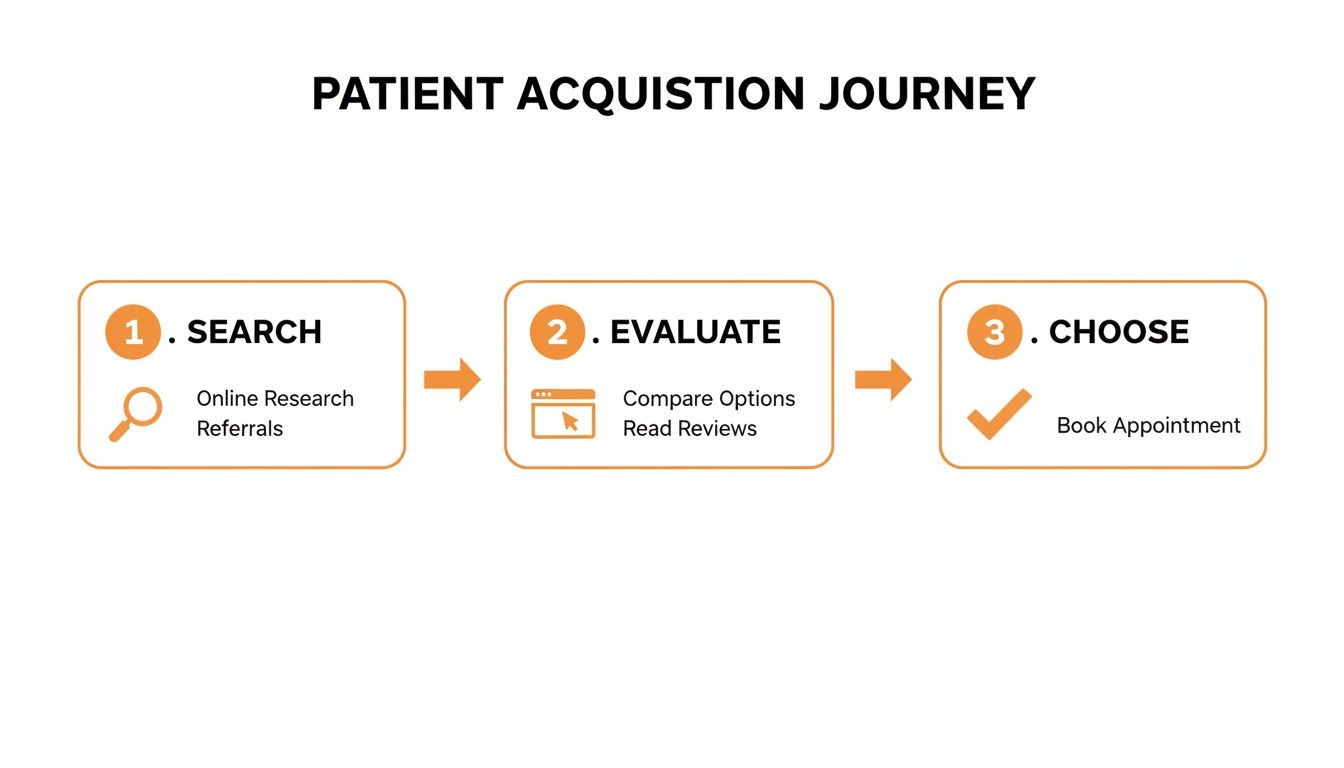
As you can see, a strong website acts as the critical bridge, connecting a patient's online research to their final decision to book an appointment with you.
Removing Friction with Intuitive Navigation
A confusing website is a dead end. Patients are often stressed when they're looking for medical help, and a site that’s hard to get around only makes things worse. The goal is a seamless, anxiety-free experience.
This is all about clear, logical navigation and calls-to-action (CTAs) that are impossible to miss. Your most important information should never be more than one click away.
Obvious Menu Structure: Stick to simple, direct labels. Think "Our Services," "Our Doctors," "Locations," and "Patient Portal." Now is not the time for clever internal jargon.
Visible Contact Information: Your phone number and address need to be plastered on every single page, usually in the header and footer. No exceptions.
Clear CTAs: Buttons like "Book an Appointment" or "Request a Consultation" should pop. Use contrasting colors and action-oriented text that tells people exactly what to do.
A medical website's primary function is to reduce uncertainty. Every design choice, from the menu layout to the color of a button, should be made with the goal of making the patient's next step obvious and effortless.
The Power of the Zero-Scroll Homepage
One of the most effective strategies we're seeing in medical web design is the "zero-scroll" or "above-the-fold" homepage. The idea is simple: put all the mission-critical information right at the top of the screen, so visitors get what they need without having to scroll at all.
This isn't just a trend; it's a direct response to how people actually behave online. Data from healthcare design firms shows that over 60% of medical website visitors bounce after only seeing the top section. The rise of zero-scroll homepages in 2026 marks a major shift, and for good reason: clinics that switched from long, scrolling homepages to these compact, high-impact designs have seen booking increases of 18–32%. You can discover more insights about the new conversion standard for medical practices.
Here are the key elements you need to make visible immediately:
Practice Name and Specialty: Instantly confirms they're in the right place.
Primary Phone Number: Make it a click-to-call number for mobile users.
"Book Online" Button: This is your most important CTA. It should lead directly to your scheduling tool.
Main Address: Link it to a map for easy directions.
Headline with a Key Benefit: A short, punchy statement that tells patients exactly how you can help them.
By designing for how patients really act online, you turn your website from a passive flyer into an active, hardworking tool. It becomes a reliable guide that eliminates friction, builds trust, and helps people in your community get the care they need with zero hassle.
Essential Features Every Medical Website Needs
Let's move from the drawing board to the real world. A truly effective medical website isn't just a collection of pages; it's a carefully assembled set of tools designed around the patient. These aren't just nice-to-haves. They're functional, trust-building features that make the entire patient journey smoother and more efficient.
Think of your website as a digital extension of your front office. Every single feature should solve a problem, either for a patient trying to connect with you or for your own administrative team. When you get this right, these elements work together to create an experience that feels reassuring for patients and is a huge operational win for your practice.
Core Patient Engagement Tools
The best medical websites make it incredibly simple for a patient to take that next step. That means tearing down any barrier to booking an appointment or finding information, turning your site from a static brochure into an active hub for patient care.
Secure Online Appointment Scheduling: This is non-negotiable. It gives patients the power to book appointments 24/7 when it’s convenient for them, which cuts down on phone tag and lightens the load on your front desk staff.
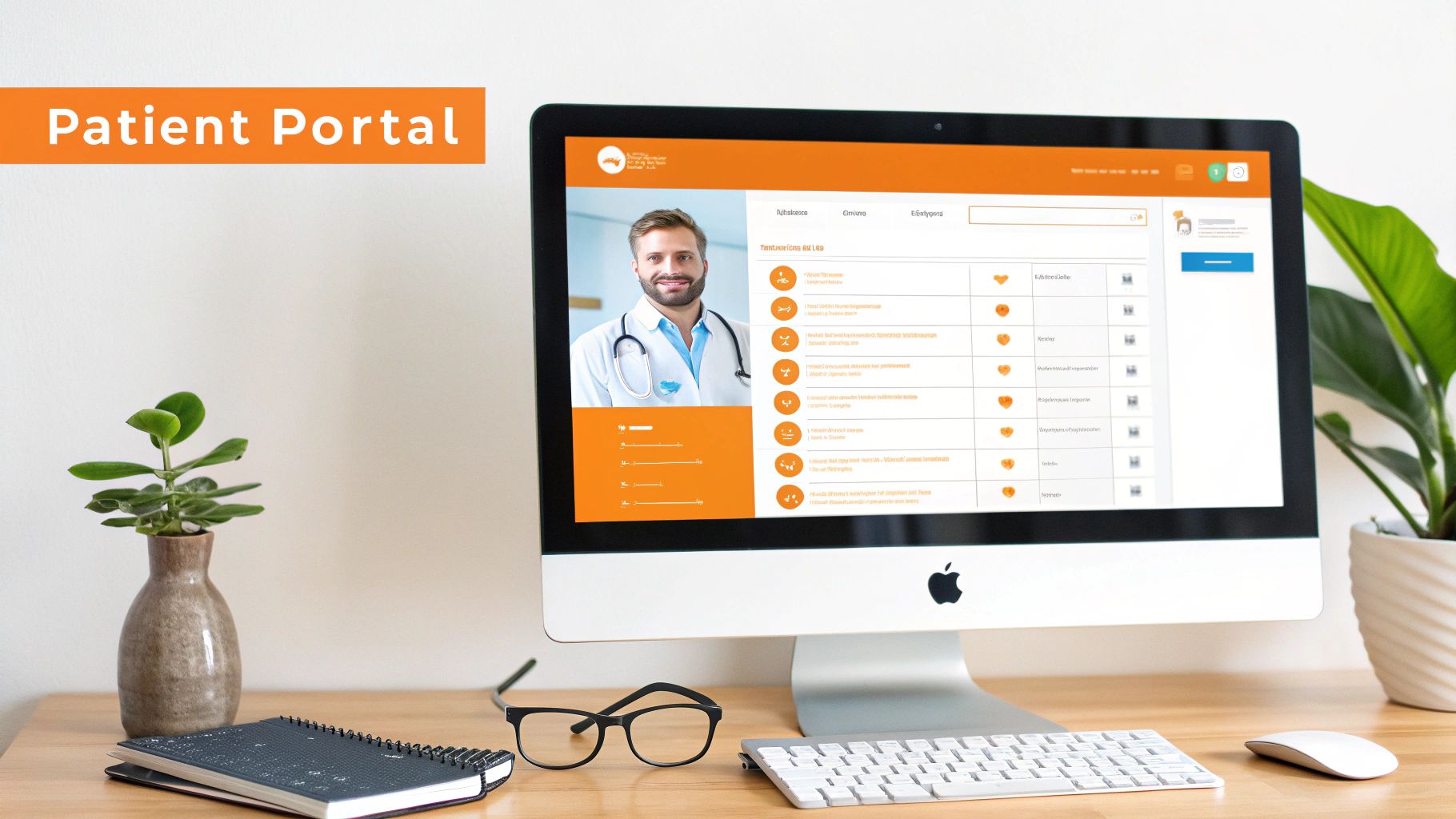
Integrated Patient Portals: Giving patients a secure place to see lab results, send a quick message to their provider, or manage their own records is a game-changer. It puts them in the driver's seat of their own healthcare journey and keeps communication all in one place.
Detailed Provider Bios: Patients want to feel a connection with their doctor before they ever step into the exam room. A good bio goes beyond a list of credentials. It needs a professional photo, a glimpse into their care philosophy, and maybe even a few personal interests to build that crucial human connection.
Many modern practices are also exploring new tools to elevate the patient experience. For a closer look at how automated assistants are changing the game, check out this guide on chatbots for healthcare.
Informational and Trust-Building Content
Beyond the interactive tools, your website must be the ultimate source of truth about your practice. The information has to be clear, comprehensive, and easy to digest—that’s how you build the confidence a patient needs to pick up the phone.
A medical website's content must answer two fundamental questions for a potential patient: "What do you do?" and "Why should I trust you to do it?" Every page should work to address these points with clarity and empathy.
Detailed service pages are a perfect example. You have to ditch the medical jargon and explain conditions, treatments, and procedures in plain language that anyone can understand. This kind of educational content establishes your practice as a knowledgeable, compassionate authority in your field.
A Mobile-First Design Philosophy
These days, a patient’s journey to your door almost always starts on their smartphone. A mobile-first approach isn't a trend; it's a requirement. With over 50% of patient searches now happening on mobile devices, how your site performs on a small screen directly impacts everything from search rankings to whether a patient sticks around.
If your site is clumsy and slow on a phone, you're losing people. It's that simple. Google’s mobile-first indexing penalizes sites that aren’t responsive, pushing them down in search results. The top physician websites get this right—practices with fast, intuitive mobile designs see a huge boost in high-intent traffic from local searches.
This means your website has to be built for the small screen first, not as an afterthought. Here’s what a truly mobile-friendly experience looks like:
Click-to-Call Phone Numbers: Every phone number should be a tappable link. No exceptions.
Map Integration: Your address needs to link directly to Google Maps or Apple Maps, making navigation a breeze.
Thumb-Friendly Navigation: Buttons, links, and menu items must be big enough and spaced out so they’re easy to tap accurately.
Fast Load Times: Mobile users are notoriously impatient. Your site has to load in a snap over a cellular connection, or they'll be gone.
Navigating HIPAA and ADA Compliance Online
In healthcare, trust is everything. When you bring your practice online, that responsibility follows you into the digital world. Two big legal frameworks come into play here: the Health Insurance Portability and Accountability Act (HIPAA) and the Americans with Disabilities Act (ADA).
Getting these wrong isn't just a minor slip-up. A non-compliant website can turn patients away, damage your reputation, and lead to some seriously steep fines. Nailing this is about protecting your patients and your practice.
Safeguarding Patient Data With HIPAA Compliance
At its core, HIPAA is all about protecting Protected Health Information (PHI). This is any piece of data that can identify a patient—think names, email addresses, or even appointment details. If a digital tool on your site collects, stores, or sends PHI, it has to be locked down tight.
Your website is often the very first place a patient interacts with you online. Even something as simple as a contact form or an appointment request tool falls under HIPAA's watch if it handles PHI. Securing every step of that process is non-negotiable.
Here are the technical must-haves for your website:
SSL Encryption: That little "s" in "https" is a big deal. It means any data traveling between a patient's browser and your server is encrypted, making it gibberish to anyone trying to snoop.
Secure Forms: Your average off-the-shelf contact form won't cut it. You need to use secure, encrypted forms that protect patient data from the second they hit "submit."
Compliant Hosting and Integrations: Your website has to live on a HIPAA-compliant server. The same goes for any third-party tools you plug in, like patient portals or scheduling software—they all need to meet the same high security standards.
And remember, data protection doesn't stop at your website. For handling other sensitive documents, it's smart to understand how to use HIPAA-compliant secure eFax services to keep all patient information safe.
Creating an Inclusive Experience With ADA Compliance
While HIPAA handles data security, the ADA is all about access. The goal is simple: make sure people with disabilities can use your website just as easily as anyone else. An inaccessible website is the digital equivalent of a building with stairs but no ramp—it shuts out a huge portion of your community.
Ignoring ADA standards can lead to expensive lawsuits. But more importantly, it means you’re turning away patients who need your care. With about 26% of adults in the US living with a disability, making your site accessible is both a moral and a business imperative.
An ADA-compliant website is built on the principle of universal access. It ensures that everyone, regardless of their physical or cognitive abilities, can find information, book appointments, and engage with your practice online.
Making your site truly accessible comes down to a few key technical details:
Screen Reader Compatibility: Your website's code needs to be clean and logical so that screen readers (software used by visually impaired users) can read the content out loud in the right order.
Keyboard Navigation: Not everyone can use a mouse. Every link, button, and form on your site must be fully usable with just a keyboard.
Color Contrast and Alt Text: Text needs to stand out clearly from its background to be readable. And every important image needs descriptive "alt text" so users who can't see them still get the message.
Building a compliant website takes planning from the get-go. If you're using a platform like Wix, there are specific steps you can take to meet these legal demands. For a closer look, check out our step-by-step guide to Wix website HIPAA compliance for some practical tips.
Attracting New Patients with Local SEO
You can have the most beautiful, user-friendly medical website in the world, but it won’t do you much good if local patients can’t find it. For healthcare practices, attracting new patients is a distinctly local game. That's where local Search Engine Optimization (SEO) comes in, acting as the bridge that connects people in your community who are actively seeking care directly to your digital front door.
Think of local SEO as the digital equivalent of a perfectly placed, highly visible sign in your neighborhood. It’s what ensures that when someone in your area searches for "dentist in Pasadena" or "dermatologist near Santa Monica," your practice shows up prominently. It’s about being right there at the exact moment a potential patient needs you most.

Building Your Foundation with Google Business Profile
Your Google Business Profile (GBP) is arguably the single most important tool in your local SEO toolkit. This free listing is what powers the information seen in Google Maps and the local "map pack" that appears at the top of search results. An incomplete or inaccurate GBP is like having the wrong address listed in the phone book—it creates frustration and costs you patients.
Optimizing your profile is the critical first step, but it's not a "set it and forget it" task. Think of it as an ongoing conversation with your community.
Claim and Verify Your Listing: The first step is to ensure you have full control over your profile.
Fill Out Everything: Complete every single section, from services and hours to photos and accessibility details. The more information you provide, the better.
Keep NAP Consistent: Your Name, Address, and Phone number (NAP) must be identical across your website and every other online directory. Consistency is key.
Connecting with Community-Focused Content
Beyond your GBP, the content on your website has to speak directly to the communities you serve. Patients want to feel a local connection. Farther southeast, we serve Whittier, Pico Rivera, Downey, Norwalk, La Mirada, La Habra, and Cerritos. We also support the South Bay—including Torrance, Carson, Gardena, Hawthorne, Inglewood, and Long Beach—as well as the Gateway Cities and communities throughout the I-10, I-5, 101, and 405 corridors.
This means creating service pages that explicitly mention the specific cities you serve, like "Pediatric Care in Redondo Beach" or "Orthopedic Services for Sherman Oaks." These pages send a clear signal to both search engines and potential patients that your practice is the relevant, local expert they've been looking for.
Local SEO for medical practices isn't just about keywords; it's about demonstrating your commitment to the community. When your content reflects a deep understanding of the local area, you build trust and relevance simultaneously.
For a deeper dive, our guide to local SEO for doctors offers a complete roadmap to attracting more patients right in your neighborhood.
Cultivating a Stellar Online Reputation
Finally, don't underestimate the power of your online reputation—it's a massive local ranking factor. Patient reviews are the new word-of-mouth, and Google pays very close attention. A steady stream of positive reviews on platforms like Google, Yelp, and Healthgrades sends powerful trust signals that can boost your visibility.
Make a habit of encouraging satisfied patients to leave feedback. Just as importantly, make it a priority to respond to all reviews, both positive and negative. This public engagement shows you care about the patient experience and builds a strong reputation that attracts new patients all on its own.
To help you stay on track, here's a quick checklist covering the essentials of a strong local SEO strategy for your medical practice.
Local SEO Checklist for Medical Practices
SEO Component | Action Item | Why It Matters |
|---|---|---|
Google Business Profile | Claim, verify, and fully optimize your listing with services, hours, photos, and Q&As. | This is your primary local search asset, directly influencing your visibility in Google Maps and the local pack. |
NAP Consistency | Ensure your Name, Address, and Phone number are identical across your website, GBP, and all other online directories. | Inconsistencies confuse search engines and erode trust, hurting your local rankings. |
On-Page SEO | Create location-specific service pages (e.g., "Chiropractor in Pasadena"). Optimize titles and headers with local keywords. | Signals to Google that you are a relevant authority for specific services in a specific geographic area. |
Online Reviews | Actively encourage patient reviews on Google, Yelp, and Healthgrades. Respond professionally to all feedback. | Reviews are a major ranking factor that builds social proof and trust with prospective patients. |
Local Citations | Get your practice listed in reputable local and industry-specific online directories (e.g., Vitals, Zocdoc). | Consistent citations reinforce your location and contact information, validating your practice to search engines. |
Website Performance | Ensure your site is mobile-friendly, loads quickly, and is secure (HTTPS). | A poor user experience, especially on mobile, can lead to higher bounce rates and lower rankings. |
Following these steps will lay a solid foundation, helping ensure that when local patients search for care, your practice is the one they find first.
Choosing the Right Technology for Your Practice
Picking the right tech for your medical website is a lot like choosing the foundation for a new clinic. The platform you build on dictates everything from security and patient data protection to how easily your practice can scale down the road. It's a critical decision, one that requires balancing upfront costs with long-term value to ensure your digital front door is both powerful and secure.
You really have two main paths: using a well-established Content Management System (CMS) like WordPress, or going all-in with a completely custom-built solution. Each route has its own set of pros and cons, and what's right for a solo practitioner in Van Nuys might not work for a large multi-specialty group in Beverly Hills.
Comparing Popular Website Platforms
Think of a CMS like WordPress as a high-quality, prefabricated building frame. It’s incredibly versatile, has a massive support community, and can be customized almost endlessly with themes and plugins. A custom solution, on the other hand, is like hiring an architect to design a building from scratch, tailored perfectly to your unique needs.
WordPress: There's a reason it powers over 43% of all websites. Its massive ecosystem of plugins makes it incredibly flexible for adding features like appointment booking and patient portals. But that popularity is a double-edged sword—it’s also a big target for hackers, which means you have to be diligent about maintenance and security to stay HIPAA compliant.
Custom-Built Solutions: These offer unmatched security and performance because they’re built for one purpose: your practice. This approach allows for airtight integration with specific Electronic Health Record (EHR) systems and can be engineered for optimal HIPAA compliance from the ground up. The trade-off? A higher initial investment and a longer timeline to get it built.
As you weigh your options, it's helpful to understand the wider world of website builders. For a detailed breakdown, check out our guide on Wix Studio vs WordPress vs Shopify to see how different platforms really compare.
Budgeting for Your Medical Website
Getting a handle on the financial investment is a crucial part of the planning process. The cost of a medical website isn't a simple, one-size-fits-all number; it's entirely dependent on the complexity, features, and custom work needed to hit your practice’s goals.
Investing in your website is not an expense—it's a direct investment in patient acquisition, operational efficiency, and the long-term health of your practice. The return is measured in new patients, saved administrative hours, and a stronger community reputation.
Recent industry data shows that costs can vary dramatically. For example, a solo or small primary care practice might invest between $5,000 and $12,000 for a solid foundational site with provider bios, service pages, and contact forms. In contrast, multi-specialty groups can expect to see costs ranging from $25,000 to over $50,000 for sites with complex physician directories and multiple system integrations.
Ultimately, the right technology choice comes down to what your practice truly needs for security, growth, and the kind of experience you want to give your patients. Whether you go with the flexibility of WordPress or the bespoke security of a custom build, the goal is always the same: a high-performing digital asset that builds patient trust and drives sustainable growth for your Southern California practice.
Your Questions, Answered
When you're thinking about a new website for your medical practice, it's a big decision. You've got questions, and rightly so. Here are the most common ones we hear from practice owners. Whether you’re in a major metro area or a smaller surrounding neighborhood, our team delivers reliable, high-quality service anywhere in or around Los Angeles.
How Long Will This Take?
Realistically, building a quality medical website takes anywhere from 6 to 16 weeks. The timeline really depends on what you need.
A straightforward, informational site for a solo practitioner? That's going to be on the faster end. But for a multi-location practice serving areas like the San Fernando Valley—think Sherman Oaks and Glendale—with patient portals and tricky integrations, we need more time. Every feature adds layers of development, testing, and compliance checks to make sure it's perfect.
What Should I Budget for a New Medical Website?
The investment can range anywhere from $5,000 to over $50,000. It all comes down to the scope. A clean, professional website for a smaller practice in a community like Whittier or Downey might land in the $5,000 to $12,000 range.
On the other hand, larger medical groups in competitive markets like Santa Monica or Pasadena usually need more. They require custom features, HIPAA-compliant integrations, and a deep content strategy, pushing the investment to $25,000 or more. The final number is shaped by your specific needs for functionality, security, and design.
Think of your website budget as an investment in your practice’s growth engine. A well-built site pays for itself by attracting new patients, streamlining administrative tasks, and solidifying your reputation in communities from the South Bay to the San Gabriel Valley.
How Do We Know if the New Website Is Actually Working?
Success is about more than just a pretty design. We track the key performance indicators (KPIs) that show you're getting a real return on your investment.
More New Patient Appointments: This is the big one. We track it directly through your online booking forms and dedicated call tracking numbers.
Higher Search Engine Rankings: Are local patients finding you? We monitor your visibility for terms like "dentist in Redondo Beach" or "pediatrician in Burbank" to make sure the answer is yes.
A Jump in Organic Traffic: Seeing more visitors from search engines is a clear sign our SEO strategy is hitting the mark.
Lower Bounce Rate: This tells us that when people land on your site, they're sticking around. They're finding what they need instead of clicking away.
What's Involved with Ongoing Maintenance?
A medical website isn't something you can just "set and forget." Consistent maintenance is non-negotiable for security, performance, and compliance. Here’s what that looks like:
Software and Security Updates: We keep the platform and all its plugins updated to patch any vulnerabilities and keep things secure.
Regular Backups: Your site should be backed up constantly. If anything ever goes wrong, we can restore it in a snap.
Performance Monitoring: We keep a close eye on your site's speed to make sure it’s fast and responsive for everyone, on any device.
HIPAA Compliance Audits: We perform periodic checks to ensure every protocol for handling patient data remains locked down and secure.
This steady upkeep ensures your digital front door is always open, secure, and working hard to attract patients throughout the greater Los Angeles area.
Ready to build a website that attracts new patients and grows your practice? The team at DLL Studios specializes in creating high-performing, compliant websites for medical practices across Southern California. Learn more and get started today.
