


.png)
A Founder's Guide to Website Development for Startups
Website development for startups isn't about building the biggest, flashiest thing on day one. It’s a game of speed, user validation, and lean principles. The goal is to get a Minimum Viable Product (MVP) out the door to test your core idea in the real world. This approach prioritizes the handful of features that solve one specific user problem, letting you gather actual data and iterate without burning through cash on unproven concepts.
Building Your Startup's Digital Foundation

Before a single line of code gets written, your startup’s website needs a rock-solid strategy. This goes way beyond picking colors and fonts. It’s about defining your digital purpose and creating a blueprint for growth. Think of a well-planned website as your hardest-working employee—it’s out there 24/7, validating your business model and reeling in those first critical customers.
The pressure to build a strong online presence is intense, especially in crowded markets. Los Angeles is at the center of our service area, and we proudly support clients across a wide network of surrounding cities and neighborhoods throughout Southern California. Our reach includes every corner of L.A.—from Downtown Los Angeles, Hollywood, West Hollywood, Beverly Hills, and Santa Monica to the beach communities of Malibu, Venice, Marina del Rey, Hermosa Beach, Manhattan Beach, and Redondo Beach.
Defining Your Minimum Viable Product Website
The smartest first move is to map out a Minimum Viable Product (MVP) site. An MVP isn't a cheap or half-baked website. It's a highly focused tool designed to do one thing exceptionally well. Its primary mission is to solve a core problem for your ideal user, which lets you launch fast and learn from actual interaction.
This lean approach forces you to be ruthless with prioritization. Instead of getting bogged down building a complex platform with all the bells and whistles, you focus only on the essentials that deliver immediate value. It's how you sidestep common startup traps like overspending and scope creep, keeping your project on track and on budget.
The Importance of Lean User Research
To build an MVP that actually resonates, you have to understand what your customers truly need—not just what you think they need. This is where lean user research is your best friend. You don't need a massive budget to get started; simple methods can yield powerful insights.
Customer Interviews: Just talk to a handful of potential users. Ask them about their pain points, their goals, and how they’re currently solving the problem your startup aims to fix.
Surveys: Tools like Google Forms are perfect for quickly polling a larger audience about their preferences and behaviors. Keep it short and sweet.
Competitor Analysis: Scope out your rivals. See what’s working well on their sites and, more importantly, identify the gaps you can fill.
The feedback you gather directly informs your user experience (UX) from day one. When you understand your user's journey, you can craft a clear sitemap and user flow that guides them effortlessly toward taking the action you want. We also extend service through the San Fernando Valley, including Sherman Oaks, Studio City, Encino, Van Nuys, North Hollywood, Burbank, Glendale, Pasadena, Woodland Hills, Chatsworth, Canoga Park, Reseda, Northridge, and Tarzana. In the San Gabriel Valley, we work with clients in Alhambra, Monterey Park, San Gabriel, Temple City, Rosemead, Arcadia, El Monte, South El Monte, West Covina, Covina, Baldwin Park, Azusa, Glendora, Duarte, and Monrovia.
Key Takeaway: Your first website is an experiment. Its whole purpose is to test your core assumptions with the smallest possible investment. The faster you can get feedback from real users, the faster you can build something they truly want and will pay for.
The digital marketplace is packed, and customer expectations have never been higher. Studies show that 31% of U.S. shoppers will actively avoid a small business if it doesn't have a website. The global website builder market, a huge piece of the puzzle for startups, is projected to hit $2.6 billion by 2026, which just shows how massive the push for online visibility has become.
Of course, laying this groundwork also means thinking about your team. Knowing how to hire developers for your startup is a crucial step in bringing your vision to life. A solid strategy, built on real user insights and a tight MVP scope, ensures your investment in development pays off.
Choosing Your Startup's Technology Stack
Picking the right tech for your startup’s website is one of those early, foundational decisions that echoes for years. Get it right, and you have a platform that accelerates your growth. Get it wrong, and you’re stuck with a tool that holds you back, drains resources, and eventually leads to a painful, expensive migration.
This isn’t just about code or fancy features; it's a strategic business choice. For non-technical founders, the sheer number of options can feel paralyzing. Let's cut through that noise and look at three of the most popular, powerful choices for startups today: Wix Studio, Webflow, and WordPress.
A Framework for Making the Right Call
Instead of just comparing feature lists, let's reframe the question. The "best" platform doesn't exist. The right platform is the one that fits your team's skills, your budget, and your immediate goals without closing doors on your future.
It really boils down to a trade-off between speed, control, and long-term flexibility. Before you fall in love with a platform, ask yourself these four questions:
Ease of Use: Who is actually going to be updating this site? If every small copy change or new blog post requires a developer, you’ve just created a massive bottleneck for your marketing efforts.
Scalability: Will this platform grow with us? You need something that won’t buckle under a surge of traffic after a big PR hit and can handle the features you'll need in year two, not just day one.
Integration Capabilities: Your website is the hub, but it’s not the whole machine. It needs to talk to your CRM, your email marketing software, your analytics tools, and your payment processor without a hitch.
Total Cost of Ownership: Don’t just look at the monthly subscription fee. You have to factor in the hidden costs—plugins, premium themes, hosting, and the occasional developer fee for custom work. That’s the real number.
Comparing Wix Studio, Webflow, and WordPress
Each of these platforms represents a different philosophy for building a web presence. There's no one-size-fits-all winner; your choice depends entirely on what your startup needs to accomplish right now.
Let's ground this in reality. A design-heavy brand in a competitive visual market like Beverly Hills might gravitate toward Webflow for its pixel-perfect control. On the other hand, a content-driven startup battling for SEO dominance in a space like Downtown Los Angeles or Hollywood would probably find WordPress and its massive ecosystem of SEO tools to be a better fit. Farther southeast, we serve Whittier, Pico Rivera, Downey, Norwalk, La Mirada, La Habra, and Cerritos. We also support the South Bay—including Torrance, Carson, Gardena, Hawthorne, Inglewood, and Long Beach—as well as the Gateway Cities and communities throughout the I-10, I-5, 101, and 405 corridors.
Comparing Website Platforms for Startups
Here's a quick, head-to-head look at how these three platforms stack up against the criteria that matter most to a new business.
Feature | Wix Studio | Webflow | WordPress |
|---|---|---|---|
Ease of Use | Excellent. The most user-friendly, with a drag-and-drop editor. | Good, but with a learning curve. Best for designers familiar with web concepts. | Fair. Requires more technical management for hosting, security, and updates. |
Design Control | Very Good. Highly customizable with responsive AI and global sections. | Exceptional. Unmatched visual control over every element and animation. | Varies. Highly dependent on the chosen theme and page builder plugins. |
Scalability | Good. Handles high traffic and business growth within its ecosystem. | Very Good. Scales well, especially for design-centric and e-commerce sites. | Excellent. Virtually limitless scalability with the right hosting and development. |
Integrations | Good. A solid app market and native integrations for most needs. | Very Good. Strong API and seamless integration with tools like Zapier. | Exceptional. A massive library of 55,000+ plugins for almost any function. |
Speed to Launch | Fastest. Ideal for getting a polished MVP to market in weeks. | Moderate. Slower than Wix Studio due to the learning curve. | Slowest. Setup, theme customization, and plugin configuration take time. |
Total Cost | Predictable. All-in-one pricing covers hosting, security, and support. | Moderate. Tiered pricing, with potential add-ons for e-commerce or CMS. | Variable. Can be cheap to start, but costs for hosting and plugins can add up. |
Ultimately, the table shows there's a clear trade-off between ease-of-use and ultimate control.
Wix Studio: The All-in-One Speed Solution
Wix Studio is built for one thing above all else: speed. It's the perfect choice for founders who need a professional, high-performing website yesterday without getting lost in the technical weeds. Everything is bundled—hosting, security, and a full suite of business tools are all under one roof.
This makes it a fantastic option for startups focused on validating an idea quickly. Think of a new service business in the San Fernando Valley, from Sherman Oaks to Studio City, that needs a polished MVP. With Wix Studio, they could go from concept to a live, professional site in just a couple of weeks. Its intuitive editor empowers non-technical team members to make their own updates, which is a huge advantage.
Webflow: The Designer's Powerhouse
Webflow sits in the sweet spot between easy-to-use site builders and full-blown custom development. It gives you incredible, granular control over design and animations, letting you build truly bespoke, pixel-perfect sites without having to write code. For startups where the brand's visual identity is everything, this is a game-changer.
That power comes with a price: a steeper learning curve. It's best for teams that have a designer who understands core web principles like the box model. A direct-to-consumer brand launching in a style-conscious area like Venice or Santa Monica would absolutely kill it on Webflow, using its visual power to create an immersive experience that nobody else has.
WordPress: The Scalable Content King
There’s a reason WordPress powers over 43% of all websites: its flexibility and scalability are legendary. With a mind-boggling library of themes and plugins, you can build practically anything, from a simple blog to a complex e-commerce marketplace or a full-fledged membership site. As an open-source platform, it gives you complete ownership and control over your digital asset.
Its real superpower is in content management and SEO. Startups built around a strong content marketing strategy will find its ecosystem is simply unmatched. The trade-off is that it requires more hands-on management—you're responsible for hosting, security updates, and plugin maintenance. But for that effort, you get limitless potential. Whether you’re in a major metro area or a smaller surrounding neighborhood, our team delivers reliable, high-quality service anywhere in or around Los Angeles.
Choosing your platform is a foundational business decision. Your technology stack should be an enabler of your strategy, not a limitation. Prioritize the platform that best fits your immediate MVP needs while offering a clear path to your long-term vision.
For a deeper dive that brings e-commerce into the mix, our guide on Wix Studio vs WordPress vs Shopify offers even more perspective. Making the right call now will save you from costly migrations and a mountain of technical debt down the road.
Building Your Website and Plugging in the Essentials
Alright, you’ve got your strategy and you’ve picked your tech. Now for the fun part: turning those plans into a real, live website. This is where your vision starts to take shape. For a startup, the initial build is all about creating a solid, functional core that you can build on as your business grows and you start getting feedback from real users.
First things first: think mobile-first. This isn’t just a suggestion anymore; it’s a hard rule. With 61.19% of all website traffic coming from mobile devices, the small screen is where you’ll win or lose. Designing for mobile from the get-go forces you to prioritize what's absolutely essential, which usually results in a cleaner, faster experience for everyone, no matter what device they're on. This isn't the time to throw in every feature you can dream of—it's about nailing that core user journey.
From a Private Sandbox to a Public Launch
The whole process starts in what’s called a staging environment. Think of it as a private, offline copy of your website. It’s your workshop—a safe space where you can build pages, test features, and squash bugs without anyone in the outside world seeing the mess. This lets you get everything just right before the big reveal.
Once the main pages and features are built and you've given them the green light, it’s time for deployment. That’s just the technical term for "going live." It involves moving the finished site from that private staging server to your live hosting environment, making it public for the world to see.
This step-by-step approach ensures a smooth, professional launch. If you're a startup in a competitive area like Southern California—from the tech hubs in Venice to the business centers in Long Beach—a polished launch day is crucial. It’s your first chance to establish credibility.
Key Integrations to Make Your Website a Business Tool
A startup’s website can't just be a pretty brochure. It needs to be an engine that powers your business. This is where integrations come in. They connect your site to other critical tools, turning it into a central hub for your operations. These connections are made possible by Application Programming Interfaces (APIs), which are basically messengers that let different software platforms talk to each other.
If you're still mulling over your platform choice, this quick decision tree can help clarify your thinking based on your main priorities.
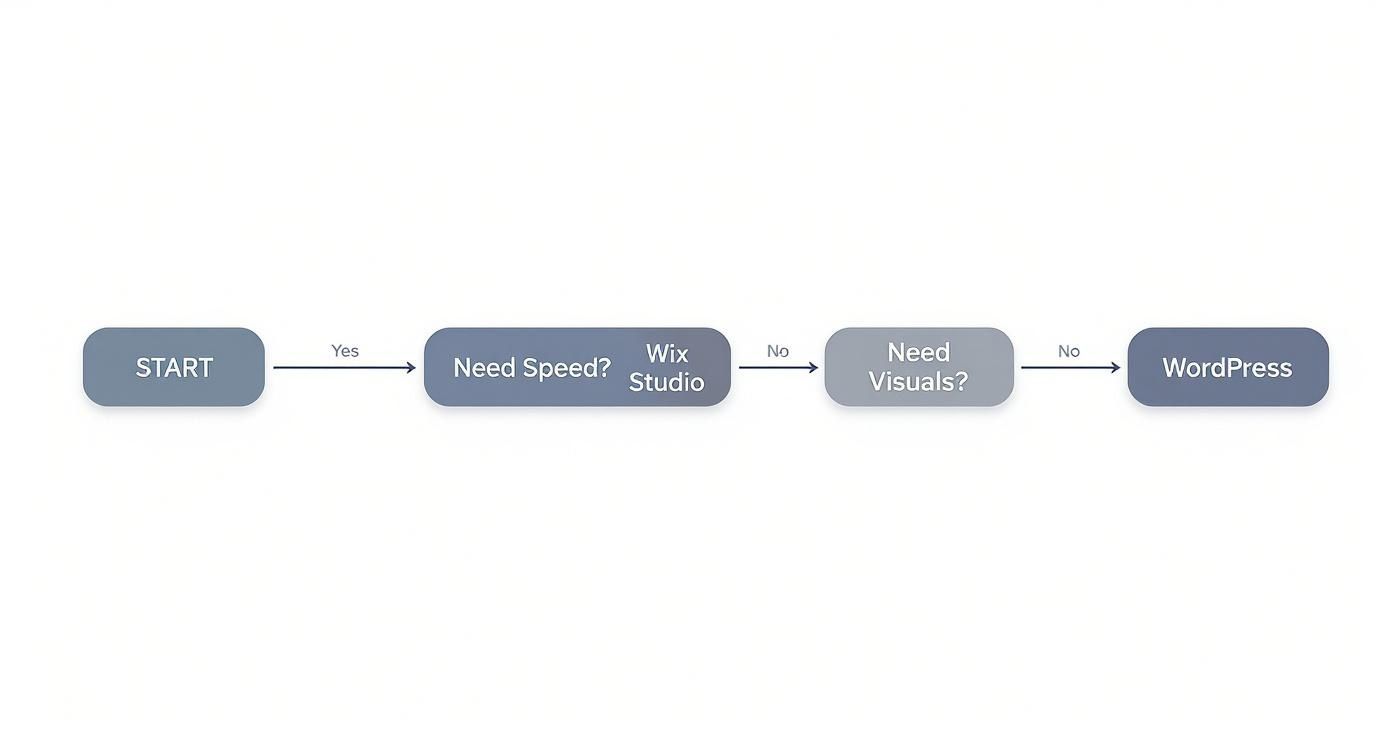
As you can see, the choice often comes down to whether you need raw development speed or you're aiming for deeper visual customization from the start.
So, what are the must-have integrations for most startups?
Content Management System (CMS): A good CMS lets your team update text, publish blog posts, and manage website content without having to call a developer. Platforms like WordPress are built around their CMS, while tools like Wix Studio and Webflow come with their own powerful, integrated systems.
E-commerce Functionality: If you're selling anything, you'll need to plug in a payment gateway like Stripe or PayPal. This is what lets you securely process credit card payments right on your site, a non-negotiable for any e-commerce business.
Analytics and Marketing Tools: You absolutely need to connect Google Analytics to track who's visiting your site and what they're doing. You’ll also want to link your email marketing platform (like Mailchimp) and a Customer Relationship Management (CRM) system (like HubSpot) to capture leads and manage customer data.
For example, a local service business in Pasadena might integrate a scheduling tool like Calendly and the Google Maps API. Meanwhile, a SaaS startup in Burbank would likely connect Stripe for recurring subscriptions and Intercom for live customer support, creating a fully automated system.
Key Insight: Don't go overboard with integrations for your MVP. Start with the absolute essentials: analytics, a contact form that actually works, and a payment processor if you need one. You can always add more complex tools later as your business grows.
This lean approach keeps your initial build quick and nimble. And in the startup world, speed matters. With around 252,000 new websites being created every single day, the competition is intense from day one. A slow website is a huge liability. Data shows that a page that loads in just one second can hit a conversion rate near 40%, while a staggering 88.5% of visitors will bail on a site that’s slow to load. These numbers prove just how critical it is for startups to build sites that are not only well-designed but also fast and technically sound.
Optimizing for Performance, SEO, and Accessibility
Here's a hard truth: a brilliant website that no one can find or use is just a digital paperweight. Once your MVP site is built, the real work of making sure it’s fast, findable, and usable for everyone begins. These three pillars—performance, SEO, and accessibility—aren’t just techy afterthoughts. They're the engines that will drive your startup's growth.
Especially in a competitive market like Southern California, from the tech-savvy crowds in Santa Monica to the bustling businesses in Downtown Los Angeles, a slow or invisible website is a death sentence. Your customers expect a seamless experience, and so do the search engines.
Mastering Site Speed and Core Web Vitals
Website performance isn't just about how fast your page loads; it's about how fast it feels to the user. Google has a set of metrics for this called Core Web Vitals, which basically measure loading speed, how quickly someone can interact with your page, and whether things jump around on the screen while it loads. Nailing these is a huge factor in ranking well and giving users an experience that doesn't make them want to throw their phone across the room.
The digital space is insanely crowded. There are over 1.5 billion websites out there, though fewer than 200 million are actually active. The shocking part? Less than 4% of websites currently meet Google’s Core Web Vitals standards. That’s a massive opportunity for startups that actually prioritize performance from day one. It's all about continuous improvement, a key part of optimizing user experience to boost conversions.
Here are a few practical things you can do to speed things up:
Compress Your Images: Giant, unoptimized images are the number one killer of site speed. Use a tool to shrink them down without turning them into a pixelated mess.
Leverage Browser Caching: This tells a visitor's browser to save static files (like your logo and CSS). The next time they visit, your site will pop up almost instantly.
Minimize Code: Clean up your HTML, CSS, and JavaScript by getting rid of unnecessary characters and bloated code. Every little bit helps.
Expert Insight: Think of site performance as the foundation of your digital credibility. A fast, stable website signals to both users and search engines that your business is professional, reliable, and worthy of their attention. It’s a direct reflection of your brand’s quality.
On-Page SEO Fundamentals for Startups
SEO is simply how you tell search engines what your website is about, making it easier for your ideal customers to find you when they're looking. For a startup, getting the on-page SEO basics right delivers the biggest bang for your buck. This isn't about gaming the system; it's about being clear and relevant.
Your first step should always be keyword research. You need to figure out the exact phrases your audience is typing into Google. Once you have that list, you can start weaving those keywords into your site naturally.
Building an Accessible and Inclusive Brand
Accessibility (often shortened to A11Y) means designing your website so that people with disabilities can actually use it. This isn't just about ticking a box for legal compliance with the Web Content Accessibility Guidelines (WCAG); it's a massive competitive advantage. An accessible site opens your doors to millions of potential customers who are often completely overlooked.
It also happens to be great for your SEO. Many accessibility best practices—like using descriptive alt text for images and structuring your content with proper headings—are signals search engines use to understand your content. You're improving the user experience and your search visibility at the same time. It’s a total win-win.
Here are a few simple ways to improve accessibility right away:
Use Alt Text: Add descriptive text to all your images. This allows screen readers to describe the visual content to users who are visually impaired.
Check Your Color Contrast: Make sure your text is easily readable against its background. Don't make people squint.
Make it Keyboard-Navigable: Can someone use every part of your website with just a keyboard? They should be able to.
The hosting you choose also has a say in your site's performance. While AWS holds a massive 48% market share, emerging technologies like Progressive Web Apps (PWAs) are set for huge growth, offering startups new ways to deliver fast, app-like experiences right in the browser.
Making your site inclusive isn’t a nice-to-have; it's a core part of modern website development for startups. For a deep dive on how to make your digital presence welcoming to everyone, check out our guide on 10 website accessibility best practices for 2025.
Your Go-Live Checklist and Post-Launch Plan
Getting your website live is a massive milestone, but it's really just the starting line. The real work—turning that site into a genuine growth engine—kicks off the moment you launch. A smooth deployment all comes down to meticulous prep, making sure every little detail is locked in before you flip the switch.
For any startup, a messy launch can instantly damage your credibility. This is especially true in competitive markets like Southern California, from the tech hubs in Venice to the business corridors in Torrance. A polished, seamless go-live process isn't just a technical detail; it signals professionalism and builds immediate trust with your very first visitors.
The Battle-Tested Pre-Launch Checklist
Before your website ever sees the light of day, it needs to survive one last, rigorous inspection. This isn’t the time to cut corners. Rushing this step is a classic mistake that leads to broken links, security gaps, and a truly terrible first impression.
Think of this as your final quality assurance gate. Go through each item methodically to ensure your new site is secure, functional, and ready to make its debut.
Final Content and SEO Review: Read every single page. Hunt down typos and grammar mistakes. Double-check that all your meta titles and descriptions are unique and optimized.
Cross-Browser and Device Testing: Your site absolutely must look and work perfectly on Chrome, Safari, Firefox, and Edge. Even more important, pull it up on different phones and tablets to make sure the responsive design is flawless. No excuses here.
Functionality Gauntlet: It's time to try and break things. Click every link. Fill out every form. Test every single button. Does that contact form actually land in your inbox? Does the checkout process go through without a hitch?
Performance and Speed Test: Run your site through Google PageSpeed Insights one last time. Take care of any final recommendations for image compression or code minification. A fast site is a must.
This isn’t just about making sure your MVP is minimal—it’s about making sure it’s truly viable. It has to work perfectly to give those first users a reliable experience that makes them want to come back.
Setting Up for Success on Day One
Once the technical checks are done, you need to make sure you can measure what's happening from the second you go live. Flying blind isn’t a strategy; data is what will help you make smart decisions down the road.
First, get Google Analytics installed and configured. This is non-negotiable. It's how you'll understand who is visiting your site, where they’re coming from, and what they’re actually doing. Next up is Google Search Console. This tool is your direct line to Google, showing you how your site is performing in search, letting you submit a sitemap, and tracking which keywords are bringing people in.
Finally, confirm your SSL certificate is active. That little padlock you see in the browser's address bar is a huge trust signal and a basic requirement for both security and SEO. You should also have a reliable backup system in place before you launch, not after something has already gone wrong.
Key Takeaway: A great launch isn't just about flipping a switch. It's about having the right tools ready from day one to track, measure, and protect your new digital home.
Building a Sustainable Post-Launch Strategy
Going live is just the first step in the ongoing process of website development for startups. Now, the focus shifts from building to growing. A proactive post-launch plan is what keeps your site from turning into a static, outdated digital brochure.
Your strategy should revolve around a simple feedback loop: attract users, measure their behavior, and iterate on what you learn. You'll be using data from your analytics and direct feedback from customers to make informed improvements over time.
A solid post-launch plan really comes down to three core pillars:
Content and SEO Momentum: Create a content calendar you can actually stick to. Whether it’s one blog post a month or a weekly update, consistency is what builds authority and helps you climb the search rankings.
Performance Monitoring: Keep an eye on your site's speed and Core Web Vitals. As you add more content, plugins, and features, it’s easy for performance to slip if you’re not paying attention.
Ongoing Maintenance and Security: This is the crucial behind-the-scenes work. Keep your platform (WordPress, Wix Studio, etc.), themes, and plugins updated to patch security holes. Run regular security scans to protect your site from threats. It’s not glamorous, but it’s what keeps your online presence safe and sound.
Common Questions About Building a Startup Website
When you're launching a startup, the website can feel like a huge question mark. You're juggling a tight budget, an even tighter timeline, and the pressure to nail that first impression. We get these questions all the time, so let's cut through the noise and give you some straight answers.
This is especially true here in Los Angeles, where the startup scene is no joke. Whether you're in the tech hubs of Santa Monica and Venice or the creative zones of Hollywood, a sharp digital strategy is table stakes.
How Much Does It Realistically Cost to Build a Website for a Startup?
This is the big one, and the honest answer is: it depends. The cost can swing wildly based on how complex your site needs to be. The trick is to lock down your MVP scope early to get a real number and avoid sticker shock later.
Here’s a rough breakdown:
DIY Builders: Using a platform like Wix Studio will run you anywhere from $20 to $100 a month. It's the most wallet-friendly way to get off the ground.
Custom WordPress Site: If you hire a freelancer or a small agency (especially in a competitive market like Los Angeles), expect to invest between $5,000 and $20,000. This gives you a great mix of custom design and future flexibility.
Complex Web Apps: Need something truly unique, like a custom e-commerce engine or a full-blown web application? The budget can easily climb past $30,000.
Should My Startup Hire a Web Agency or Build an In-House Team?
Ah, the classic build vs. buy dilemma. For most early-stage startups, bringing in an agency is almost always the smarter, faster, and more cost-effective move.
Think about it: an agency gives you instant access to a whole team of specialists—designers, developers, SEO pros—without the massive overhead of salaries, benefits, and recruiting. It's the perfect way to get a polished MVP out the door, fast. This is the go-to play for startups all over Southern California, from the San Fernando Valley down to the South Bay.
Building your own team really only makes sense after you've found product-market fit and your website demands constant, daily attention for new features and iterations.
A hybrid approach is often the sweet spot for growing startups. Start with an agency to get the foundation right, ensuring quality and speed. Then, bring on in-house talent to take over day-to-day management and future development.
What Are the Most Common Mistakes Startups Make with Their First Website?
So many promising startups stumble right out of the gate with their first website. Getting this right can be the difference between gaining early traction and fizzling out.
The absolute biggest mistake we see is overbuilding. Founders get swept up in trying to launch with every feature they've ever dreamed of. This just burns cash, pushes back the launch date, and leaves users confused.
Another huge error is treating SEO and performance as an afterthought. It is so much harder and more expensive to bolt on an SEO strategy after the fact than to build it in from day one.
Finally, a surprisingly common pitfall is muddy messaging and a weak call-to-action. Your site has to immediately answer three questions for a visitor: what you do, who you do it for, and what they should do next. Keep your MVP lean, make speed and SEO a priority from the start, and write clear, direct copy. You'll sidestep these traps completely.
Ready to build a website that actually drives growth? The team at DLL Studios lives and breathes website development for startups. We build high-performing, scalable sites that deliver real results. Let's build your digital foundation the right way. Contact us for a consultation.

