


.png)
Website Design for Medical Practice to Attract More Patients
- Dec 17, 2025
- 16 min read
Your website isn't just an online brochure; it's your digital front door. For many, it's the first handshake they'll have with your practice. A professional, high-quality website is the absolute cornerstone of your digital strategy, setting the stage for a trustworthy patient experience from the very first click.
Designing Your Digital Front Door for Patient Trust
Think about it: before a potential patient ever steps into your office, they’re going to your website. They’re there to size you up, learn about your services, and decide if you’re the right fit for their needs. That initial digital impression speaks volumes.
A clunky, slow, or outdated site can send people running and seriously damage your credibility. On the other hand, a modern, intuitive website builds instant confidence. It makes it easy for patients to take that next step, whether that's booking an appointment or just finding your address.
Defining Your Ideal Patient Journey
Every successful website project starts with discovery. This isn't about picking colors and fonts—it's about getting crystal clear on who you're trying to reach and what you need your site to actually do.
You have to start by asking the tough questions:
Who is your ideal patient? Are you a pediatrician in the San Fernando Valley trying to connect with young families? Or maybe you're a specialized surgeon in Santa Monica looking for patients who need advanced procedures. Knowing your audience inside and out will shape every single design and content choice you make.
What does their journey look like? Try to map out the entire process. It might start with a frantic Google search for "cardiologist near me," lead to them reading doctor bios, then checking which insurance you accept, and finally, booking a consultation online.
What makes you different? In a packed market like Southern California, what’s your unique edge? Is it your cutting-edge technology? A truly compassionate, patient-first approach? Or maybe your deep expertise in a specific niche?
This initial groundwork—understanding your goals, your patients, and your competition—is non-negotiable for building a website that works.
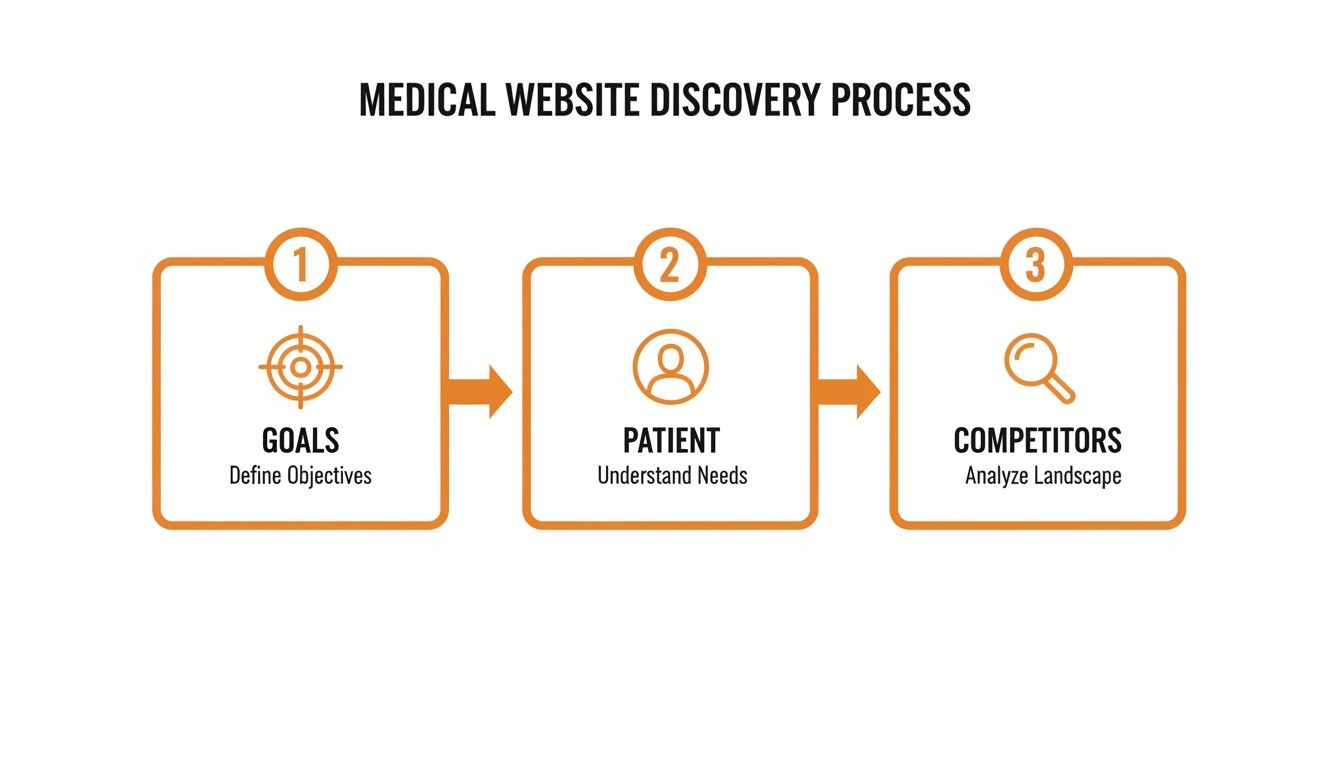
As you can see, a successful website always begins with clear objectives and a solid understanding of both your patients and your competitors.
Setting Tangible Goals for Success
Your website needs to be a strategic asset with goals you can actually measure. Vague ambitions like "getting more patients" won't cut it. You need specific, tangible targets to guide the entire design and development process.
A goal-oriented approach transforms your website from a passive online presence into an active tool for practice growth. By defining what success looks like upfront, you can build a site that delivers real, measurable results.
For instance, your goals could be much more specific:
Increase online appointment bookings by 20% within the next six months.
Reduce administrative phone calls about directions or hours by 30%.
Get on the first page of local search results for key services, like "family doctor in Glendale."
When you build your website design for medical practice on this kind of strategic foundation, every element has a purpose. You end up with a digital front door that not only looks professional but also actively works to grow your practice.
Crafting an Effortless User Experience for Patients
When a potential patient lands on your website, they’re often looking for quick answers during a stressful time. A clunky, confusing, or slow site only adds to their anxiety and can make them second-guess the quality of care your practice provides. The real goal of your website design is to create a seamless, intuitive path for every visitor, making it dead simple for them to find what they need.
This all starts with your site's navigation. Think about the most crucial information: services, doctor bios, office hours, and contact details. This stuff should never be more than a single click away. Imagine a parent in Sherman Oaks frantically trying to find your urgent care hours on their phone; burying that info is a surefire way to lose them to a competitor.

Embracing a Mobile-First Philosophy
Let's be realistic. Most patients—whether from the beach communities of Malibu and Redondo Beach or the suburbs of the San Gabriel Valley—will first encounter your practice on their smartphone. This makes a mobile-first design philosophy completely non-negotiable. It’s no longer good enough for your site to just "work" on a phone; it has to be designed for the mobile experience from the very beginning.
In healthcare, mobile-first design isn't just a trend; it's a necessity driven by how people actually live and search for care. By 2025, an incredible 61.5% of global website traffic is expected to come from mobile devices. This statistic alone shows why treating your mobile site as an afterthought is a huge mistake. We've seen clinics that prioritize mobile-first principles—like streamlined navigation and big, touch-friendly buttons—report up to a 30% bump in online bookings.
A mobile-first approach isn't just a technical choice; it's a patient-centric one. It acknowledges that your patients are on the go, often multitasking, and need a digital experience that is as seamless and stress-free as possible.
This means you need to get the details right:
Touch-Friendly Buttons: Make sure all clickable elements are large enough to be tapped easily without frustrating "fat-finger" mistakes.
Readable Fonts: Text has to be legible on a small screen without forcing anyone to pinch and zoom just to read your address.
Warp-Speed Load Times: Mobile users are notoriously impatient. A site that takes more than a few seconds to load will see bounce rates skyrocket, which also tells Google your site isn't user-friendly.
Key Elements of a Patient-Focused Website Design
Building a great patient experience is about more than just slick visuals. It’s about creating a functional, intuitive interface that anticipates what a patient needs and guides them right to it, whether that's booking an appointment or getting directions to your office in Pasadena. For a deeper look at today's design standards, check out our guide on essential website design best practices for 2025.
A patient-focused design boils down to a few critical components that have an outsized impact on how visitors perceive your practice. Here's a quick rundown of the must-haves.
Component | Best Practice | Impact on Patients |
|---|---|---|
Simple Navigation | Use clear, common-sense labels like "Our Services," "Doctors," and "Contact Us." Avoid confusing medical jargon. | Reduces frustration and helps patients find what they need fast, which builds immediate confidence in your practice. |
Prominent Contact Info | Display your phone number, address, and hours clearly in the header or footer of every single page. | Makes it effortless for patients to connect, whether they're driving to your Encino office or calling from home in Downey. |
"Book an Appointment" CTA | Place a highly visible Call-to-Action (CTA) button on every page, making it impossible to miss, especially on mobile. | Directly serves the primary goal of most visitors, dramatically increasing conversions and streamlining the booking process. |
Fast Page Speed | Optimize your images, use clean code, and invest in quality hosting to ensure your site loads in under 3 seconds. | Prevents patient frustration, boosts user satisfaction, and is a major factor for ranking higher in local search results. |
By prioritizing these core UX elements, you’re not just building a website; you're creating a digital front door that feels helpful, professional, and trustworthy. This attention to detail shows you care about the patient experience long before they ever step into your clinic.
Building Trust Through HIPAA and ADA Compliance
In healthcare, trust is everything. It’s the bedrock of the patient-provider relationship. When it comes to your practice’s website, building that trust goes far beyond a clean design and easy navigation. Your site must be a fortress of security and a model of accessibility.
Failing to meet legal standards like HIPAA and the Americans with Disabilities Act (ADA) doesn’t just expose you to staggering fines. It destroys patient trust before you even get a chance to earn it.
That’s why HIPAA-compliant and privacy-focused design is no longer an afterthought—it’s a top priority. With the rapid rise of telemedicine and the constant threat of data breaches, patients expect you to handle their information with the utmost care. The telehealth market is on track to blow past $185 billion globally by 2026, yet a shocking 70% of healthcare sites still fail on basic security measures. Fines for non-compliance can reach up to $50,000 per violation, making this a risk no practice can afford.

Demystifying HIPAA for Your Website
The Health Insurance Portability and Accountability Act (HIPAA) can sound complex, but for your website, it boils down to one simple rule: protect patient health information (PHI) at all costs.
Any time your website collects, stores, or sends identifiable patient data—whether through a simple contact form or a sophisticated patient portal—HIPAA’s strict regulations kick in.
Just having an SSL certificate isn't nearly enough. Real compliance demands a multi-layered security strategy. Every single component that touches sensitive data has to be locked down. This means your hosting needs to be HIPAA-compliant, all data transfers must be encrypted, and any third-party tools you plug in (like an online scheduler) have to meet the same tough standards.
Here are the absolute must-haves for a HIPAA-compliant website:
Secure Patient Forms: Any form asking for personal or medical details must be fully encrypted to protect that data, both while it's being sent and when it's stored.
Encrypted Data Transmission: Your entire site must use HTTPS. No exceptions. This ensures all communication between a patient's browser and your server is secure.
A Clear Privacy Policy: You are required to have a "Notice of Privacy Practices" that is easy to find and explains in plain English how you collect, use, and protect patient information.
Secure Hosting and Backups: You absolutely must partner with a hosting provider that offers HIPAA-compliant servers and secure, encrypted data backups.
To take security a step further, think about integrating HIPAA-compliant chatbot solutions. These tools can answer basic patient questions and gather preliminary information securely, improving communication without putting privacy at risk.
Making Your Website Accessible for Everyone
Just as important as data security is digital accessibility. The Americans with Disabilities Act (ADA) mandates that websites must be accessible to people with disabilities, covering visual, auditory, motor, and cognitive impairments. For a medical practice, this isn't just about following the law; it's an ethical imperative.
An inaccessible website is the digital equivalent of a locked front door for a huge part of your community. It sends a clear message that you don’t value every patient, which can be incredibly damaging to your reputation.
ADA compliance isn’t a technical chore—it's a direct reflection of your practice's commitment to inclusive care. An accessible website ensures that every person, regardless of ability, can access the vital health information and services you provide.
To get your site compliant, you’ll need to follow the Web Content Accessibility Guidelines (WCAG). For a deep dive into what that entails, our guide on what ADA compliance for websites means breaks it all down.
Here’s a practical checklist to get you started:
Provide Alt Text for All Images: Screen readers rely on alternative text to describe images to visually impaired users. Every meaningful image needs a short, descriptive alt tag.
Ensure Keyboard Navigation: Can someone navigate your entire site, from the menus to the forms, using only a keyboard? They should be able to.
Use High-Contrast Colors: Text needs to stand out clearly from its background so users with low vision can read it easily.
Include Captions for Videos: All your video content needs accurate, synchronized captions for users who are deaf or hard of hearing.
Use Clear and Descriptive Headings: Structure your content with logical H1, H2, and H3 tags. This creates a clear hierarchy that helps screen reader users understand the layout of the page.
By weaving both HIPAA and ADA compliance into the very fabric of your website, you build a digital presence that is not just legally sound but deeply trustworthy. You show every patient that their safety, security, and dignity are your top priorities.
Winning Local Search to Attract Nearby Patients
A stunning website is only half the battle. If a potential patient in your neighborhood can't find you when they search online, your digital front door might as well be invisible. This is where a smart local search engine optimization (SEO) strategy becomes critical, turning your site into a magnet for patients right in your service area.
For medical practices in a competitive market like Los Angeles, ranking locally isn’t a luxury—it's essential for survival and growth. Patients today don't use the phone book. They pull out their phones and search for "family doctor in Sherman Oaks" or "pediatrician near me." Your goal is to be the first, most trusted name they see.
Optimizing Your Digital Footprint for Local Discovery
The cornerstone of any local SEO effort is your Google Business Profile (GBP). This free listing is often the very first interaction a patient has with your practice on Google. It shows your location on Maps, your hours, phone number, and patient reviews. An incomplete or neglected profile is a massive missed opportunity.
Think of your GBP as a digital welcome mat. It needs to be clean, accurate, and inviting.
Complete Every Section: Fill out every single field Google offers, from services and accessibility information to photos of your practice. The more complete your profile is, the more Google trusts it.
Ensure NAP Consistency: Your practice's Name, Address, and Phone number (NAP) must be identical everywhere online. A slight variation, like "St." versus "Street," can confuse search engines and hurt your rankings.
Upload High-Quality Photos: Show off a clean, professional, and welcoming environment. Include pictures of the exterior, the waiting room, and your friendly staff to build familiarity and trust before they even walk in.
To really elevate your local rankings, understanding the nuances of crafting an award-winning Google Business description is invaluable. This is your chance to highlight what makes your practice in West Hollywood or Redondo Beach the absolute best choice.
Creating Content That Speaks to Local Patients
Your website content needs to do more than just describe your services; it has to answer the specific questions local patients are asking. This means creating service pages and blog posts that are fine-tuned for what people in your community are actually searching for.
Every single service you offer should have its own dedicated page. A general "Our Services" page just doesn't cut it anymore. If you're a dermatologist in Beverly Hills, you need separate, detailed pages for "Botox," "acne treatment," and "skin cancer screenings." On each page, make sure to mention the specific neighborhoods you serve, from Hollywood and Santa Monica to the beach communities of Malibu, Venice, and Marina del Rey, to signal that local relevance to Google.
Blog posts are your opportunity to build authority and become a trusted local resource. Think about what people in your community are worried about. A pediatrician in Pasadena could write an article on "Navigating Allergy Season in the San Gabriel Valley," while a clinic in Long Beach might post about "Staying Sun-Safe at the Beach." This is the kind of content that establishes you as the local expert.
For a comprehensive look at these strategies, our guide to local SEO for doctors offers even more actionable tips.
Building Trust Through Patient Reviews
Online reviews are the new word-of-mouth, and they are a massive factor in local search rankings. Google wants to recommend practices that patients genuinely trust, and a steady stream of positive reviews is the clearest signal of quality you can send.
Patient reviews do more than just boost your search visibility; they build a foundation of social proof that can be the deciding factor for a new patient choosing your practice over a competitor down the street.
You need to actively and ethically encourage patients to leave feedback. You can do this with a simple follow-up email or even a sign in your office. What’s crucial, though, is that you engage with the reviews you receive—both the good and the bad. Thanking patients for positive feedback and professionally addressing concerns in negative reviews shows you're listening and are committed to patient care. This simple act can turn a poor experience into a resolved one and demonstrates your professionalism to everyone reading.
Integrating Technology to Modernize Your Practice
A modern medical practice website needs to do more than just list your hours and location. It should be a true operational hub—a tool that actively makes life easier for your patients and your staff. By weaving in the right technology, you can elevate your site from a static online brochure into a dynamic engine that cuts down on administrative work and dramatically improves the patient experience.
This isn't just about looking modern. It’s a strategic shift that turns your website into a powerful asset. Practices across Southern California—from the I-10 corridor to the South Bay—are finding that smart integrations help manage patient flow far more efficiently. The goal is simple: create a seamless digital front door where patients can handle tasks online that used to require a phone call, saving everyone time and frustration.
Choosing the Right Tools for Your Practice
Integrating technology starts with picking the right platforms. You need tools that not only give patients the features they expect but also meet the ironclad security and privacy standards of the healthcare industry. Every single tool you add, from an appointment scheduler to a bill pay portal, must be fully HIPAA-compliant. No exceptions.
There’s no one-size-fits-all solution here. A busy pediatric practice in the San Fernando Valley will have completely different needs than a specialist in Beverly Hills.
Here are the essential integrations we see making the biggest impact:
Online Appointment Schedulers: This is non-negotiable in today's world. Giving patients the power to book, reschedule, or cancel appointments online frees up your front desk and offers 24/7 convenience.
Secure Patient Portals: A portal is the bridge between visits. It allows patients to securely access their health records, check lab results, and message your team, building a stronger, more transparent relationship.
Telehealth Platforms: Offering virtual visits directly through your website has become a standard expectation. A clean telehealth integration makes remote care simple and accessible.
Secure Online Bill Pay: This feature not only simplifies payments for patients but can also give your practice's revenue cycle a healthy boost by making it easier to collect what you're owed.
Ensuring a Seamless and Secure Integration
Just dropping these tools onto your site isn't enough. They have to be woven into the fabric of your website so they feel like a natural extension of your practice. A clunky, disjointed experience where a patient gets bounced to a third-party site with different branding can erode trust and cause immediate frustration.
Performance is another deal-breaker. Poorly implemented third-party tools can grind your website to a halt, which is poison for both the user experience and your search engine rankings. It's critical to partner with a development team that knows how to integrate these platforms without sacrificing site speed.
Technology should simplify, not complicate. The best integrations are the ones patients don't even notice—they just work, providing a smooth, secure, and intuitive experience that reflects the quality of care your practice provides.
For instance, when a patient from Torrance clicks "Book an Appointment," they shouldn't be dumped onto a confusing, off-brand website. The scheduling tool should load instantly and feel like it belongs there.
Ultimately, a thoughtful approach to technology is a core pillar of a modern website design for medical practice. It shows you’re committed to patient convenience and operational excellence, cementing your reputation as a forward-thinking provider who truly values your patients' time and security.
Your Go-Live Plan for a High-Performing Medical Website
Getting your new medical website live is a huge step, but the work doesn't stop there. Think of the launch as the starting line, not the finish. A truly successful site needs a solid go-live plan and a real commitment to ongoing maintenance to keep it working hard for your practice.
Before you flip the switch, a final, meticulous check is non-negotiable. This is your last chance to catch any little glitches that could chip away at patient trust or, worse, tank your search rankings from day one. It’s like doing a final walkthrough before opening the doors to a new physical office.

Pre-Launch Essentials Checklist
Your pre-launch checklist needs to be exhaustive, covering everything from the technical nuts and bolts to the analytics foundation. I've seen practices skip these steps and end up with a rocky launch that takes months to recover from.
Make sure your final checks cover these bases:
Performance and Speed Testing: How fast does your site load? Test it on a desktop and, more importantly, on a phone. Slow load times are one of the biggest reasons potential patients will just give up and leave.
Comprehensive Security Audit: Double-check every single patient form to ensure it's secure. Is your SSL certificate installed correctly? Are your third-party tools, like scheduling software, fully compliant with HIPAA standards? No exceptions.
Analytics and Tracking Setup: Get Google Analytics and Google Search Console set up and configured before you go live. This data is pure gold for understanding how patients find and use your site right from the very beginning.
Post-Launch Maintenance and Growth
Once your website is live, the game shifts from building to maintaining and improving. A website that just sits there quickly becomes stale and vulnerable. Regular updates aren't just a "nice-to-have"—they're critical for security, staying relevant, and keeping your SEO performance strong.
A website is a living asset, not a one-time project. Consistent maintenance and data-driven improvements are what separate a stagnant online brochure from a powerful patient acquisition tool.
Get a clear maintenance schedule on the calendar. This means regular software and plugin updates to patch security holes and keep everything running smoothly. It also means having a content calendar to keep your blog and service pages fresh. This activity signals to search engines that your site is an active, authoritative resource in your field.
This is where you turn all that data into action. Keep a close eye on your key performance indicators (KPIs). Track your organic traffic, see how many online appointment requests you're getting, and watch your bounce rates. By analyzing this information, you can make smart, informed decisions to refine your content and user experience. This is how you ensure your website continuously evolves to meet the needs of patients across Southern California and consistently delivers results.
A Few Common Questions We Hear
When you're planning a new website for your medical practice, a lot of questions pop up. Let's tackle the most common ones head-on, so you can move forward with confidence.
How Much Does a Medical Practice Website Cost?
This is the big one, and the honest answer is: it depends. The cost can swing pretty dramatically based on what you need. A simple, template-based site might start in the low thousands, but a fully custom website with patient portal integrations and a serious local SEO strategy can easily top $25,000.
What drives that price? Think about custom design needs, the amount of content you need written, and the specific HIPAA-compliant features you want to add. A cosmetic practice in a hyper-competitive market like Beverly Hills will naturally invest more in a unique, high-end solution than a small family clinic in a quieter town.
What Are the Must-Have Features for a Medical Website?
Every solid medical website needs a core set of features that build trust and make life easier for your patients. These aren't flashy extras; they're the non-negotiables that create an effective digital front door for your practice.
A great medical website isn’t defined by slick animations. It's defined by how quickly and easily it gives patients the essential information they need. Nail these features, and you're showing patients you value their time and trust.
Here's your essential checklist:
Simple online appointment scheduling for 24/7 convenience.
Clear contact info and an interactive map on every single page.
Detailed doctor bios that build a personal connection and establish credibility.
A mobile-first design that works perfectly on a smartphone.
HIPAA-compliant patient forms to keep sensitive information secure.
Full ADA compliance to ensure every user can access your site.
How Does a Website Help Me Get More Patients?
Think of your website as your practice's primary marketing engine, working for you around the clock. Through local SEO, it helps you show up on Google when a potential patient searches for something like "dermatologist in Glendale." High-quality content, patient education, and glowing reviews build instant credibility before they even walk in the door.
Ultimately, those easy-to-use contact forms and appointment schedulers are what convert that initial interest into actual bookings. It’s how your online presence becomes a reliable, consistent source of growth for your practice.
Ready to build a website that not only attracts new patients but also streamlines your practice? At DLL Studios, we proudly support clients across a wide network of cities and neighborhoods throughout Southern California. Our reach includes every corner of L.A.—from Downtown Los Angeles, Hollywood, and Santa Monica to the beach communities of Malibu and Redondo Beach. We also extend service through the San Fernando Valley, including Sherman Oaks and Glendale, as well as the San Gabriel Valley. Farther southeast, we serve communities from Whittier to Cerritos, and we also support the South Bay, including Torrance and Long Beach. Whether you’re in a major metro area or a smaller surrounding neighborhood, our team delivers reliable, high-quality service anywhere in or around Los Angeles. Learn more about our services at https://www.dllstudios.com.
