


.png)
What Is ADA Compliance for Websites Explained Simply
- Dec 4, 2025
- 16 min read
Think of ADA compliance for your website as the digital version of a wheelchair ramp for a physical storefront. It’s all about making sure everyone can get in, look around, and use what you offer, regardless of disability. The whole point is to tear down the barriers for people with visual, auditory, motor, or cognitive impairments.
What ADA Website Compliance Really Means

Imagine your website is a bustling store in Downtown Los Angeles. For most visitors, walking in is no problem. But for others, the front door is completely locked. That's exactly what an inaccessible website feels like to a person with a disability. The Americans with Disabilities Act (ADA), a landmark civil rights law from 1990, was created to unlock those doors in the physical world.
Now, the ADA was written long before the internet became part of our daily lives. But that hasn't stopped the courts. Over and over, they've ruled that websites count as "places of public accommodation," meaning the same anti-discrimination rules apply online. Whether your website serves customers in Beverly Hills or Burbank, it has to provide equal access to every single user.
The Unofficial Rulebook: WCAG
So, how do you actually build that digital ramp? The answer lies in the Web Content Accessibility Guidelines (WCAG). While the ADA itself doesn't mention WCAG, it has become the globally recognized set of technical standards that courts and legal experts point to as the benchmark for accessibility.
To put it simply, getting compliant means designing and building your website according to these guidelines. This ensures your site works smoothly with assistive technologies like screen readers, which people with visual impairments rely on to browse the web. But it also involves practical steps that just make for a better website for everyone.
Here’s a quick look at what that means in practice:
Providing text alternatives for images so users who can't see them still get the context.
Ensuring strong color contrast between text and backgrounds, a huge help for users with low vision.
Adding captions to all videos for anyone who is deaf or hard of hearing.
Making the entire site usable with just a keyboard, which is critical for users with motor disabilities.
Following these guidelines isn't just about dodging a lawsuit; it's about creating a better, more inclusive experience for every visitor. Understanding the importance of digital accessibility compliance is the first step toward building a website that truly serves your entire community.
For a quick overview, this table breaks down the core components of ADA website compliance.
Key Aspects of ADA Website Compliance at a Glance
Component | Description |
|---|---|
Primary Law | The Americans with Disabilities Act (ADA) of 1990 |
Technical Standard | Web Content Accessibility Guidelines (WCAG) |
Who is Affected | Businesses, non-profits, and state/local governments |
Main Goal | To provide equal access and opportunity to people with disabilities |
This table helps put the pieces together, showing how the law and the technical standards work hand-in-hand to make the web a more welcoming place.
A Widespread Problem with a Clear Solution
Even though the ADA has been around for decades, the digital world is still playing catch-up. It's a bit shocking, but as of early 2025, a staggering 96% of websites still have significant accessibility barriers. That means only about 4% of sites are fully compliant with WCAG 2.1 A and AA standards, leaving a massive portion of the population on the outside looking in.
Ultimately, showing you understand what ADA compliance means often involves formally communicating your efforts through a Declaration of Accessibility. It's a public commitment to keeping your digital storefront—accessible from Santa Monica to Pasadena—open to absolutely everyone.
The Rising Tide of Website Accessibility Lawsuits
If you’ve been putting website accessibility on the back burner, it’s time for a wake-up call. Ignoring it is no longer just a missed opportunity—it’s now a serious legal and financial gamble. For businesses all over Southern California, from the tech hubs in Santa Monica to the bustling commercial centers of the San Gabriel Valley, ADA compliance has become inseparable from legal risk.
The entire issue hinges on Title III of the Americans with Disabilities Act. This is the same law that requires physical businesses to have things like wheelchair ramps and accessible restrooms. For years, courts have consistently ruled that its protections extend to the digital world. That means your website is considered a "place of public accommodation," just like your brick-and-mortar store in Glendale or your restaurant in Long Beach. If it’s not accessible, you’re exposed.
A Legal Storm Is Brewing
The days when digital accessibility lawsuits were a rarity are long gone. We're now seeing a massive, sustained wave of litigation hitting businesses of all sizes, from small local shops in Whittier to major corporations headquartered in Downtown L.A. And it’s not just one or two industries getting hit; retailers, restaurants, healthcare providers, and professional services are all in the crosshairs.
What's driving this surge? A new cottage industry of plaintiff law firms has sprung up, and they’ve gotten incredibly efficient. Using automated scanning tools, they can instantly flag common accessibility errors on websites, generating huge lists of potential businesses to sue. It's a volume game, and thousands of businesses are getting caught in the net.
The numbers don't lie. In the first half of 2025 alone, U.S. courts saw over 2,000 ADA website accessibility lawsuits filed. That's a staggering 37% jump from the same period in 2024. The trend is clear: the legal pressure is only intensifying. You can dig into the data and see for yourself just how quickly this is becoming a major issue for businesses.
Why "Quick Fix" Accessibility Widgets Don't Work
Facing the threat of a lawsuit, many businesses understandably reach for what looks like an easy solution: accessibility "widgets" or "overlays." These are plugins that promise to make your site instantly compliant with just a few clicks. They usually add a little icon to your site that opens up a menu of accessibility adjustments.
It sounds great, but these tools offer a false sense of security. Here’s why they’re a trap:
They're a Band-Aid, not a cure: Overlays work by applying a temporary, cosmetic layer over your existing site. They don't actually fix the broken code underneath that prevents screen readers and other assistive technologies from working properly.
They can make things worse: In a cruel twist of irony, these widgets sometimes interfere with the very assistive technologies they're supposed to help, creating an even more frustrating experience for users.
They won't protect you in court: Judges have repeatedly ruled that simply having an accessibility widget doesn't make a website compliant. Hundreds of businesses using these overlays have been successfully sued anyway.
The Department of Justice (DOJ) and every credible accessibility expert will tell you the same thing: real compliance means fixing the problems at their source—in your website's actual code and design. An overlay is like putting a ramp over a set of stairs but keeping the front door locked.
At the end of the day, there's no magic bullet for ADA compliance. It requires a genuine commitment to building an inclusive website from the ground up. Whether your business is a local spot in Sherman Oaks or a larger company, the legal standard is the same. The only reliable way to protect your business from a costly lawsuit is to be proactive and make sure your digital front door is open to everyone.
Decoding WCAG: The Blueprint for Accessibility
With the threat of lawsuits looming, the next logical question is simple: how do you actually make a website accessible? The answer isn't buried in the legal text of the ADA itself. Instead, it’s in a globally recognized set of technical standards called the Web Content Accessibility Guidelines (WCAG).
Think of WCAG as the detailed architectural blueprint for building an accessible digital space. While the ADA tells you that you must provide access, WCAG tells you how to do it. It provides a clear, actionable framework that courts and the Department of Justice (DOJ) now point to as the gold standard for evaluating a website's accessibility.
The flowchart below shows just how quickly a non-compliant website can lead down the path to serious legal and financial trouble.
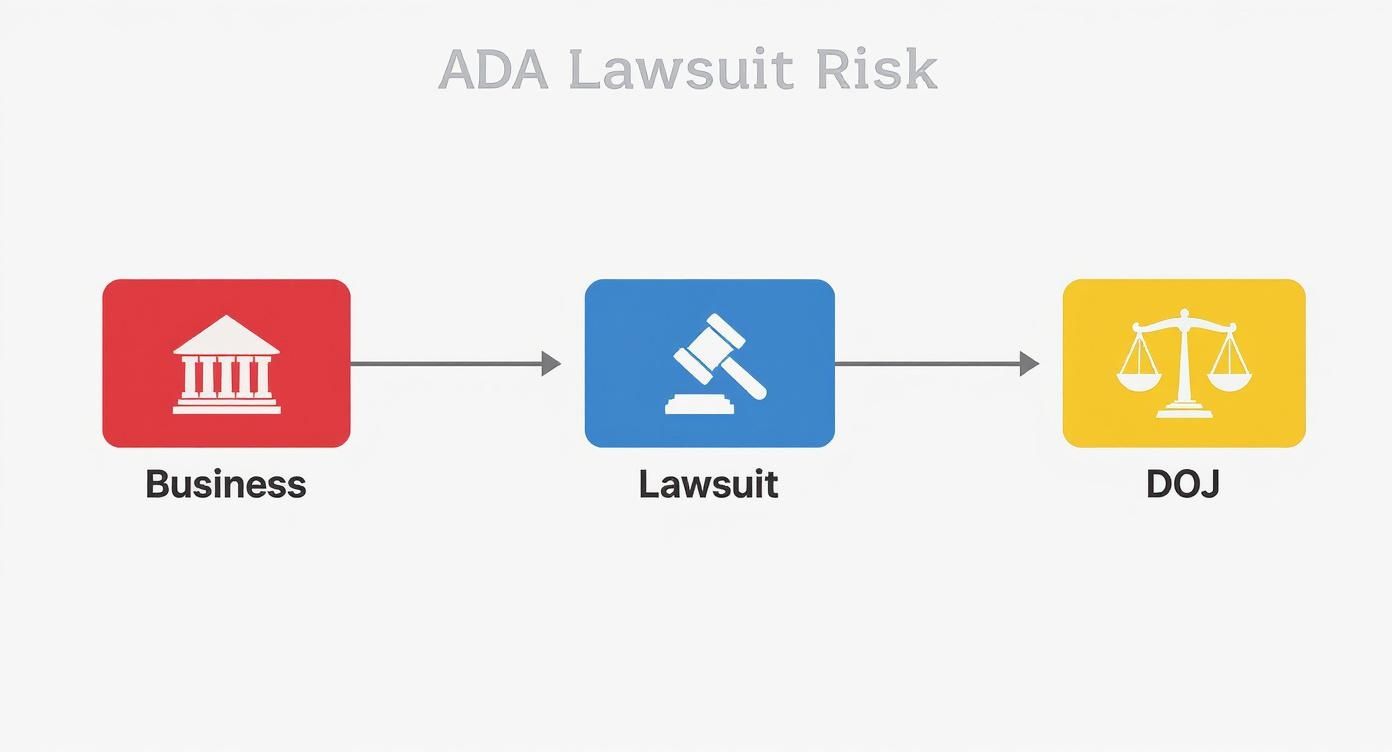
As you can see, this isn't just a technical oversight; it’s a direct route to significant legal risk that can ultimately involve federal oversight.
The Four Principles of WCAG (POUR)
WCAG might sound intimidatingly technical, but it’s all built on four common-sense principles. Everything in the guidelines can be traced back to one of these core ideas, easily remembered by the acronym POUR.
This table breaks down what each principle means and how it applies to your website in a real-world context.
Principle | What It Means | Practical Example |
|---|---|---|
Perceivable | Can users perceive the content? This ensures that information is presented in ways that users can process, regardless of their sensory abilities. | For a user who is blind, this means providing text alternatives (alt text) for images so a screen reader can describe what’s being shown. |
Operable | Can users operate the interface? This focuses on making sure all functionality is available from different input methods. | A critical test is ensuring your entire website—from menus to forms—can be fully navigated using only a keyboard, no mouse required. |
Understandable | Can users understand the content and interface? This is all about clarity and consistency, preventing confusion. | Using plain language, avoiding jargon, and creating predictable navigation that doesn't disorient visitors are key. |
Robust | Can the content be reliably interpreted by various devices and assistive technologies? | This is a more technical principle, but it boils down to writing clean, standards-compliant code so it works with current and future technologies like screen readers. |
By keeping these four principles in mind, you get a solid framework for what truly makes a website accessible in practice.
Understanding the WCAG Compliance Levels
Diving a little deeper, WCAG has three distinct levels of conformance. Think of them as bronze, silver, and gold medals for accessibility—each level builds on the one before it.
Level A: This is the most basic level of accessibility. Meeting these criteria is non-negotiable, as failing here creates major roadblocks for users with disabilities.
Level AA: This is the sweet spot. It's the most widely accepted standard for legal compliance, and what most accessibility lawsuits and regulations point to. Hitting WCAG 2.1 Level AA is the goal for most businesses, as it addresses the most critical and common barriers.
Level AAA: This is the highest and most demanding level. While it's a fantastic goal, achieving full AAA compliance can be extremely difficult and isn't typically required by law.
For any business, aiming for WCAG 2.1 Level AA is the recognized best practice. It gives you a strong, defensible position against legal challenges while creating a genuinely usable experience for the vast majority of your visitors. You can learn more by exploring our detailed guide to understanding WCAG compliance levels and what they mean for your website.
The push for this standard isn't slowing down. In the United States, new deadlines are already set for public entities, with state and local government sites serving populations over 50,000 required to comply by April 2026. Even so, a recent study found that a staggering 94.8% of the world's most popular homepages still had WCAG 2 failures in 2025, which shows just how much work there is to do.
Common Accessibility Barriers and How to Fix Them
Knowing the WCAG principles is a great start, but the real work happens when you put them into practice. So many businesses in Los Angeles and across Southern California have accessibility issues lurking on their websites without even realizing it. These barriers can lock out potential customers and turn your digital storefront into a frustrating maze.
Let’s get practical. Finding and fixing these common mistakes is the fastest way to make your site more usable and dial down your legal risk. Here are the most frequent digital roadblocks we see—and clear, actionable steps to remove them for good.
Missing Image Alt Text
One of the most common—and easiest to fix—accessibility problems is missing alternative text (alt text) for images. Think of alt text as a short, written description of an image that screen readers announce out loud.
Without it, a user with a visual impairment has no way of knowing what information or context an image adds. Imagine a product page for a client in Beverly Hills where the gorgeous product photos are totally invisible to someone using a screen reader. That's a lost sale before it even begins.
The Problem: Users with visual impairments can't understand an image's content without a text description.
The Fix: Go through your website's media library and add descriptive alt text to every image that conveys meaning. Keep it concise but accurate. If an image is purely for decoration, leave the alt text blank—this tells screen readers to just skip over it.
Low Color Contrast
A sharp, modern design can sometimes sacrifice readability. When you place light-colored text on a light background (or dark on dark), you create low color contrast, making your content incredibly difficult for people with low vision or color blindness to read.
This is a huge barrier because it can render everything from your service descriptions to your contact info completely unreadable. It’s like trying to read a menu in a dimly lit Hollywood restaurant—frustrating at best, impossible at worst.
Good contrast ensures your most important information gets across to everyone. WCAG 2.1 Level AA requires a contrast ratio of at least 4.5:1 for standard text.
Lack of Keyboard Navigation
Many people with motor disabilities can't use a mouse and depend entirely on a keyboard to get around websites. They use the "Tab" key to jump between links, buttons, and form fields. If your site has elements that only work with a mouse click, those users are stuck.
We often see this pop up in complex navigation menus, pop-up forms, and other interactive features. A customer trying to book an appointment at your Pasadena office can't submit the form if they can't "tab" their way to the button.
The Problem: Interactive elements like menus, links, and forms are unusable for anyone who can't operate a mouse.
The Fix: Test your own site. Can you navigate every page and complete every action using only your keyboard? As you press "Tab," you should see a clear visual outline showing exactly where you are. If you get stuck in a "keyboard trap," you'll need a developer to fix it.
Inaccessible Forms and Documents
Forms are the lifeblood of countless businesses, handling everything from new client inquiries in Torrance to online orders in the South Bay. But if a form isn't coded with clear labels and helpful error messages, it becomes a nightmare for anyone using assistive technology.
The same problem often extends to downloadable files. Learning how to make PDFs accessible is a common and critical hurdle for businesses trying to get their entire digital footprint in order.
Your Step-By-Step Website Accessibility Audit
Figuring out if your website is truly accessible can feel overwhelming, but you don't need to be a coding wizard to get a solid start. A proper accessibility audit gives you a clear roadmap, showing you exactly where you stand and what needs fixing. Whether your business serves clients in Hollywood or Hermosa Beach, a simple, structured audit is the best first move toward compliance.
The most effective approach isn't a single magic bullet—it's a three-pronged strategy combining automated tools, hands-on manual checks, and real-world user feedback. Think of it like a home inspection: the tools spot the obvious structural cracks, a human inspector looks for the subtle issues, and the previous owner tells you what it's really like to live there. This mix gives you the full picture of your site's accessibility health.
Starting With Automated Scanning Tools
Automated scanners are your first line of defense. These tools quickly crawl your website and flag common WCAG violations, like missing image descriptions or colors that are too hard to read. They're incredibly fast and can check dozens of pages in minutes, giving you a high-level snapshot of potential red flags.
One of the most popular and user-friendly options is the WAVE Web Accessibility Evaluation Tool. It's a free browser extension that overlays icons and alerts right on your webpage, visually pointing out errors. But while these tools are powerful, they have a major blind spot: they can only catch about 25-30% of all possible accessibility issues.
Automated tools are brilliant at finding black-and-white coding errors, but they have zero understanding of context or the human experience. They can tell you if an image has alt text, but they can't tell you if that text is actually helpful or just gibberish.
A clean scan is a great starting point, but it's not a get-out-of-jail-free card. Automation is just the beginning of your audit, not the end of it.
Performing Essential Manual Checks
Once you've run an automated scan, it's time to roll up your sleeves and manually test your website's core functions. This is where you put yourself in the shoes of someone with a disability to see how your site really performs. Manual checks are non-negotiable because they catch all the usability headaches that automated tools completely miss.
Here's a simple checklist of manual tests anyone can do:
The Keyboard Challenge: Unplug your mouse. Seriously. Try to navigate your entire website using only the keyboard. Use the Tab key to move forward through links and buttons, Shift+Tab to go backward, and Enter to make a selection. Can you get to everything? And more importantly, is there a clear visual highlight (like an outline or box) showing you exactly where you are?
Form Functionality Test: Head over to any contact form or checkout page on your site—again, using only your keyboard. Can you fill out every single field, choose options from dropdowns, and successfully submit the form without ever touching your mouse?
The 200% Zoom Test: In your browser, zoom in to 200%. Is all the text still readable and visible on the screen? Or does the layout break, forcing you to scroll sideways to read a sentence? This simple test simulates what the experience is like for a user with low vision.
The Gold Standard: Real User Feedback
The most powerful and revealing insights will always come from involving people with disabilities in your testing. This is the only way to truly understand how your website works for those who rely on assistive technologies every single day. Their feedback can uncover barriers you would never have even thought to look for.
For businesses across Southern California, from the San Fernando Valley to the South Bay, this step transforms accessibility from a technical checklist into a genuine commitment to serving everyone. Getting feedback from users in areas like Torrance, Pasadena, or Santa Monica gives you real-world data on how your site performs for your local community. You can find testers by connecting with accessibility consulting firms or disability advocacy organizations.
How Our Los Angeles Agency Helps You Achieve Compliance
Trying to figure out ADA compliance on your own can feel overwhelming, but you don't have to go it alone. We act as your dedicated partner, guiding your business through every step of making your website genuinely accessible—and keeping it that way. Our goal is simple: transform your digital presence into a welcoming space for everyone while protecting you from legal risks.
Los Angeles is at the center of our service area, and we proudly support clients across a wide network of surrounding cities and neighborhoods throughout Southern California. Our reach includes every corner of L.A.—from Downtown Los Angeles, Hollywood, West Hollywood, Beverly Hills, and Santa Monica to the beach communities of Malibu, Venice, Marina del Rey, Hermosa Beach, Manhattan Beach, and Redondo Beach. We also extend service through the San Fernando Valley, including Sherman Oaks, Studio City, Encino, Van Nuys, North Hollywood, Burbank, Glendale, Pasadena, Woodland Hills, Chatsworth, Canoga Park, Reseda, Northridge, and Tarzana.
Your Strategic Partner in Accessibility
Our process is straightforward and effective. We kick things off with a detailed accessibility audit to find every single barrier on your site. From there, we build a strategic remediation plan that prioritizes the most critical issues first, giving your development team clear, actionable steps to follow. And if you need more hands-on help, we also offer accessible design and development to build compliance right into your website's foundation from the start.
This screenshot of our own homepage shows our commitment to creating clean, accessible user experiences from day one.
The straightforward navigation and strong color contrast are just a couple of examples of how we practice what we preach, creating a site that benefits every single visitor.
Our support doesn't stop after the first round of fixes. We provide ongoing monitoring and maintenance to make sure your site stays compliant as you add new content or features. Think of it as future-proofing your website against changing standards and new legal challenges. In the San Gabriel Valley, we work with clients in Alhambra, Monterey Park, San Gabriel, Temple City, Rosemead, Arcadia, El Monte, South El Monte, West Covina, Covina, Baldwin Park, Azusa, Glendora, Duarte, and Monrovia. Farther southeast, we serve Whittier, Pico Rivera, Downey, Norwalk, La Mirada, La Habra, and Cerritos. We also support the South Bay—including Torrance, Carson, Gardena, Hawthorne, Inglewood, and Long Beach—as well as the Gateway Cities and communities throughout the I-10, I-5, 101, and 405 corridors.
Achieving compliance isn’t just about checking a box or fixing a technical issue. It's a commitment to inclusivity. We help you build a more inclusive brand that connects with a wider audience, turning a legal requirement into a powerful business advantage.
Whether you’re in a major metro area or a smaller surrounding neighborhood, our team delivers reliable, high-quality service anywhere in or around Los Angeles. We help businesses in:
Los Angeles Metro: Including West Hollywood, Downtown L.A., and Beverly Hills.
Beach Communities: From Malibu and Venice to Manhattan Beach.
San Fernando & San Gabriel Valleys: Serving areas like Studio City, Encino, Pasadena, and Alhambra.
South Bay & Gateway Cities: Supporting businesses in Carson, Downey, and Cerritos.
When you partner with us, you’re not just hiring a vendor; you’re gaining a strategic ally dedicated to your success. Learn more about our specialized ADA compliance services and see how we can protect your business and expand your reach across Southern California.
Got Questions About ADA Compliance? We’ve Got Answers.
Navigating the world of website accessibility can feel a bit overwhelming at first. To help clear things up, we’ve pulled together the most common questions we hear from business owners across Los Angeles and Southern California. Here are some straight, practical answers to get you on the right track.
Does the ADA Really Apply to My Small Business Website?
Yes, almost certainly. The Americans with Disabilities Act (ADA) was written to ensure equal access to "places of public accommodation." For years now, U.S. courts have consistently ruled that this includes websites, even for businesses that don't have a physical storefront.
So, whether you run a local shop in the San Fernando Valley, a restaurant in Santa Monica, or an online-only business serving customers from Pasadena to Long Beach, your website needs to be accessible. The size of your business doesn't give you a pass on this one.
Is There an Official ADA Certification for Websites?
This is a huge point of confusion, but the answer is a simple no. There isn't a government agency or official body that "certifies" a website as ADA compliant. The Department of Justice (DOJ) doesn't hand out certificates, so you should be very skeptical of any company claiming they can provide one.
Instead of chasing a non-existent certificate, the goal is to make a good-faith effort to follow the Web Content Accessibility Guidelines (WCAG), specifically Level AA. It’s about achieving and maintaining real, functional accessibility, not just getting a badge to put on your site.
Can't I Just Install a Plugin to Become Compliant?
This is another common myth. Accessibility plugins, often marketed as "overlays" or "widgets," are sold as a quick and easy fix for ADA compliance. The truth is, these tools almost never provide genuine accessibility and won't protect you from a lawsuit.
Overlays work by adding a temporary layer of code on top of your website. The problem is, they don't fix the deep-seated structural issues that prevent assistive technologies like screen readers from working correctly. In fact, they can often make the user experience even worse.
Real compliance means getting your hands dirty and fixing accessibility problems at the source—in your website's actual code and content. There are no shortcuts.
How Much Is This Going to Cost Me?
The cost of making a website accessible really depends on a few key factors:
The size and complexity of your site: A simple five-page website for a local business in Glendale will cost a lot less to fix than a huge e-commerce store serving all of Southern California.
The number of existing issues: If your site only has a few minor problems, the remediation will be much more affordable than for a site with systemic, deeply ingrained barriers.
The platform it was built on: Some website builders and content management systems are just easier to make accessible than others.
Fixing an existing website can range from a few thousand dollars to tens of thousands for more complex projects. But here's the bottom line: the cost of being proactive is always significantly less than the legal fees, settlement costs, and brand damage that come from an ADA lawsuit.
Navigating ADA compliance can be a challenge, but you don't have to go it alone. At DLL Studios, we specialize in helping businesses across Los Angeles achieve and maintain genuine website accessibility. Contact us today for a consultation and let's make your digital front door open to everyone.

