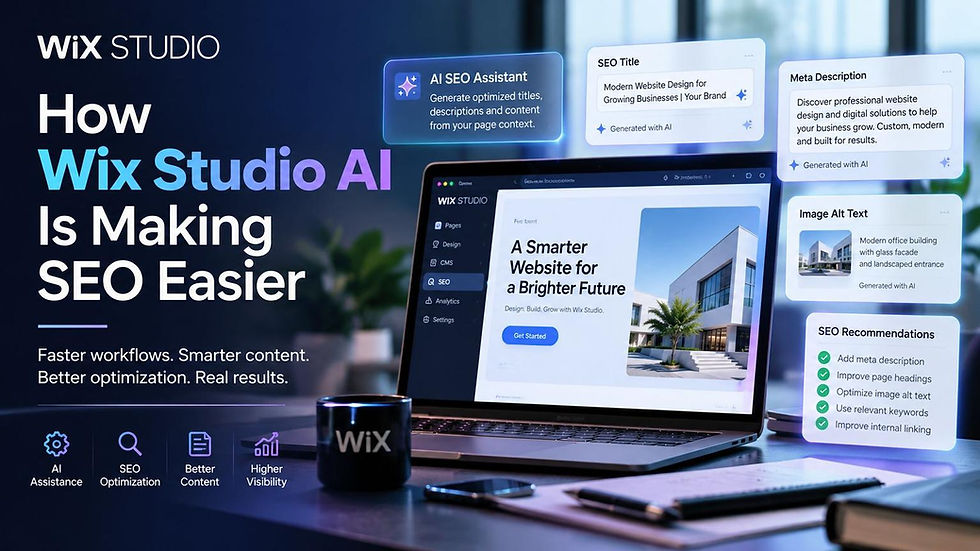
.png)

Wix Studio 2: What the Next Evolution Means for Web Professionals
My take: don’t rebuild your site just because Wix Studio 2 is in preview. First, check official Wix documentation: the sources reviewed here do not confirm a release date, pricing, or migration requirements.
I focus on 3 questions before recommending a change:
Will it reduce work? Separate existing design, CMS, and coding tools from preview claims about AI and page generation. Review AI output and test layouts on desktop, tablet, and mobile.
Will it protect search visibility? Check metadata, structured data, redirects, and answer-ready content. Treat AI visibility scores as guidance - not ranking promises.
Will it keep client sites working? Test custom code, integrations, forms, checkout, permissions, and automation before publishing.
My rule is simple: <u>update only when a confirmed feature solves a business problem</u>. If your current site meets your goals, staying put is an option.
The Next Version of Wix Studio (Wix Studio 2) Is Coming, My Initial Reaction
sbb-itb-83822d8
Design, Development, and AI Tools
Wix Studio’s connected tools can cut repeated edits by bringing design, AI, content, and SEO into one workflow. The platform already offers grid and flexbox layouts, custom breakpoints, design tokens, a built-in CMS, and Velo for custom functionality. These are existing Wix Studio capabilities - not Wix Studio 2 changes.[4][5]
Using AI With Human Review
Wix Studio’s AI tools can generate text and images and help with code snippets and troubleshooting.[4] Treat AI outputs as drafts. Check facts, brand tone, accessibility, and code before publishing. AI can speed up production, but professionals still own accuracy, brand fit, conversion goals, and final approval.
Preview material also points to broader page-generation and logic features in Aria 2.0, though Wix has not confirmed full release details.[1][2] Any generated layout still needs testing at actual screen sizes.
Responsive Design for Desktop, Tablet, and Mobile
Responsive design requires testing across desktop, tablet, and mobile. AI-assisted layout adjustments can help, but they don’t replace usability testing or guarantee results.[4][5]
Test with actual business content, not just the initial layout. Check long headings, menu behavior, image cropping, form labels, validation messages, and the full conversion path.
Once the layout works across devices, connect content, SEO, and client review.
Connecting Website Production Tasks
Connect design, content, custom functionality, and SEO around business goals before client review and testing. For agencies, this helps reduce handoff gaps between design, content, SEO, and maintenance.
Wix Studio’s design tokens can cut repeated formatting work, while on-canvas comments keep feedback attached to the element under review.[4][5] Use Content Mode and appropriate permissions for client text and image updates instead of giving every reviewer full design access.[4][5] Before handoff, assign owners for content updates, functionality checks, and maintenance.
SEO, AEO, and Client Website Management
Once design and content are aligned, the next step is helping people find those pages - and keeping them easy to manage after launch.
Improving Search Visibility and Answer-Ready Content
For teams evaluating Wix Studio 2, search visibility remains a priority after the build. SEO helps search engines understand your pages. AEO makes that content easier to use in AI answer results. Both rely on clear site structure, descriptive headings, direct answers, and strong internal linking.
Wix Studio already supports metadata editing, structured data, and automatic sitemap updates.[5] Put those tools to work: plan page titles and descriptions carefully, validate structured data before launch, and measure results afterward.
Search work also extends to AI-driven discovery. Wix has confirmed a GEO overview with visibility scores and recommended actions for platforms including ChatGPT, Gemini, Perplexity, and Claude.[6] Use those recommendations as items to review, not promises of better rankings.
Apply the same care to access, reviews, and automation once your visibility plan is in place.
Managing Client Sites and Team Reviews
For agency projects, review client access after launch so permissions match each person’s current responsibilities.
Wix also confirms CMS automation triggers for create, update, and delete actions.[6] Test every trigger and destination before adding automation to client workflows. Automation does not replace approval.
Reviewing Updates and Planning Site Changes
After reviewing workflow, AI, and SEO impacts, identify what you need to verify before making changes to a live site.
What Existing Wix Studio Users Should Check
Start with official Wix announcements and partner guidance. Designers, developers, agencies, and SEO teams should check whether the update affects workflow, search performance, or client maintenance. Review Wix’s official transition guidance before planning a move.
Document your custom code, integrations, CMS collections, permissions, SEO settings, and analytics. Don’t assume existing scripts will transfer unchanged - check Wix’s official developer guidance first. List every page or feature that relies on custom logic so you can estimate the changes needed.
Test business-critical tasks in a staging environment, including forms, booking systems, and checkout flows. Before publishing, also check redirects, metadata, structured data, and indexation.
Deciding Whether to Update, Transition, or Stay
A platform update alone isn’t a reason to rebuild or change plans. Base your decision on a specific business need, the maintenance work involved, and measurable value, not the version name.
Use this framework to distinguish a useful update from a cosmetic one.
Decision | Suitable Business Conditions | Required Checks |
Assess confirmed features | A confirmed feature solves a workflow bottleneck. | Verify availability, eligibility, compatibility, and whether it solves the problem. |
Plan a migration | You need a redesign, or a confirmed capability supports a business goal. | Confirm an official migration path, assess custom code and integrations, and test SEO continuity. |
Keep the current site | The site meets business goals, and its forms, sales flows, and integrations work reliably. | Monitor official Wix support updates and maintenance needs. |
Do not apply Classic-to-Wix Studio migration guidance to Wix Studio 2 until Wix confirms the process.
Conclusion: What to Watch Next
As Wix Studio 2 changes, separate confirmed updates from commentary and predictions. A partner preview doesn’t mean a feature is live.
Choose updates that improve your workflow, protect search visibility, and support a clear business goal. As Wix confirms new design and AI tools, check whether they keep you in control of design decisions and cut repetitive work. Include SEO and answer-ready content in your review from the start, and adopt only changes that meet a real business need.
For the latest Wix Studio 2 updates, SEO strategies, AI features, and expert insights, visit DLL Studios at DLLStudios.com.
FAQs
What is Wix Studio 2?
Wix Studio 2 rebuilds Wix Studio from the ground up for agencies and professional designers. It offers more direct on-canvas editing and puts AI into everyday workflows. Features include Plan Mode for structured briefs, Aria 2.0 for AI suggestions, and reusable AI Skills to keep agency rules consistent.
Wix Studio 1 remains supported, and migration tools are planned. Rollout is expected by late summer 2026, but the date isn’t confirmed.
When will Wix Studio 2 be available?
Wix Studio 2 is in development, with a rollout expected by late summer 2026. That timing is an estimate, not a confirmed release date.
Is Wix Studio 2 replacing Wix Studio?
Wix Studio 2 rebuilds the Wix Studio platform from the ground up. Existing Wix Studio projects will still be supported, and Wix plans to offer migration tools to help move projects to the new editor.
There's no need to migrate right away. Businesses should assess the new features against their project needs and timelines.
What is different about Wix Studio 2?
Wix Studio 2 is described as a ground-up rebuild for agencies and professional web designers. It brings design, development, and business logic into one cleaner editor, with AI-assisted workflows.
The changes include native React components, direct on-canvas editing, the Aria 2.0 AI agent, project planning tools, reusable AI instructions, and simpler responsive layouts. The aim: less repetitive work, while keeping designers in control of their design choices.
Will existing Wix Studio websites work with Wix Studio 2?
Existing Wix Studio websites will still receive support, and Wix plans to offer tools to help move them to the new editor. There’s no need to migrate right away. Businesses should weigh the new editor’s features against their project needs and timelines.
Does Wix Studio 2 use AI?
Yes. Wix Studio 2 brings the AI agent Aria 2.0 into the workflow and adds reusable “AI Skills.” Its “Plan Mode” turns discovery into a structured project brief [1][2][3].
Wix Studio 2 is still in preview. Rollout is expected by late summer 2026, but no fixed date has been confirmed [1][2].
Is Wix Studio 2 good for SEO?
Wix Studio 2 supports SEO and Answer Engine Optimization (AEO) with cleaner site architecture, structured data, and faster performance. Designers can also connect sections directly to CMS collections or business logic. This helps professionals build structured, search-friendly content without complicated workarounds.
Is Wix Studio 2 designed for professional agencies?
Yes. Wix Studio 2 is built for agencies and professional web designers. Its AI-assisted workflow brings design, development, and business logic together in one cleaner editor.
The goal is to cut repetitive tasks so agencies can work faster while keeping control over their designs. The platform is currently in development.