


.png)
A Guide to Essential Front End Developer Technologies
When we talk about front-end technologies, we're really talking about the tools a developer uses to build the part of a website you actually see and interact with. It's everything from the layout and colors to the buttons you click. At the heart of it all are three core technologies: HTML, CSS, and JavaScript.
Understanding the Foundations of Front End Development
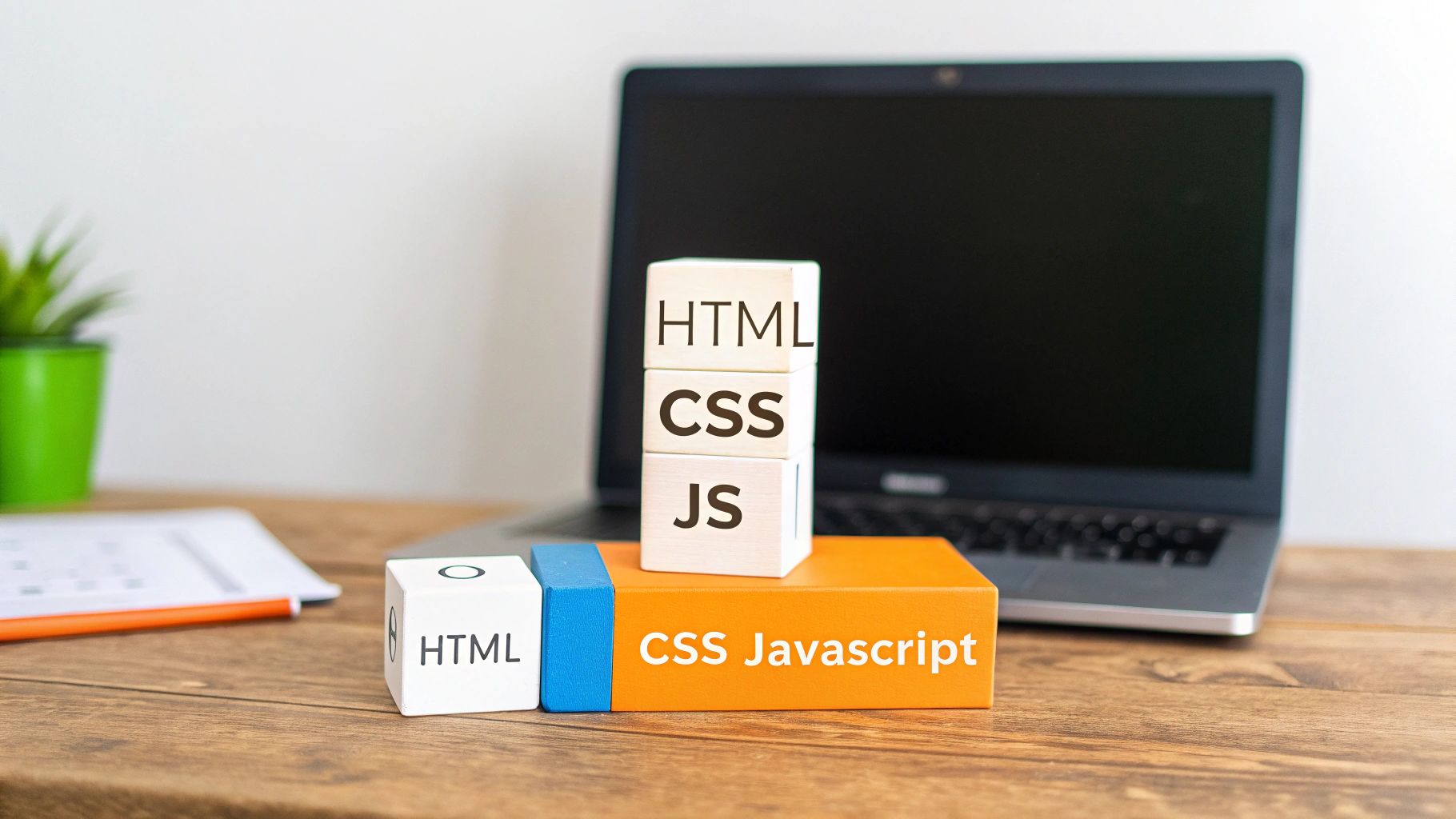
Every website, no matter how complex or visually stunning, starts with these same three building blocks. I find it helpful to think of it like building a house. First, you need a solid frame. Then, you handle the interior design and exterior paint. Finally, you install the electricity and plumbing to make it functional.
In the world of web development, HTML, CSS, and JavaScript play these exact roles. They work together to create every form you fill out, every menu you open, and every page you scroll through. Getting a handle on how they collaborate is the first real step for anyone involved in a web project.
HTML: The Skeleton of the Web
HTML (HyperText Markup Language) is what gives a webpage its fundamental structure. It isn't a programming language in the traditional sense; it’s a markup language. That means it uses simple tags to organize content into headings, paragraphs, images, and links.
Think of HTML as the architectural blueprint and wooden frame of our house analogy. It defines where the walls, doors, and windows should be, creating a logical and sturdy structure. Without it, a website would just be a messy pile of text and images with no organization at all. This is the foundational layer that browsers read to display content.
CSS: The Visual Stylist
Next up is CSS, or Cascading Style Sheets. This is where the magic of visual design happens. CSS controls everything a user sees: colors, fonts, spacing, layout, and even animations. If HTML is the house's frame, CSS is the paint, wallpaper, furniture, and landscaping that give it personality.
CSS works by targeting the HTML elements and applying style rules to them. This separation is incredibly powerful because it lets a designer completely change a site's look and feel without ever touching the underlying HTML structure. This is also the technology behind responsive design, which ensures a site looks great on any device.
A great-looking, easy-to-use website has a direct impact on how long users stick around. Poor design can send them clicking away in seconds, which is why mastering both the structure (HTML) and the style (CSS) is so important.
If you're interested in making sure your site works perfectly on phones and tablets, take a look at our practical guide to mobile-first design.
JavaScript: The Engine of Interactivity
While HTML and CSS can create a beautiful but static page, JavaScript is what brings it to life. This is a full-fledged programming language that handles all the dynamic content and user interactions. In our house analogy, JavaScript is the electrical wiring, plumbing, and appliances—it makes things happen.
Whenever you click a button that reveals a menu, watch a photo slideshow, or see live updates without reloading the page, you're seeing JavaScript at work. It has the ability to manipulate both HTML and CSS on the fly, making it the engine behind nearly every modern, interactive web experience.
To give you a quick overview, here’s how these three pillars of front-end development fit together.
The Three Pillars of Front End Development
Technology | Role in a Website (Analogy) | Primary Function |
|---|---|---|
HTML | The Foundation & Frame | Provides the core structure and organizes the content of a web page. |
CSS | The Interior & Exterior Design | Styles the content, controlling layout, colors, fonts, and aesthetics. |
JavaScript | The Electricity & Plumbing | Adds interactivity, dynamic updates, and complex user-facing features. |
Getting these three technologies right is non-negotiable for building high-quality, engaging web applications that users love.
Navigating Modern JavaScript Frameworks

Once you've got a solid handle on HTML, CSS, and JavaScript, you're ready to step up to the real power tools of front-end development. Think of JavaScript frameworks as specialized toolkits for a master builder. They provide pre-built components and proven workflows that let developers build complex, interactive web applications far faster and more reliably than starting from a blank slate.
These frameworks take care of the heavy lifting. They manage all the tricky, repetitive tasks like keeping track of data (state), updating what the user sees, and navigating between pages. This frees up developers to stop reinventing the wheel and focus on crafting the unique features that make an application shine.
The world of front-end developer technologies is dominated by three major players, each with its own philosophy and sweet spot. Knowing the difference between them is key to picking the right one for your project.
React: The Flexible Component Library
Developed and maintained by Meta, React isn't technically a full-blown framework but a library for building user interfaces. Its entire philosophy is built around one simple but powerful idea: reusable components.
Think of it like building with LEGOs. You create individual, self-contained bricks—a button here, a search bar there—and then you snap them together to build something much bigger, like a user profile page or an entire e-commerce storefront.
This component-based approach makes React incredibly flexible. You can sprinkle it into an existing website to add a bit of interactivity or build a massive single-page application from the ground up. It’s no wonder so many fast-moving companies like Airbnb and Netflix rely on it.
The data backs this up. With JavaScript used by over 62% of developers globally, React.js is the clear leader, with 43% of those developers choosing it for their work. For context, Node.js follows at around 40.8% and Angular at 17.1%. You can dig deeper into these numbers with more web development statistics.
Angular: The All-in-One Framework
On the other end of the spectrum is Angular. Backed by Google, it's a comprehensive, all-in-one framework that provides a highly structured, opinionated way to build large-scale applications.
If React is a box of versatile LEGOs, Angular is more like a high-end model airplane kit. It comes with every part, tool, and a detailed set of instructions you need to build a robust, powerful final product.
Angular has built-in solutions for just about everything: state management, routing, form validation, and communicating with servers. This rigid structure enforces consistency, which is a massive win for large, enterprise-level projects where many teams need to work together seamlessly. Companies like Microsoft (for Office) and PayPal have used it to build complex platforms that demand long-term stability.
The trade-off? Angular has a steeper learning curve. But for large organizations, the long-term payoff of a predictable, standardized development process is often well worth the initial time investment.
Vue: The Progressive Framework
Vue.js cleverly finds the middle ground between React’s flexibility and Angular’s structure. Often called "the progressive framework," Vue is designed to be adopted incrementally. You can use it to add a little flair to an existing page or scale it all the way up to a sophisticated single-page application.
Its learning curve is widely considered the gentlest of the big three, making it a fantastic choice for smaller teams, startups, or anyone new to frameworks. Vue’s documentation is famous for its clarity, but don't mistake its approachability for a lack of power. It's a serious contender, trusted by companies like Alibaba and GitLab.
React vs Angular vs Vue Comparison
So, how do the big three really stack up against each other? This table breaks down their core differences, helping you see at a glance which one might be the best fit for your team and project goals.
Feature | React | Angular | Vue |
|---|---|---|---|
Type | UI Library | Full Framework | Progressive Framework |
Learning Curve | Moderate | Steep | Gentle |
Flexibility | High (requires other libraries) | Low (all-inclusive) | High (incrementally adoptable) |
Primary Use-Case | Single-Page Applications, UIs | Large Enterprise Applications | SPAs, small-to-large projects |
Backing Company | Meta (Facebook) | Community-Driven | |
Data Binding | One-way | Two-way | Two-way |
Ultimately, there's no single "best" framework—just the one that's right for the job at hand. The decision often comes down to the project's specific needs, your team's existing skills, and your long-term vision.
Choose React if: You need maximum flexibility, a massive ecosystem of libraries, and access to a huge pool of developers. It’s perfect when you want to hand-pick every part of your toolkit.
Choose Angular if: You're building a complex, enterprise-level application that demands standardization, all-inclusive features, and long-term stability from day one.
Choose Vue if: You value a gentle learning curve, top-notch performance, and a framework that’s incredibly easy to integrate into existing projects.
Equipping Your Front End Development Toolkit
Beyond the code and frameworks, a professional developer’s setup includes a whole ecosystem of tools. This toolkit isn’t for writing the code itself, but for managing, optimizing, and collaborating on it. These are the unsung heroes that turn a folder of loose files into a polished, high-performing application.
Think of it like a professional workshop. You have your core materials (HTML, CSS, JS) and your power tools (frameworks), but you also need systems for organizing parts, assembling everything efficiently, and tracking every change. These developer tools provide that essential infrastructure, making the entire process smooth, predictable, and scalable from start to finish.
Managing Code with Version Control
One of the most non-negotiable tools in any developer's arsenal is a version control system. The industry standard here is Git, hands down. Think of Git as a meticulous project historian that logs every single change made to the codebase, ever.
This system is what allows multiple developers to work on the same project at once without stepping on each other's toes. If a new feature accidentally breaks something, Git makes it trivial to rewind to a previous, stable version. Platforms like GitHub and GitLab then take Git to the next level, offering cloud-based homes for your code and adding powerful features for teamwork.
A robust version control process is the bedrock of professional software development. It eliminates the chaos of manual file tracking and empowers teams to experiment fearlessly, knowing they have a complete and reliable history of their project at all times.
Handling Dependencies with Package Managers
Modern web applications are built on the shoulders of giants. We constantly rely on countless open-source libraries and packages to add functionality without reinventing the wheel. A package manager is the tool that automates finding, installing, and managing all these external pieces of code.
In the JavaScript world, the most common package manager is npm (Node Package Manager), which comes standard with Node.js. When a developer needs a new library—say, for formatting dates or creating animations—they run a simple npm command. This automatically downloads the right files and adds a note to a project file, ensuring every developer on the team is using the exact same set of tools.
Optimizing Performance with Build Tools
When you're writing code, you keep it organized across dozens, sometimes hundreds, of files. But for a website to load quickly, browsers prefer to receive as few files as possible. This is where build tools bridge the gap.
Modern bundlers like Vite and webpack take all your separate JavaScript, CSS, and other assets and cleverly combine them into a handful of highly optimized files for the live website. This process involves a few key steps:
Bundling: Merging multiple JavaScript files into one to cut down on server requests.
Minification: Stripping out unnecessary characters (like spaces and comments) to shrink file sizes.
Transpilation: Converting modern JavaScript into an older version that more browsers can understand.
Optimization: Handling other performance-boosting tasks, like compressing images.
These tools are absolutely fundamental to the modern workflow. They transform developer-friendly source code into a lean, fast, and browser-friendly final product. It's how we ensure a lightning-fast user experience, which is a critical factor for success.
How AI is Shaping Front-End Development
Artificial intelligence isn't some far-off concept anymore; it's right here, working alongside us in our daily development routines. This isn't about replacing developers. It's about giving them a powerful assistant, a new set of tools to solve tough problems faster and with more creativity.
Think of an AI coding tool as the ultimate pair programmer. It anticipates what you're trying to do, suggests entire blocks of code, and flags common mistakes before they even become a problem. This clears up a lot of mental space, letting developers ditch the repetitive boilerplate and focus on what really matters: crafting a great user interface and experience.
A Creative Partner in Your Code Editor
Tools like GitHub Copilot are a perfect example of this new partnership. They plug directly into your code editor and offer smart, real-time suggestions based on the context of your project. You might start typing a comment for a function to fetch user data, and poof—Copilot offers a complete, working code block to get the job done.
Here’s a look at what that feels like in practice, with GitHub Copilot suggesting code completions right inside the editor.
This screenshot shows just how smoothly the AI fits into the coding workflow. It turns a simple thought into executable code, which is a massive time-saver.
It's a collaboration, not a replacement. The developer is still the architect, making the final calls on implementation, security, and performance. The AI just handles the grunt work, making the whole process more efficient and, frankly, more fun. This dynamic is quickly becoming a core part of the modern front-end developer technologies stack.
The point of AI in development isn't to get rid of the human touch—it's to amplify it. By automating the mundane stuff, AI frees up developers to innovate and build truly exceptional user experiences.
Practical Ways AI is Already Helping
The influence of AI goes way beyond just finishing your lines of code. It's popping up all over the development lifecycle, from the first design mockups to the final round of testing.
Here are a few ways AI is making a real difference:
Smarter Automated Testing: AI-powered tools can crawl an application, figure out potential user journeys, and generate tests to catch bugs. They go beyond simple scripts by uncovering edge cases a human tester might never think to check.
From Design to Code, Instantly: New AI tools can look at a design mockup from something like Figma and spit out the basic HTML and CSS. This gives you a solid foundation to build on, saving hours of tedious manual coding. If you want to see this in action, our AI Assistant Site Wix Studio Template provides a great starting point.
Intelligent Code Refactoring: AI can scan an existing codebase and suggest ways to make it faster, easier to read, and simpler to maintain. It’s great at spotting inefficient patterns and proposing cleaner, more modern solutions.
The market is definitely taking notice. The AI-powered front-end development sector is projected to grow significantly through 2034, with cloud-based models leading the way. This trend is fueled by advances in natural language processing and code generation that are making workflows better across the board, from e-commerce to healthcare. You can read more about this expanding market on Precedence Research.
To get hands-on, checking out a developer's guide to Claude for code generation is a great way to learn advanced prompting techniques and make these tools work even better for you.
Choosing the Right Tech Stack for Your Project
Picking the right front-end technologies isn't about finding the single "best" tool out there. It’s about choosing the right tool for the job. Think of a chef picking their knives: a sushi master needs a razor-sharp Yanagiba for precise cuts, while a butcher needs a heavy cleaver. The best choice depends entirely on the ingredients, the desired dish, and the chef’s own skill.
It's the same with web development. A project’s unique needs—its scale, performance goals, and long-term vision—are what determine the ideal tech stack. A simple marketing website has completely different requirements than a complex, real-time financial dashboard. If you rush this decision without a solid strategy, you're setting yourself up for slow performance, painful maintenance, and expensive rewrites down the road.
Key Factors to Guide Your Decision
Before a single line of code gets written, you have to ask the right questions. The answers will light the way forward, making sure the technology you choose actually lines up with your business goals and what your team can realistically deliver.
Take a hard look at these critical areas:
Project Scope and Complexity: Are you building a small, static brochure site or a massive, dynamic web application with user accounts and live data? Frameworks like Angular are built for complex, enterprise-level challenges, whereas a simpler project might be better off with a lighter solution.
Performance Requirements: Does your app need to load instantly to secure e-commerce sales, or is it an internal tool where a few extra milliseconds don't matter? Tools like Next.js excel here with features like server-side rendering for incredibly fast initial page loads.
Team Skillset: What technologies does your development team already know and love? Forcing them to learn an unfamiliar framework can seriously slow down development and introduce unnecessary risks. Playing to your team's strengths is almost always the faster, safer bet.
Long-Term Maintainability: Think ahead two years. How easy will it be to update the application, fix bugs, and add new features? Choosing a technology with a huge, active community and great documentation, like React, means you’ll have a strong support system for years to come.
Matching Technology to Business Goals
Making the right choice is crucial for businesses everywhere. Los Angeles is at the center of our service area, and we proudly support clients across a wide network of surrounding cities and neighborhoods throughout Southern California. Our reach includes every corner of L.A.—from Downtown Los Angeles, Hollywood, West Hollywood, Beverly Hills, and Santa Monica to the beach communities of Malibu, Venice, Marina del Rey, Hermosa Beach, Manhattan Beach, and Redondo Beach. We also extend service through the San Fernando Valley, including Sherman Oaks, Studio City, Encino, Van Nuys, North Hollywood, Burbank, Glendale, Pasadena, Woodland Hills, Chatsworth, Canoga Park, Reseda, Northridge, and Tarzana. In the San Gabriel Valley, we work with clients in Alhambra, Monterey Park, San Gabriel, Temple City, Rosemead, Arcadia, El Monte, South El Monte, West Covina, Covina, Baldwin Park, Azusa, Glendora, Duarte, and Monrovia. Farther southeast, we serve Whittier, Pico Rivera, Downey, Norwalk, La Mirada, La Habra, and Cerritos. We also support the South Bay—including Torrance, Carson, Gardena, Hawthorne, Inglewood, and Long Beach—as well as the Gateway Cities and communities throughout the I-10, I-5, 101, and 405 corridors. Whether you’re in a major metro area or a smaller surrounding neighborhood, our team delivers reliable, high-quality service anywhere in or around Los Angeles.
For a startup in Santa Monica aiming for rapid growth, a flexible and scalable stack built on React and Next.js might be ideal. Meanwhile, a creative agency in Burbank might prioritize a platform that allows for quick visual changes, making a choice between different platforms a critical decision. You can explore a detailed comparison in our guide on Wix Studio vs WordPress vs Shopify.
This decision tree gives you a simplified look at the thought process. It shows how a project's needs can point you toward the right technologies, whether that means using AI for code generation or for brainstorming design ideas.
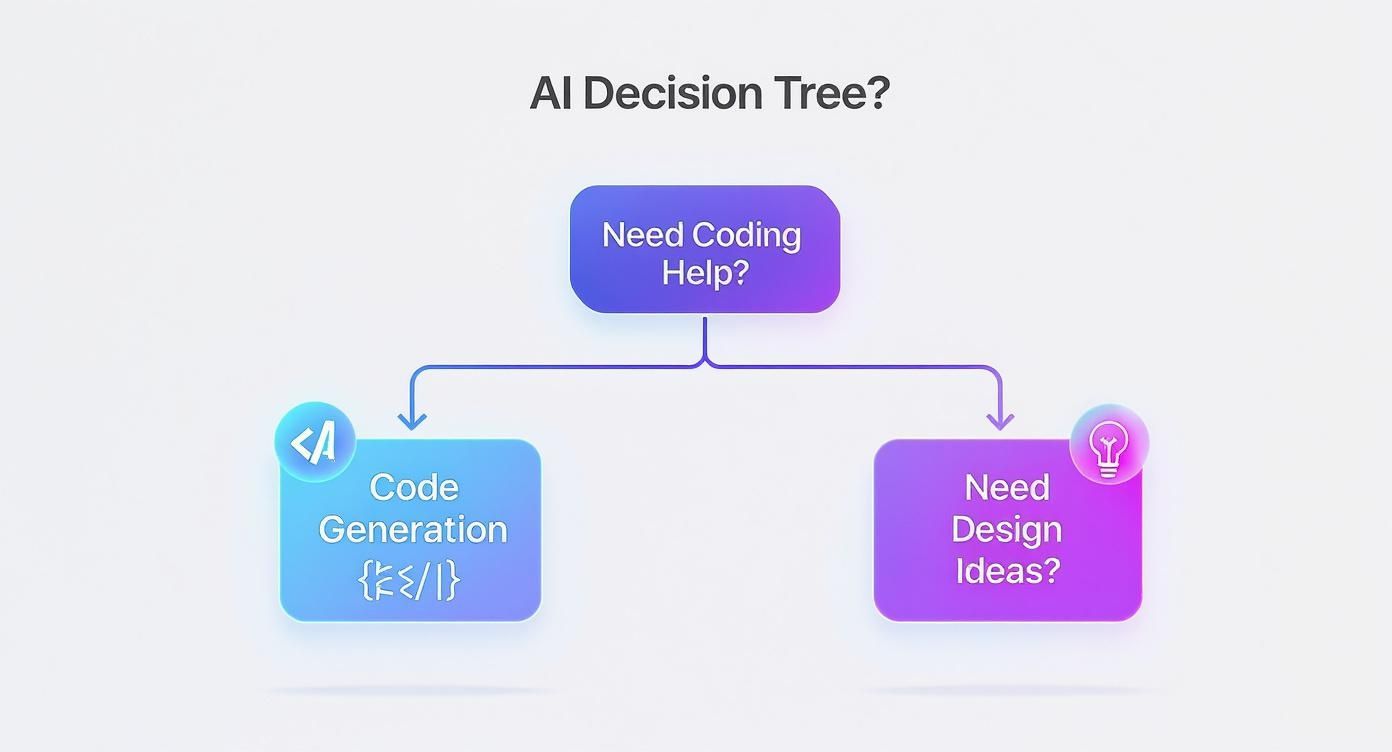
The real takeaway here is to always start with the problem you're trying to solve, not the technology you want to use.
It also helps to understand the bigger picture beyond just the front-end. Looking into what different development roles require can give you valuable context for a project's needs. For instance, exploring full stack developer career paths can shed light on how different technologies fit together. In the end, the goal is always to build a scalable, future-proof foundation that sets your business up for success.
Still Have Questions About Front-End Tech?
It's completely normal to have questions when you're wading through the world of front-end development. Whether you're a developer finding your footing or a business owner trying to make the right call, things can get confusing. Let's clear up some of the most common questions we get asked.
What’s the Real Difference Between Front-End and Back-End?
I love a good analogy for this. Think of a restaurant.
The front-end is everything you, the customer, see and interact with. It's the decor, the lighting, the menu you hold in your hands, and the friendly server taking your order. It's the entire user experience, designed to be pleasant and functional. In web terms, this is what's built with HTML, CSS, and JavaScript.
The back-end, then, is the kitchen. It’s the chaotic, coordinated, and completely essential part you never see. It’s where the food is cooked, inventory is managed, and payments are processed. This is the server, the database, and the application logic working behind the scenes to make sure your front-end experience runs smoothly.
I'm Just Starting Out. Which Front-End Technology Should I Learn First?
This is one of the few questions in tech with a straightforward answer. You have to learn the fundamentals first, in a specific order. No shortcuts.
Start with HTML: This is the absolute beginning. Learn how to structure a webpage—the headings, paragraphs, lists, and links. It's the skeleton of every site.
Move to CSS: Once you have the skeleton, you need to give it some style. CSS is how you control the colors, fonts, layouts, and make it all look good on different devices.
Finish with JavaScript: Now that you have a good-looking, static page, it's time to make it do things. JavaScript brings your site to life with interactivity.
Get these three down cold. Seriously. Mastering them provides the foundation that makes picking up a framework like React or Vue a million times easier.
Rushing into a framework without a solid grasp of the fundamentals is like trying to run before you can walk. A deep understanding of HTML, CSS, and vanilla JavaScript will always be your most valuable asset.
How Big of a Deal Is Mobile Responsiveness, Really?
It’s everything. It's not a feature anymore; it’s a baseline requirement.
Today, well over 50% of all web traffic comes from a mobile device. If your site doesn't adapt to different screen sizes, you're not just providing a bad experience—you're actively turning away more than half of your potential audience. Google also heavily favors mobile-friendly sites in its search rankings, so a non-responsive design will sink your SEO. It's no longer optional.
Will AI Tools Like Copilot Make Front-End Developers Obsolete?
Not a chance. What AI is becoming is an incredibly powerful assistant. Think of it like a calculator for a mathematician—it handles the tedious computations quickly, but it can't replace the strategic thinking required to solve the actual problem.
AI tools are brilliant at spitting out boilerplate code and suggesting fixes, which definitely speeds things up. But they can’t replicate the uniquely human skills that define a great developer:
Creative Problem-Solving: Coming up with elegant solutions to tricky user experience challenges.
Strategic Thinking: Truly understanding business goals and translating them into a tangible product.
User Empathy: Designing an interface that feels intuitive and accessible to a real person.
Architectural Design: Planning a large-scale application so it doesn't fall apart a year down the road.
The developers who master these AI tools will become far more efficient and valuable, not obsolete. The human touch—context, creativity, and a genuine understanding of people—is still the most important part of the job.
Ready to build a website that uses the right front-end technologies to meet your goals? DLL Studios offers expert web design and development to create a high-performing, engaging online presence for your business. Visit us online to learn more about how we can help your brand succeed.



