


.png)
A Guide to Wix Studio Templates
Wix Studio templates are much more than just pretty layouts. They are professionally designed, fully responsive starting points that give agencies and freelancers a massive leg up when building high-end websites. Think of them as a solid foundation, packed with advanced design tools and collaborative features that let you get to the good stuff—brand storytelling and creative vision—way faster.
Beyond the Basics of Wix Studio Templates
The best way to understand a Wix Studio template is to think of it like an architect's blueprint for a custom home. The foundation, the structural walls, and the core layout are all expertly planned out, saving you a ton of time and headaches. This framework ensures everything is sound, responsive, and built to professional standards right from the get-go.
Your job is to come in as the interior designer. You get to choose the finishes, the colors, and all the unique touches that turn the house into a home that truly reflects a brand's personality. That's the core idea here: Wix Studio templates handle the heavy lifting so you can pour your energy into the creative details that make a digital presence unforgettable.
A New Era for Professional Web Design
Wix Studio marks a clear shift, moving beyond the beginner-friendly editor to empower professionals who demand more control and capability. Its entire feature set is built from the ground up for agencies and freelancers juggling multiple client projects.
This focus on the pro market is clearly working. As of early 2025, Wix Studio and its predecessor, Editor X, already account for about 20% of all new sign-ups on the Wix platform. That’s a strong signal that designers are hungry for more powerful tools. You can discover more insights about this trend and how Wix is catering to professional designers.
This screenshot gives you a peek at the clean, agency-focused interface of the Wix Studio platform.
The design is all about streamlining workflows and making collaboration easy, which is a lifesaver when you're managing several client projects at once.
When you're dealing with multiple clients and tight deadlines, you need a platform that gets out of your way and lets you create. The difference between the classic Wix editor and Wix Studio becomes pretty obvious once you start digging in. For a quick rundown, check out this comparison table.
Wix Studio vs Classic Wix Editor Key Differences
This table breaks down the main advantages of Wix Studio templates for professional users.
Feature | Wix Classic Editor | Wix Studio |
|---|---|---|
Primary Audience | Beginners, DIYers, small business owners | Web design agencies, freelancers, and professionals |
Responsiveness | Automatic, with limited manual control | Full control with CSS Grid, Flexbox, and breakpoints |
Design Control | "Drag-and-drop" within a structured grid | Pixel-perfect precision, advanced sizing, and no-code animations |
Collaboration | Basic site access for contributors | Concurrent editing, live comments, and role-based permissions |
Custom Code | Limited to HTML embeds and basic Velo | Full Velo IDE, custom CSS, and seamless integration with APIs |
Client Management | Individual site management | Centralized dashboard to manage multiple client sites, billing, and team members |
AI Capabilities | Basic AI text and image generation | Responsive AI for layout adaptation, AI-powered code assistance, and design generation |
As you can see, Wix Studio isn't just a prettier version of the old editor—it's a completely different beast built for a different kind of user.
What Sets Studio Templates Apart
Unlike classic Wix templates, which are all about ease of use for beginners, Wix Studio templates are built with advanced features that give designers total control. Key advantages include:
Responsive AI: This is a game-changer. The tech automatically adapts your designs to different screen sizes, helping you get a flawless look on any device much faster.
Advanced Animations: You can create seriously impressive interactions and motion effects without ever touching a line of code. Think scroll-triggered animations, hover effects, and reveals that add a ton of polish.
Collaborative Workflows: This is huge for teams. Multiple people can work on the same site at the same time, leaving comments and managing tasks right inside the editor. No more endless email chains or confusing feedback.
Finding the Right Template for Your Project
Think of choosing a Wix Studio template like picking the right foundation for a house. The curb appeal matters, of course, but it’s the underlying structure that really determines if it will stand strong and do what you need it to. It's easy to get wowed by beautiful placeholder images, but the real skill is learning to see past the pretty pictures and evaluate a template’s bones.
Look for the pre-built features that will give you a head start. Does it already have a booking system baked in? Are there pre-configured CMS collections ready for your dynamic content? Does it feature complex animations that would take you hours to build from scratch? A smart choice here can save you a ton of development time down the road.
Categorizing Your Search
The Wix Studio library is massive, but it’s neatly organized by industry and use-case to help you filter out the noise. Whether you’re building a sleek e-commerce store, an immersive creative portfolio, or a sharp-looking site for a service business, there's a specialized starting point waiting for you.
The trick is to think about your core needs first. A restaurant website, for instance, will get a huge boost from a template with a built-in menu system and online ordering. A photographer, on the other hand, needs something with powerful galleries and support for high-resolution images. For agencies, you can even find a robust, pre-designed creative agency site Wix Studio template to get client projects off the ground faster.
Making the Right Platform Choice
Before you get too deep in the template rabbit hole, it's critical to make sure you're even on the right platform for what you want to achieve. This simple graphic breaks down the main choice between Wix Classic and the much more powerful Wix Studio.
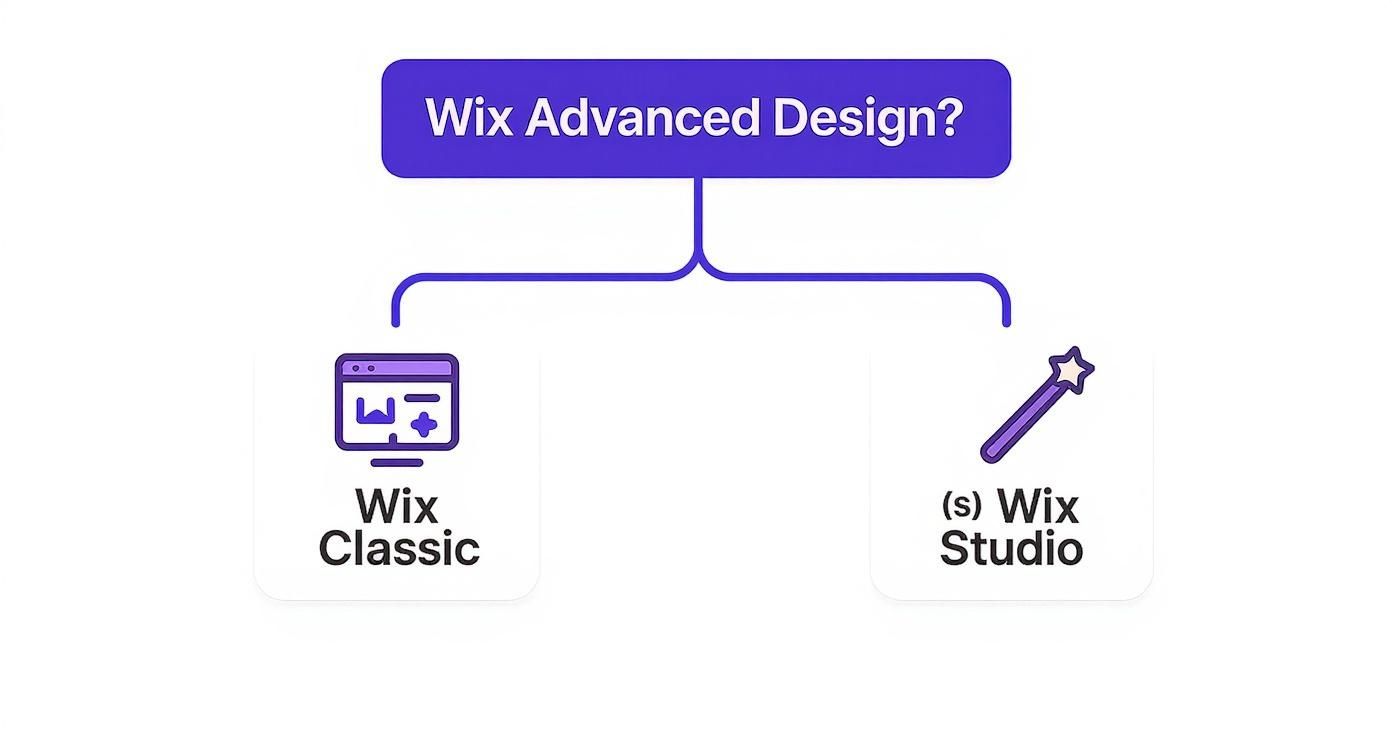
The takeaway is pretty straightforward: if your project demands serious design control, deep customization, and a professional-grade toolset, then Wix Studio is where you need to be.
Industry-Specific Templates Drive Success
There's a reason Wix's library is so big—it’s a direct response to what people actually need. By 2025, Wix was already offering over 920 free templates, each one fine-tuned for a specific industry. And this focus works. During the food delivery boom, for example, the use of restaurant templates shot up by 24%. At the same time, templates for musicians saw a 15% jump, mirroring the rise of the creator economy.
This data tells a clear story: starting with a template designed for your field gives you a massive leg up. These templates don't just look the part; they come loaded with the features and layouts your customers already expect, making for a much better user experience right out of the gate.
A Look at Top-Performing Templates
Theory is great, but let's get to the good stuff. To really understand what Wix Studio templates can do, you have to see them in the wild. Think of this as a tour through some of the best designs out there, handpicked to show what works for specific industries. We'll go beyond just the pretty pictures to break down the features that make them tick.
These aren't just templates; they're strategic starting points, built from the ground up to perform. By seeing what makes them effective, you'll get a much clearer picture of how you can adapt a professional template for your own projects and get it done fast.
For Creative Portfolios
If you're a photographer, designer, or artist, your website's main job is to let your work speak for itself. The best portfolio templates get this. They're masters of minimalism, using clean layouts and plenty of white space to make sure your visuals are the star of the show.
Take the "Design Blog" template. It uses a sharp, editorial-style grid on the homepage that instantly gives off an air of professional taste. This kind of layout is perfect for showing off high-res images or detailed case studies in a way that pulls people in.
The main idea: For a portfolio site, you need templates with dynamic galleries and flexible grids. These features let you update your work easily and ensure it looks incredible everywhere—from a huge desktop monitor to a phone screen.
When picking a creative template, keep an eye out for:
Full-width image sections: These create a totally immersive feel, making your photos or designs feel larger than life.
Integrated CMS: A built-in Content Management System lets you add, update, and sort your portfolio projects without ever messing with the site's design.
Subtle animations: Look for gentle parallax scrolling or fade-in effects that add a touch of class without distracting from your actual work.
For Ecommerce and Retail
When it comes to selling online, a template's job is simple: drive sales. That means it needs to look great, be dead simple to navigate, and be fine-tuned to turn visitors into customers. The "Plant Store" template is a prime example of these rules in action.
It nails the clean, fresh vibe while packing in all the must-have features for an online store. The product pages are clear, the checkout process is a breeze, and it comes with pre-built sections for things like new arrivals or best-sellers. The entire structure is designed to walk customers from browsing to buying without any friction.
A good eCommerce template can make a massive difference. We all know how frustrating a confusing checkout is—in fact, it's one of the top reasons people abandon their carts. Starting with a template that gets this right gives you a huge head start. To see more designs that nail the user experience, check out our deep dive into award-winning Wix Studio templates that set the standard in design.
For Corporate and Service-Based Businesses
Professional firms—think consultants, agencies, and tech companies—need a website that builds immediate trust and clearly explains what they do. The "AI Consultants Firm" and "Tech Company" templates are perfect examples of designs built for just that.
These templates project sophistication and competence right away. They use strong fonts, organized layouts, and have specific sections ready for you to explain complex services, introduce your team, and show off glowing client testimonials.
The most effective corporate templates usually come with:
Clear Calls-to-Action (CTAs): Buttons and forms placed in all the right spots, prompting visitors to "Request a Quote," "Schedule a Consultation," or "Learn More."
Integrated Booking Systems: If your business runs on appointments, a built-in scheduling tool is a non-negotiable for making your life easier.
Professional Blog Layouts: A pre-styled blog section makes it simple to publish articles and position your firm as an expert in your field.
Choosing a template with these pieces already in place gives you a solid foundation to build on. It lets you focus on what really matters—writing great copy and telling your story—instead of getting bogged down in building pages from scratch.
Turning a Template into a Brand Statement
A great Wix Studio template is a fantastic starting point, but it's not the finish line. Think of it like a professionally drafted blueprint for a house. The structure is solid, the layout makes sense, and all the essential systems are in place. Your job is to step in as the interior designer and turn that structure into a home that feels uniquely you.
This is where you move beyond simple color swaps and start shaping the design to tell your brand's story.
True customization means tweaking every element—from fonts and spacing to interactive effects—to reflect a one-of-a-kind brand identity. Wix Studio gives you a powerful set of tools to do just that, offering granular control over every pixel. The goal is to create a memorable experience that feels completely bespoke, not like something straight out of the box.
Mastering Global Style Settings
One of the smartest ways to inject your brand into a template is through the global style settings. This feature is like your central design command center. You define your brand’s visual rules once, and Wix Studio applies them across the entire site instantly.
Instead of changing every single headline or button color one by one, you set up a consistent system. It's a huge time-saver that ensures every new element you add automatically adopts the right styling, keeping your design tight and professional.
By establishing your brand's core visual identity through global styles, you create a cohesive and professional experience. This simple step ensures every page, from the homepage to the contact form, feels intentionally designed and perfectly aligned with your brand.
Here are the key elements you can control globally:
Typography: Set specific fonts, sizes, and styles for all your text elements like headings (H1, H2, etc.) and body paragraphs.
Color Palettes: Define your primary, secondary, and accent colors to lock in brand consistency everywhere.
Button Styles: Customize the look and feel of buttons, including their shape, color, and hover effects, for a unified call-to-action design.
Page Transitions: Add subtle animations between pages to create a smoother, more polished user journey.
Gaining Pixel-Perfect Control
While global settings handle the big picture, Wix Studio also gives you the tools for precise, element-level adjustments. This is where you can really sweat the details that make a design pop. For anyone comfortable with code, you can even add custom CSS to override default template styles and pull off unique visual effects that aren't possible with the visual editor alone.
And you can't forget about the Responsive AI. It’s a critical tool that intelligently adapts your design to different screen sizes, but it doesn't take away your control. You can still jump in and fine-tune layouts for specific breakpoints. This ensures your carefully crafted brand statement looks just as powerful on a phone as it does on a widescreen monitor, creating a seamless experience for every visitor.
Optimizing Your Site for Search and Speed
So you’ve used a Wix Studio template to build a stunning website. That’s a great first step, but it's only half the battle. If potential customers can't find your site on Google, or if it takes forever to load, even the most beautiful design will fall flat.
Think of it this way: your website is your digital storefront. SEO and speed are the roads that lead people to it. You need those roads to be clear, fast, and easy to navigate for both visitors and search engine crawlers. Thankfully, Wix Studio gives you all the tools you need to manage this right from the editor.
Core SEO Best Practices
Getting your on-page SEO right is the foundation. These are the signals you send to Google and other search engines to help them understand what each page is about. You can handle the basics directly within the Wix Studio editor.
Fine-Tune Meta Tags: Write compelling SEO titles and meta descriptions for every single page. This is your site's first impression on a search results page—make it count.
Write Effective Alt Text: Don’t skip the alt text for your images. Adding descriptive text helps search engines understand your visual content and, just as importantly, makes your site accessible to people using screen readers.
Use Structured Data: Wix has built-in tools for adding structured data, also known as schema markup. This gives search engines more context about your content and can lead to eye-catching "rich snippets" in the search results, like star ratings or event details.
SEO and design aren't separate jobs; they are two sides of the same coin. A well-designed site is intuitive and easy to navigate, which search engines reward. A well-optimized site delivers relevant content quickly, creating a better user experience.
Boosting Site Performance and Speed
Site speed is a confirmed ranking factor for Google. A slow-loading website frustrates users and sends them clicking the back button, which increases your bounce rate. With Wix holding 43% of the U.S. DIY website builder market share as of 2025 and running the third most-used ecommerce platform globally, performance is a massive priority for them. You can learn more about Wix's market position and statistics.
To make sure your site is lightning-fast, concentrate on these key areas:
Compress Images: Always, always use optimized images. Wix has tools that help, but you’ll get the best results by uploading reasonably sized files from the start.
Limit Heavy Animations: Animations can add a nice touch, but overdoing it will drag your site's speed down. Use them strategically to improve the experience, not get in the way of it.
Prioritize Above-the-Fold Content: Make sure the most important content at the top of your page loads first. This lets visitors start engaging right away instead of staring at a blank screen while the rest of the page renders.
When you pair a strong design with thoughtful optimization, you create a powerful digital presence. For a deeper dive, check out our guide on the SEO design advantage and why web designers should integrate SEO.
When to Partner with a Wix Studio Agency
While Wix Studio templates give you an incredible amount of power for DIY projects, certain business goals call for a level of strategy and technical skill that a pre-made design just can't cover. Knowing when to call in a professional isn't a knock on the template's quality; it’s a smart, strategic move to really unlock what your website can do.
Think of it this way: a template gives you a professional-grade kitchen, complete with top-of-the-line appliances. An agency, on the other hand, is your executive chef. They bring the experience to design a custom menu from scratch, hook up specialized equipment (like tricky API connections), and make sure the whole service runs without a hitch. For any business with big growth plans, that partnership is a critical investment.
Signs It’s Time to Hire an Expert
Some projects are a dead giveaway that you need a pro in your corner. If your vision involves deep, from-the-ground-up customization, moving a mountain of data, or creating a brand strategy from scratch, an agency is the bridge between your ideas and a polished, high-performing final product.
You should seriously consider partnering with an agency if you need to:
Implement Custom API Integrations: Connecting your site to third-party software—like a specific CRM or a specialized booking platform—often requires custom code to make everything talk to each other correctly.
Perform a Large-Scale Data Migration: Moving an entire blog, a huge product catalog, or a customer database from another platform is a delicate operation. Experts know how to handle it without losing data or causing a mess.
Develop a Bespoke Brand Identity: A good agency can take your core business values and translate them into a unique visual language, making sure your site is truly one-of-a-kind and not just another template.
Picking the right partner is a massive step. If you're starting to look around, this guide on how to choose a creative agency has some great advice for finding the perfect match for your brand.
For businesses that want to make a real impact, our team at DLL Studios specializes in pushing websites far beyond what a template can do on its own. Los Angeles is at the center of our service area, and we proudly support clients across a wide network of surrounding cities and neighborhoods throughout Southern California. Our reach includes every corner of L.A.—from Downtown Los Angeles, Hollywood, West Hollywood, Beverly Hills, and Santa Monica to the beach communities of Malibu, Venice, Marina del Rey, Hermosa Beach, Manhattan Beach, and Redondo Beach. We also extend service through the San Fernando Valley, including Sherman Oaks, Studio City, Encino, Van Nuys, North Hollywood, Burbank, Glendale, Pasadena, Woodland Hills, Chatsworth, Canoga Park, Reseda, Northridge, and Tarzana. In the San Gabriel Valley, we work with clients in Alhambra, Monterey Park, San Gabriel, Temple City, Rosemead, Arcadia, El Monte, South El Monte, West Covina, Covina, Baldwin Park, Azusa, Glendora, Duarte, and Monrovia. Farther southeast, we serve Whittier, Pico Rivera, Downey, Norwalk, La Mirada, La Habra, and Cerritos. We also support the South Bay—including Torrance, Carson, Gardena, Hawthorne, Inglewood, and Long Beach—as well as the Gateway Cities and communities throughout the I-10, I-5, 101, and 405 corridors. Whether you’re in a major metro area or a smaller surrounding neighborhood, our team delivers reliable, high-quality service anywhere in or around Los Angeles.
Frequently Asked Questions About Wix Studio
Still have a few questions floating around about Wix Studio templates? You're not alone. This is the spot where we tackle the most common things creators and business owners ask us. Think of it as a final check-in before you jump in and start building.
A solid FAQ page is a surprisingly powerful way to build trust with your audience. If you want to dig deeper into that idea, check out this great article on Frequently Asked Questions (FAQs) as an important element of your website strategy.
Can I Switch Templates After I Start Building?
Short answer: no. Once you pick a Wix Studio template and start adding your content, you're locked in. The template is the骨架 of your site, so choosing the right one from the get-go is key to a smooth, headache-free design process.
Are Wix Studio Templates Mobile-Friendly?
You bet they are. Every single template is designed to be responsive right out of the box. Wix Studio uses a sophisticated grid system and even some responsive AI to make sure your site automatically adjusts to look fantastic on any screen. Plus, you still have total control to go in and tweak the layout for specific devices, from a tiny phone screen to a massive desktop monitor.
Do I Need to Know Code to Use Them?
Not at all. The platform is built around a powerful visual editor that gives you a massive amount of control without ever touching a line of code. But for those who like to get their hands dirty and push the limits, Wix Studio has you covered. It fully supports custom CSS and JavaScript through Velo, opening up a world of possibilities for unique features and custom tweaks.
Ready to build a website that goes beyond the template? At DLL Studios, we specialize in creating custom, high-performance digital experiences. Get in touch with us today to see how we can bring your vision to life.


